What Security Camera Records 247?
Security cameras that record 24/7 capture continuous footage around the clock, not just when motion occurs. This ensures that every moment is documented, with no gaps in coverage. Unlike motion-triggered cameras — which record only when activity is detected — cameras that record 24/7 keep everything on record, whether it's your front porch, garage, driveway, living room, or storage unit.
Types of 24/7 Recording Security Cameras
There are several hardware configurations available for continuous recording:
- POE Cameras
- POE cameras use an ethernet cable for both power and networking. They are wired cameras that offer reliable, uninterrupted power for 24/7 recording.
- Plug-in WiFi Security Cameras
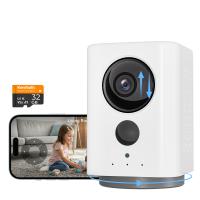
- These cameras connect to a power outlet for nonstop power while using WiFi for network access and remote viewing. They are easier to install than POE cameras because no ethernet wiring is required.
- Wireless Battery-Powered Continuous Recording Cameras
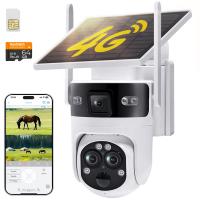
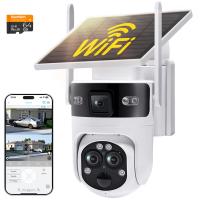
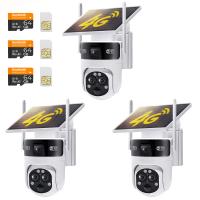
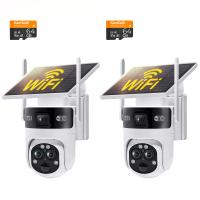
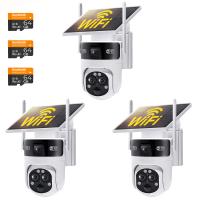
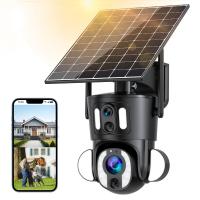
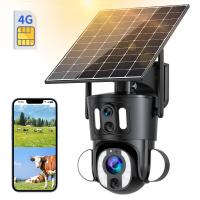
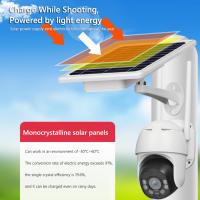
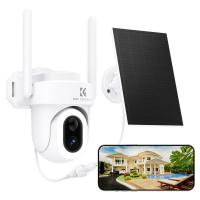
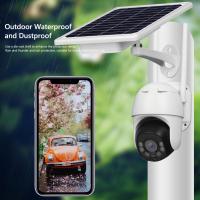
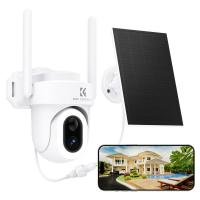
- These cameras are completely wireless. They usually have a built-in long-lasting battery for power and are often connected to solar panels for automatic recharging. They use WiFi or 4G to access the internet.
- NVR Systems
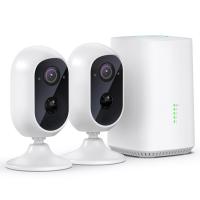
- The cameras can be connected to the NVR through an ethernet cable or WiFi. The recordings are stored in the built-in NVR storage, which is more than enough to store recordings for several days.
Key Features to Look for in a 24/7 Recording Camera
- True 24-hour recording: Make sure the camera records continuously all day (24 hours) without any interruption. Some cameras do not have this feature and work only in motion detection mode.
- Reliable power source: For continuous recording, the camera's power source must be reliable. If it is a wired camera, you don't need to worry about it. But if it's a battery-powered camera, make sure it has enough capacity to last longer on continuous recording and is also compatible with solar panels.
- Sufficient storage capacity: The storage should have enough capacity to save a recording of at least a week. Otherwise, the camera will delete old recordings automatically.
- Subscription-free: The camera should work without any subscription or recurring charges, offering all features without any charges or conditions.
- Remote access: The camera should allow users to access the live feed, camera recordings, and other controls from any location via a smartphone app.
- Smart detection: With smart detection, the camera detects objects and distinguishes between persons, pets, and vehicles, sending real-time alerts and eliminating false alerts.
Benefits of Continuous 24/7 Recording
- Complete incident coverage: A 24/7 security camera records everything that happens around your property without missing key moments, especially when incidents occur outside of motion detection triggers or at unexpected times.
- No gaps in footage: Continuous recording ensures you always have a full timeline of events with no missing segments, making it easier to review what happened before, during, and after an incident.
- Better peace of mind: Knowing your home or driveway is being monitored at all times helps reduce worry when you are away. You can check live or recorded footage anytime from your phone.
- Simple and reliable monitoring: Unlike systems that depend only on motion alerts, continuous recording runs without needing constant adjustments, making it a more stable and dependable option for long-term security.
- Crime deterrence: Visible cameras that record continuously can discourage suspicious activity around your property. Potential intruders are less likely to act when they know everything is being recorded.
Storage Considerations for 24/7 Recording
Continuous recording cameras significantly impact storage capacity. Unlike motion-triggered cameras, which only record when activity is detected, continuous recording security cameras capture and store footage 24/7, resulting in much larger file sizes and faster storage consumption.
To manage this, it's typically better to use high-capacity storage, such as large SD cards or external hard drives. Many cameras offer loop recording, which automatically overwrites older footage when storage is full so the camera can keep recording without the SD card needing to be replaced. The Eufy Indoor Cam S350, for example, supports 1 TB of storage — enough for around 10 days — and storage can be expanded up to 16 TB, supporting up to 6 months of footage.
How to Set a Security Camera to Record All the Time
- Set the camera to continuous recording mode.
- Set up scheduled recording for the whole day.
- Connect the camera to reliable cloud storage for continuous recording.
- Set up local storage, such as a microSD card or NVR/DVR.
- Connect the camera to an FTP server to record 24/7.
Select any suitable option according to the compatibility of your security camera, budget, and personal preferences. Security cameras can be set to record all the time, but 24/7 recording requires substantial storage space. In addition to continuous recording, some devices also offer scheduled recording or event-based recording.
Security Cameras That Record 24/7 Without a Subscription
Security cameras that support 24/7 recording without a subscription typically rely on local storage instead of cloud plans. These cameras record footage continuously to a microSD card, built-in hard drive (NVR/DVR), or local hub, so you don't need to pay monthly fees. Popular setups often use POE + NVR systems for reliable 24/7 monitoring without ongoing fees.
The Eufy continuous recording camera lineup offers local storage with no monthly fees, safeguarding your home day and night without interruption. The EufyCam E330, for example, provides 24/7 clarity day and night with an ultra-sensitive starlight sensor, stable wired power for uninterrupted recording, enhanced WiFi coverage, and smart assistance with facial recognition and AI video splicing. It can save up to 6 months of footage with expandable storage. For users seeking a wired outdoor option, the Google Nest Cam Outdoor (wired, 2nd gen) is noted as a top pick specifically for nonstop recording.
For those seeking a no-subscription NVR-based system, the Reolink Atlas PT Ultra offers continuous video recording for 12 hours per day for one week with a single charge of its 20,000mAh battery. Reolink NVR systems can be configured to record 24/7 continuously via the Reolink app, client, or web browser.
Cloud Recording Behavior for 24/7 Cameras
When using a camera with both local SD card recording and a cloud subscription, such as the Wyze Cam V3 with Cam Plus, the cloud only records events and not the continuous video that the SD card does. What counts as an event can vary: with Cam Plus, the camera will record video to the cloud as long as there is ongoing motion happening — if motion stops, the recording upload stops. Continuous SD card footage and cloud event footage are stored independently.