Security Camera That You Can Talk Through?
Security cameras with two-way audio allow you to listen and talk to your family in real-time, so you don't need to purchase an external microphone or speaker to enable the 2-way audio function. These cameras are a great addition to your home security system. They can be used to monitor your home while you're away, listen in on what's going on around your home, and even capture audio for use as evidence.
Half-Duplex vs Full-Duplex Audio Transmission
Home security cameras with two-way audio use either half-duplex or full-duplex audio transmission mode.
- Half-Duplex
- Audio is sent in both directions. However, only one party can send or receive audio data at a time, which is similar to a walkie-talkie.
- Full-Duplex
- Both parties can send and receive audio data through two-way audio IP security cameras at the same time. In other words, you can chat with your family or children, similar to face-to-face talk with two-way audio over IP.
Security cameras with audio will only record audio while doing video recording. You cannot talk to your children or family with this type of security camera. Two-way audio video security cameras, on the other hand, offer you real-time communication as well as audio and video recording.
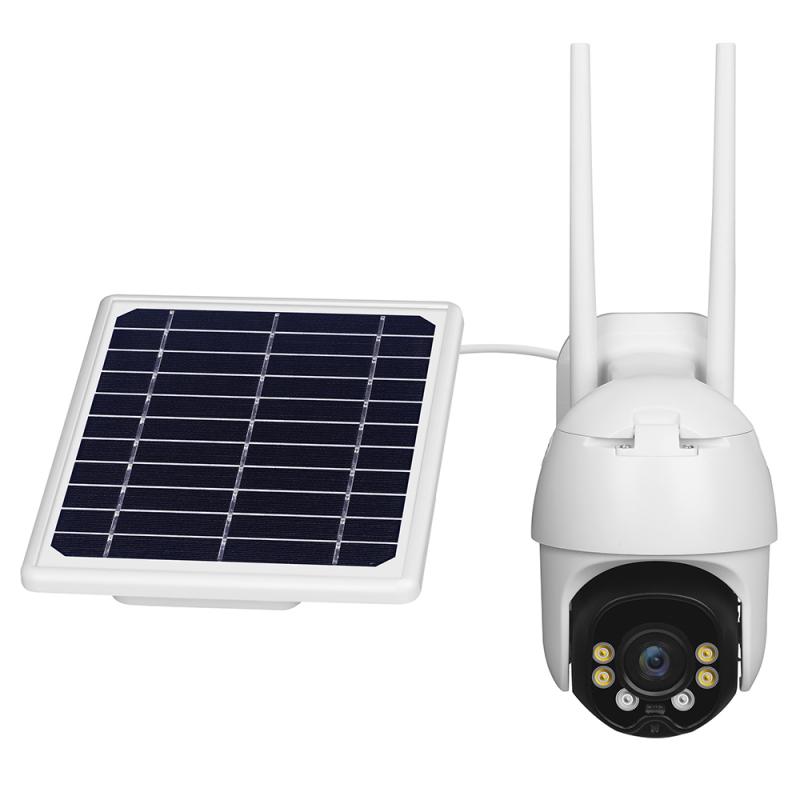
Advantages of Two-Way Audio Security Cameras
- You can listen and talk to your kids, your elderly parents, and loved ones anytime you like.
- You can let a delivery man leave your package in the place you prefer.
- You can give your pet orders to let your furry friends not rock the boat.
- You can scare off any potential thieves by a verbal warning.
- You can communicate with whoever is visible on the camera like having a conversation on the phone.
Indoor Camera Options with Two-Way Audio
For two-way audio you'll want a camera that streams low-latency audio and has a decent mic. Several indoor camera options support two-way audio communication:
- eufy Indoor Cam 2K — costs about $69.99. It records locally to a micro-SD card (up to 128 GB) and you can view the feed in the eufy app without a subscription. It also integrates with Google Home, so you can stream the camera to a Nest Hub. Just make sure the router's 2.4 GHz band is active for reliable connectivity.
- Google Nest Cam (Battery) — runs about $99.99, offers 1080p video, night vision, and built-in mic/speaker for real-time conversation from your phone or Google Nest speakers. It plugs straight into Wi-Fi and works with the Google Home app, so you can issue voice commands or get alerts on your Nest Hub.
- Ring Indoor Cam (2nd gen) — plug-in, was $49.99. An indoor security camera with security-focused features. Ties into the Ring ecosystem and supports two-way audio.
- Ring Indoor Cam Plus featuring Retinal 2K — plug-in, was $59.99. Ring's essential plug-in indoor camera, featuring enhanced image quality.
- Ring Pan-Tilt Indoor Cam — plug-in, $59.99. Offers 360° pan coverage for a wider view of indoor spaces.
- Blink Mini — compact indoor plug-in smart security camera, 1080p, night vision, motion detection, 2-way audio. Available in 1-cam or 2-cam packs, in black or white.
- Cinmoore 2-Pack Smart Indoor WiFi Camera — 2K resolution, night vision, and built-in microphones.
- TP-Link Tapo C120 — a sub-$40 indoor/outdoor 2K camera that can reliably distinguish between a variety of motions and sounds. Offers more customization options than most indoor cameras, and all features work whether you pay for a subscription or opt to use your own local storage on a microSD card at no extra charge.
Smart Home Compatibility
Many security cameras with microphones are compatible with popular smart home platforms. Check the product specifications to see which smart home integrations are supported.
- Google Home / Google Assistant
- The eufy Indoor Cam 2K and Google Nest Cam both integrate with Google Home. You can stream the camera to a Nest Hub or issue voice commands through the Google Home app.
- Amazon Alexa
- RadioShack indoor cameras (3MP HD) listed as Alexa and Google compatible. Ring cameras are Alexa enabled for voice control of compatible smart home devices.
- Ring App
- Ring cameras allow you to customize when your cameras record, remotely arm and disarm your Ring alarm, and more, all in the Ring app. You can see, hear, and speak to visitors in real time from anywhere.
Audio Quality and Features
Audio quality varies depending on the camera model and microphone sensitivity. Most modern security cameras are designed to capture clear audio within a certain range, but background noise and distance from the microphone can affect sound clarity.
Ring cameras feature high-quality audio and echo cancellation so you can hear visitors clearly. Many security cameras with microphones also include speakers, enabling two-way audio communication. This allows you to listen and speak through the camera using a connected device, making it easy to interact with visitors or deter intruders.
Many security cameras with microphones offer the option to disable audio recording through the camera's settings or companion app. This gives you control over when and how audio is captured, depending on your preferences.
Remote Access and Video Storage
Many security cameras with microphones allow you to access both video and audio recordings remotely through a compatible app or web portal. This feature lets you monitor live feeds and playback recorded footage, including sound, from your smartphone, tablet, or computer.
- Without a subscription, you can view real-time video for Ring doorbells and security cameras and answer doorbell notifications as they happen, but your videos and photos will not be saved.
- With a Ring Protect subscription, you can save, share, and replay recorded videos of every doorbell ring, motion event, and live view event for up to 180 days.
- The eufy Indoor Cam 2K records locally to a micro-SD card (up to 128 GB) with no subscription required to view the feed in the eufy app.
- The TP-Link Tapo C120 supports local storage on a microSD card at no extra charge, with all features working without a subscription.
Connectivity and Placement Considerations
For indoor placement near a front door or foyer — even at distances of about 10 feet from the door — the following connectivity points apply:
- Single-band Wi-Fi cameras connect to a 2.4 GHz signal. Make sure the router's 2.4 GHz band is active for reliable connectivity.
- Dual-band Wi-Fi cameras can also connect to a 5.0 GHz signal for a faster, more stable connection.
- Most indoor cameras considered by reviewers operate over Wi-Fi without the need for a networked video recorder.
- Using cameras should be a household decision, which may include babysitters, housekeepers, and tradespeople, depending on local laws.
- Visitors to your home, like babysitters and housekeepers, may need to be advised that you have a camera, depending on local laws.
Storing video locally is free and especially secure. Cloud storage saves video online, which you can access even if your camera is swiped. Check under app settings to enable two-factor authentication (2FA), which restricts unauthorized access to your camera and recordings.