kfconcept

KENTFAITH
K&F Concept    Blog >

Enjoy Your Selected Digital Life

Recently Viewed
  • Recently Viewed
  • Recently Viewed list is empty.

Compare (0) 0
  • Compare
  • You have not chosen any products to compare.

  • Compare
Currency: USD
  • Currency
Shop by Scene Shop by Rank

Log Into Your Account

Account

Order History

Wish List

Login

Forgotten Password?

Or connect with

Register Account

Already have an Account?Log In

  • Shopping Cart
  • Your shopping cart is empty!

  • Register/Login to purchase, earn points
  • Favorite
  • Your wish list is empty.

  • Register/Login to like, earn points
  • Activities
  • Guide
    • Filter Guide
    • Lens Adapter
    • Product Review
  • News & Reviews
    • Camera Reviews
    • Sample Gallery
    • News
  • Tutorials
    • Solar eclipse photography
    • Photography Basics
    • Landscape Photography
  • Inspiration
    • Travel
    • Travel Stories
  • Home
  • Blog
  • Voice Sounds Bad When Recording Music?

Voice Sounds Bad When Recording Music?

Kentfaith 2024-09-05 01:07:54 0 Comments

Recording music can be an exhilarating experience, but it can also be frustrating when the playback doesn't match the quality you were hoping for. One of the most common issues musicians and vocalists face is poor voice quality in recordings. This problem can stem from a variety of sources, ranging from technical issues to performance-related factors. In this article, we will explore the most common reasons why your voice might sound bad when recording music and provide practical solutions to help you achieve the best possible sound.

Understanding the Problem
voice sounds bad when recording music 1

Before diving into solutions, it's essential to understand the potential causes of poor voice quality in recordings. These can be broadly categorized into three main areas: technical issues, environmental factors, and performance-related problems.

Technical Issues

voice sounds bad when recording music 2

1. Microphone Quality and Type

voice sounds bad when recording music 3

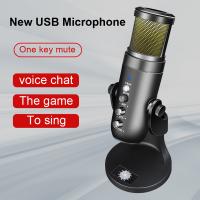
The microphone is the first point of contact for your voice in the recording chain. Using a low-quality or inappropriate microphone can significantly affect the sound. Condenser microphones are generally preferred for vocal recordings due to their sensitivity and ability to capture a wide range of frequencies. However, dynamic microphones can also be suitable for certain types of vocals, especially in live settings.

Solution: Invest in a good-quality condenser microphone. Brands like Shure, Audio-Technica, and Rode offer excellent options for various budgets.

2. Audio Interface and Preamp
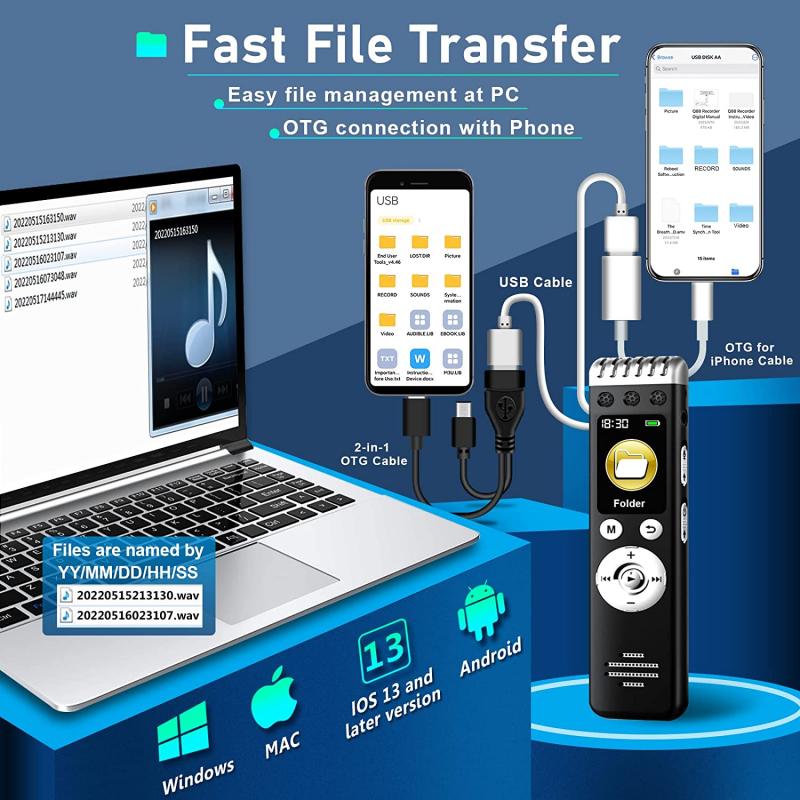
voice sounds bad when recording music 4

The audio interface and preamp play crucial roles in converting your analog voice signal into a digital format. A poor-quality interface or preamp can introduce noise and distortion, degrading the overall sound quality.

Solution: Ensure you have a reliable audio interface and preamp. Focusrite Scarlett and Universal Audio Apollo are popular choices among musicians and producers.

3. Recording Software

The software you use for recording can also impact the quality of your voice. Some digital audio workstations (DAWs) offer better sound processing capabilities than others.

Solution: Use reputable recording software like Pro Tools, Logic Pro, or Ableton Live. These DAWs provide high-quality sound processing and a range of tools to enhance your recordings.

Environmental Factors

1. Room Acoustics

The acoustics of the room where you record can significantly affect the sound quality. Hard surfaces can cause reflections and echoes, while a room with poor acoustics can make your voice sound muddy or boxy.

Solution: Treat your recording space with acoustic panels, bass traps, and diffusers. If you're on a budget, even simple solutions like hanging blankets or using foam can make a difference.

2. Background Noise

Unwanted background noise can ruin an otherwise perfect vocal take. This noise can come from various sources, including air conditioning, traffic, or even electronic devices.

Solution: Record in a quiet environment and use noise gates or noise reduction plugins to minimize background noise. Additionally, consider using a reflection filter around your microphone to isolate your voice.

Performance-Related Problems

1. Vocal Technique

Even with the best equipment and environment, poor vocal technique can result in a subpar recording. Issues like poor breath control, incorrect pitch, and lack of vocal warm-up can all contribute to a bad-sounding recording.

Solution: Practice proper vocal techniques and consider taking lessons from a vocal coach. Warm up your voice before recording and stay hydrated to maintain vocal health.

2. Microphone Technique

How you use the microphone can also impact the quality of your recording. Being too close or too far from the microphone, or not using a pop filter, can result in issues like plosives, sibilance, and inconsistent volume levels.

Solution: Maintain a consistent distance from the microphone, usually about 6-12 inches. Use a pop filter to reduce plosives and practice good microphone technique to ensure a balanced recording.

Post-Production

Even after addressing all the above factors, post-production plays a crucial role in achieving a polished sound. Here are some essential post-production techniques:

1. Equalization (EQ)

EQ allows you to adjust the frequency balance of your recording. Cutting unwanted frequencies and boosting others can help your voice sound clearer and more professional.

Solution: Use EQ to remove low-end rumble, reduce harsh mid frequencies, and add presence to the high end. Be subtle with your adjustments to avoid making the recording sound unnatural.

2. Compression

Compression helps to even out the dynamic range of your recording, making the quiet parts louder and the loud parts quieter. This can make your voice sound more consistent and polished.

Solution: Apply gentle compression to your vocal track. Start with a low ratio (2:1 or 3:1) and adjust the threshold until you achieve a balanced sound.

3. Reverb and Delay

Adding reverb and delay can give your voice a sense of space and depth. However, too much can make your recording sound muddy and distant.

Solution: Use reverb and delay sparingly. A short reverb with a low mix level can add warmth without overwhelming the vocal. Delay can be used to add depth, but keep it subtle to avoid cluttering the mix.

Practical Tips for Better Vocal Recordings

1. Record Multiple Takes: Recording multiple takes gives you more options to choose from during the editing process. You can also comp (combine) the best parts of different takes to create a perfect final track.

2. Monitor with Headphones: Use closed-back headphones to monitor your recording. This helps you hear the details of your performance and make adjustments in real-time.

3. Stay Relaxed: Tension can affect your vocal performance. Stay relaxed and take breaks if needed to maintain a fresh and energetic sound.

4. Experiment: Don’t be afraid to experiment with different techniques, settings, and equipment. Finding what works best for your voice and style can take time, but it’s worth the effort.

Achieving a high-quality vocal recording involves a combination of good equipment, a suitable recording environment, proper technique, and effective post-production. By addressing the common issues outlined in this article, you can significantly improve the sound of your voice in recordings. Remember, practice and experimentation are key. The more you record, the better you’ll understand how to get the best out of your voice and equipment. Happy recording!
Leave your comment
Cancel reply
Note: HTML is not translated!
Related products
Digital Voice Recorder with Ultra-long 1000H Continuous Recording, Voice-Activated & Magnetic 128G
11
$134.99 $89.99
128G Small Digital Voice Recorder with Ultra-long 1000H Continuous Recording, Voice-Activated & Magnetic, Kentfaith
17
$118.74 $94.99
Mini Voice Recorder Magnetic & Voice-activated, 800H Recording with Noise Cancelling, Kentfaith Voice Recorder for Meetings, Lectures, Studying, Interviews 64G
TOP Best
Mini Voice Recorder Magnetic & Voice-activated, 800H Recording with Noise Cancelling, Kentfaith Voice Recorder for Meetings, Lectures, Studying, Interviews 64G
621
$68.99 $45.99
Mini Voice Recorder Magnetic & Voice-activated, 1600H Recording with Noise Cancelling, Kentfaith Voice Recorder for Meetings, Lectures, Studying, Interviews 128G
621
$82.49 $53.99
Mini Sound Recorder 128GB 1600H Recording Capacity with 1.4" Screen, Voice Activated Mode Kentfaith
NEW Arrival
Mini Sound Recorder 128GB 1600H Recording Capacity with 1.4" Screen, Voice Activated Mode Kentfaith
12
$99.99 $79.99
AI Voice Recorder, Transcribe Summarize Translation, App Control, 40H Recording Time, 64GB Memory, Kentfaith
21
$137.49 $109.99
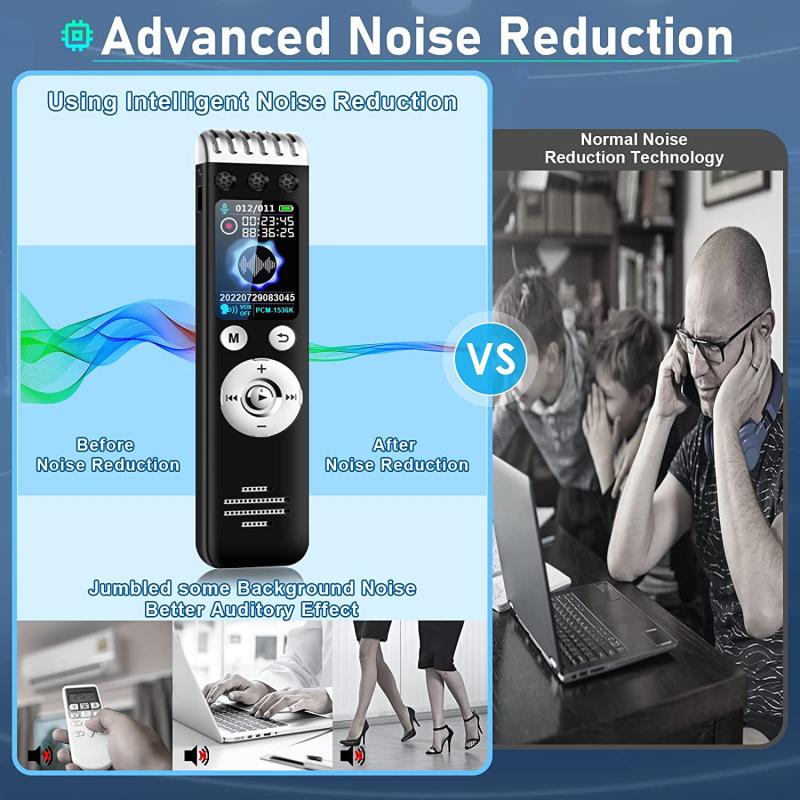
128G Small Digital Voice Recorder with Ultra-long 1536H Recording, Voice-Activated & DSP Noise Reduction, Conference/Lecture/Classroom Learning, Keychain Portable Gifts, Kentfaith
18
$106.24 $84.99
AI Smart Glasses with 164 Languages Real-Time Translation, 4 Translation Modes, Voice Control, AI Assistant, Music Playing All-in-one Bluetooth Smartglasses for iPhone, Android, iPad
NEW Arrival
AI Smart Glasses with 164 Languages Real-Time Translation, 4 Translation Modes, Voice Control, AI Assistant, Music Playing All-in-one Bluetooth Smartglasses for iPhone, Android, iPad
93
$99.99 $79.99
10 Riders Intercom Motorcycle Helmet Bluetooth Headset Music Sharing
11
$149.99 $104.99
Motorcycle Bluetooth Headset Connect to 2 Devices Hands-Free Call/Music
11
$119.99 $83.99
Products You May Like
Digital Coin Microscope 7" LCD Screen 1200X Magnification 1080P Image
14
$134.99 $94.99
77mm Kaleidoscope Triangular Prism Filter Optical Glass Special Effect Camera Lens Filter Nano-Basic Series
NEW Arrival
77mm Kaleidoscope Triangular Prism Filter Optical Glass Special Effect Camera Lens Filter Nano-Basic Series
$43.99
55mm Explosive-Proof MCUV Lens Protection Filter 28 Multi-Layer Coatings Ultra-Slim HD Waterproof Scratch Resistant Nano-Xcel Series
58
$43.74 $34.99
49mm Black Diffusion Mist 1/4 & Variable ND2-32 2-in-1 Filter Cinematic Effect Neutral Density Filter for Camera Lens with 18 Multi-Layer Coatings - Nano-Klear Series
NEW Arrival
49mm Black Diffusion Mist 1/4 & Variable ND2-32 2-in-1 Filter Cinematic Effect Neutral Density Filter for Camera Lens with 18 Multi-Layer Coatings - Nano-Klear Series
35
$37.49
76"/1.9m Aluminum Camera Tripod Portable Detachable Monopod Transverse Center Column 22lbs/10kg Load with for DSLR Cameras, T254A6+BH-28L (SA254T3)
69
$249.99 $129.99
24MP*1296P night vision, 120° wide-angle 0.2S trigger 2-inch screen tracking camera maple leaf color*4 sets
$306.99
37mm UV Filter Ultra Low Reflection Tempered Glass Protection Lens Filter, Slim Lens HD Optical Glass Scratch-resistant, Ultraviolet Filters for DSLR Cameras Nano-X Series
NEW Arrival
37mm UV Filter Ultra Low Reflection Tempered Glass Protection Lens Filter, Slim Lens HD Optical Glass Scratch-resistant, Ultraviolet Filters for DSLR Cameras Nano-X Series
19
$47.99
32L Pro Large Camera Backpack for 17" Laptop DSLR SLR Cameras, Anti-Theft Waterproof with Rain Cover, Tripod Holder for Photographers - Backpack 32L Star Wander03 (Black)
203
$149.99 $120.99
M42 Lenses to Nikon F Lens Mount Adapter K&F Concept M10171 Lens Adapter
8
$36.99 $18.99
Minolta MD MC Lenses to Canon EOS M Camera Mount Adapter
2
$53.99 $27.99
Related articles
Home Recorded Music Fluttering Sounds How To Remove?
How To Sound Good When Recording Your Voice?
How To Have A Clear Voice When Recording?
Bad Quality Sound When I Record?
Sound Not Working When Screen Recording?
No Sound When Recording On Instagram?
Note 4 No Sound When Recording?
How To Put Voice Recording Over Video?
How To Get Voice In Screen Recording?
How To Insert Micro Sd Card Switch?
Blog You May Like
Where Does Sound Recorder Store?
How To Set Up V380 Wifi Camera On Android Phone ?
What Filter Should I Keep On My Lens?
How To Access Wifi Camera Away From Home ?
What Does Uv Filter Do For Dslr?
How To Set Up Home Security Camera?
How To Protect Outdoor Camera From Weather?
How To Turn Off Earphone Mic?
When To Use Polarized Lens Filter?
Sony Video Camera Can You Charge The Battery?
Related categories
Samsung NX M Mount Adapter GPS monitor detector Pentax Q Lens Adapter Tripods Drone Accessories reflector for photography Ultra-low Reflection UV Filters black pro mist square filter outdoor lights
Popular products
digital voice recording smart digital voice recorder mini sound recorder device mini magnetic voice recorder AI Smart Glasses USB Microphone Kit best usb microphone kit mini magnetic voice recorder bluetooth wireless motorcycle speaker phone voice call recording
Related searches
Voice Recording Microphone Usb Microphone For Voice Recording Uv Lens Filter Good Or Bad Helmet Music Speakers Voice Recorder Best Music Video Camera The Best Music Headphones Music Speakers For Home Smart Watch With Music Music Microphone For Iphone
Popular searches
Nikon Dk-18 Eyepiece Adapter For Dg-2 Leica Mz6 Camera Adapter 24 Hour Dash Cam Pentax F 1.7 Af Adapter Battery Powered External Security Camera Zeiss Batis 85mm F1 8 Sony E-mount Nikon Dk 25 Eyecup Ltm Lens Not Centered On Adapter Sony La Ea-4 Lens Adapter Night Time Video Camera
Blog Category
  • Activities
  • Guide
    • Filter Guide
    • Lens Adapter
    • Product Review
  • News & Reviews
    • Camera Reviews
    • Sample Gallery
    • News
  • Tutorials
    • Solar eclipse photography
    • Photography Basics
    • Landscape Photography
  • Inspiration
    • Travel
    • Travel Stories
Search Article
Latest from the Blog
What Is The Difference Between Binoculars And Telescope?
How To Place Cameras Around Your House?
How To Make A Camera Flash After Effects?
Black Friday 2025 Special at Kentfaith
ND Filter: The Complete Guide to Neutral Density Filters for Photography and Video
What Does Tripod?
How To Buy A Security Camera System?
Which Smart Watches Are Waterproof?
Can Security Cameras Detect Motion Through Glass?
Neutral Density Filter: The Ultimate Guide for Photographers and Videographers
  • Easy Payment Multilple Payment Options

  • Free Shipping Global WareHouse Shipment

  • No Risk 30-Day No Reason Return

  • Limited Deals Buy More, Save More

  • Tax Free No any surcharges or tax fee

Information
  • About us
  • Contact Us
  • Site Map
  • Blog
  • Video
  • Gallery
  • VIP Membership Rewards
Service
  • Privacy Policy
  • Terms & Conditions
  • Shipping & Delivery
  • Payment Info
  • Warranty, Return & Refund
  • Intellectual Property Rights
  • Ambassador
  • Affiliates
  • Wholesale
Support
  • My account
  • Order History
  • FAQs
  • Extend Warranty
  • Logistics Tracking
Follow us
NewsLetter

Get the latest product, K&F Concept respects your privacy.

Powered By KENTFAITH © 2025