kfconcept

KENTFAITH
K&F Concept    Blog >

Enjoy Your Selected Digital Life

Recently Viewed
  • Recently Viewed
  • 95mm UV Filter 0.1% Ultra-low Reflection (titanium coating ) with 28 Multi-Layer Coatings Nano-Xcel Series
    95mm UV Filter 0.1% Ultra-low Reflection (titanium coating ) with 28 Multi-Layer Coatings Nano-Xcel Series
    $66.99 $52.99
Compare (0) 0
  • Compare
  • You have not chosen any products to compare.

  • Compare
Currency: USD
  • Currency
Shop by Scene Shop by Rank

Log Into Your Account

Account

Order History

Wish List

Login

Forgotten Password?

Or connect with

Register Account

Already have an Account?Log In

  • Shopping Cart
  • Your shopping cart is empty!

  • Register/Login to purchase, earn points
  • Favorite
  • Your wish list is empty.

  • Register/Login to like, earn points
  • Activities
  • Guide
    • Filter Guide
    • Lens Adapter
    • Product Review
  • News & Reviews
    • Camera Reviews
    • Sample Gallery
    • News
  • Tutorials
    • Solar eclipse photography
    • Photography Basics
    • Landscape Photography
  • Inspiration
    • Travel
    • Travel Stories
  • Home
  • Blog
  • How To Turn Off Auto Filter On Camera?

How To Turn Off Auto Filter On Camera?

Kentfaith 2024-06-25 01:34:05 0 Comments

In the age of digital photography, cameras have become more sophisticated, offering a plethora of features designed to enhance the quality of images. One such feature is the auto filter, which automatically applies filters to photos to improve their appearance. While this can be beneficial for casual photographers, it can be a hindrance for those who prefer to have full control over their images. If you find yourself in the latter category, you might be wondering how to turn off the auto filter on your camera. This article will guide you through the process, providing practical solutions and tips to help you regain control over your photography.
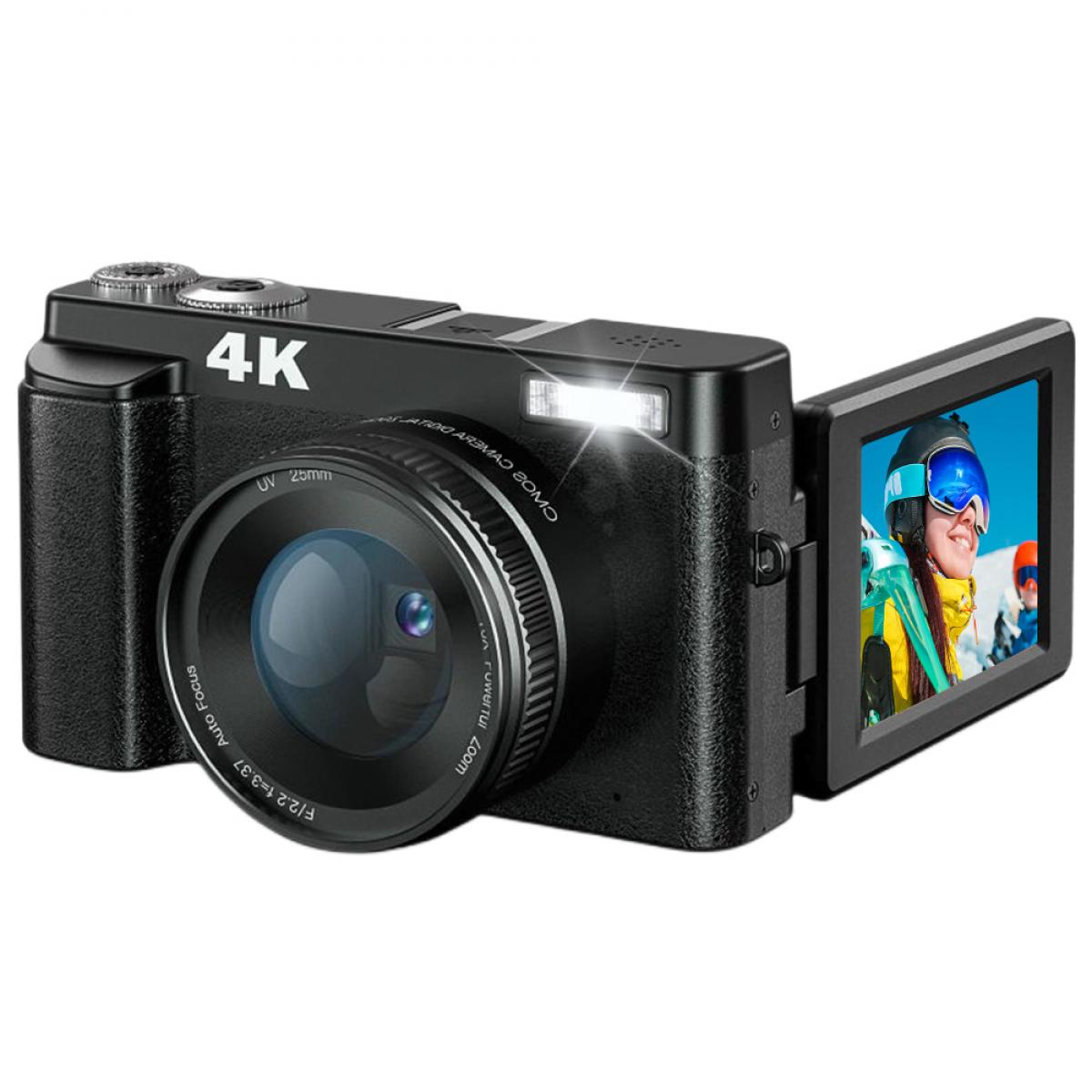

Understanding Auto Filters

Before diving into the steps to disable auto filters, it's essential to understand what they are and why they exist. Auto filters are pre-programmed settings in your camera that automatically adjust various aspects of your photos, such as brightness, contrast, saturation, and sharpness. These filters are designed to enhance the overall look of your images, making them more visually appealing without requiring manual adjustments.

While auto filters can be convenient, they can also be limiting. For instance, they might not always produce the desired effect, especially in complex lighting conditions. Additionally, they can interfere with your creative vision, as they apply a standardized look to all your photos.

Identifying Your Camera Model

The first step in turning off the auto filter is to identify your camera model. Different cameras have different settings and menu structures, so knowing your specific model will help you navigate the process more efficiently. You can usually find the model number on the camera body or in the user manual.

Accessing the Camera Menu

Once you have identified your camera model, the next step is to access the camera menu. This is typically done by pressing the "Menu" button on your camera. The location of this button can vary depending on the model, but it is usually found on the back or top of the camera.

Navigating to the Filter Settings

After accessing the camera menu, you will need to navigate to the filter settings. This can usually be found under a section labeled "Image Settings," "Picture Control," "Creative Filters," or something similar. The exact wording may vary depending on your camera model.

Disabling the Auto Filter

Once you have located the filter settings, look for an option that allows you to disable the auto filter. This might be labeled as "Auto Filter," "Creative Filter," "Picture Style," or "Scene Mode." Select this option and choose "Off" or "None" to disable the auto filter.

Customizing Your Settings

After turning off the auto filter, you may want to customize your camera settings to achieve the desired look for your photos. This can include adjusting the white balance, ISO, shutter speed, and aperture. By manually controlling these settings, you can have greater creative freedom and produce images that align with your vision.

Saving Your Settings

Once you have customized your settings, be sure to save them. This will ensure that your camera retains these settings even after it is turned off. The process for saving settings can vary depending on your camera model, so refer to your user manual for specific instructions.

Practical Tips for Better Photography

Now that you have turned off the auto filter and customized your settings, here are some practical tips to help you take better photos:

1. Understand Lighting: Lighting is one of the most critical aspects of photography. Learn how to use natural and artificial light to your advantage.

2. Experiment with Composition: Try different compositions to see what works best for your subject. Use the rule of thirds, leading lines, and other compositional techniques to create visually appealing images.

3. Practice Manual Focus: While auto-focus can be convenient, manual focus gives you more control over the sharpness of your images. Practice using manual focus to achieve the desired level of detail.

4. Shoot in RAW: Shooting in RAW format gives you more flexibility in post-processing. RAW files contain more data than JPEGs, allowing you to make more significant adjustments to your images without losing quality.

5. Use a Tripod: A tripod can help stabilize your camera, especially in low-light conditions or when using slow shutter speeds. This can result in sharper images and more precise compositions.

6. Learn Post-Processing: Post-processing is an essential part of digital photography. Learn how to use software like Adobe Lightroom or Photoshop to enhance your images and bring your creative vision to life.

Turning off the auto filter on your camera can give you greater control over your photography, allowing you to create images that align with your creative vision. By understanding your camera settings and practicing essential photography techniques, you can take your skills to the next level. Remember, photography is an art form, and the best way to improve is through practice and experimentation. So, get out there, take some photos, and have fun exploring the endless possibilities of digital photography.

Leave your comment
Cancel reply
Note: HTML is not translated!
Related products
67mm Clip-on CPL Phone Camera Lens Filter Kit Applicable to All Mobile Phone Models
24
$18.99
67mm Clip-on ND2-32 Phone Camera Lens Filter Kit Applicable to All Mobile Phone Models
24
$37.99
52mm Clip-on CPL Phone Camera Lens Filter Kit, Circular Polarizer Polarizing Filter Applicable to All Mobile Phone Models
24
$16.99
67mm Clip-on Black Mist 1/4 Phone Camera Lens Filter Kit Applicable to All Mobile Phone Models
24
$29.99
67mm Clip-on CPL&Black Mist 1/4 2-in-1 Phone Camera Lens Filter Kit Applicable to All Mobile Phone Models
24
$29.99
EXA-NIK Z Manual Focus Compatible with Exakta, Auto Topcon Lens to Nikon Z Mount Camera Body K&F Concept Lens Mount Adapter
24
$66.99 $36.99
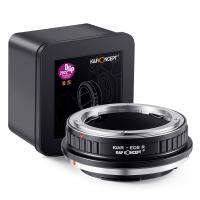
K/AR-EOS R Manual Focus Compatible with Konica Auto-Reflex (AR) SLR Lens to Canon EOS R Mount Camera Body Lens Mount Adapter
49
$66.99 $36.99
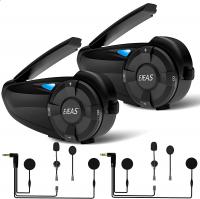
Motorcycle Helmet Bluetooth Intercom, Bluetooth 5.1 with CVC Noise Reduction & FM Radio Function, 7 Riders System, for Snowmobile/ATV/Off-Road Vehicles 2pcs
12
$212.99 $149.99
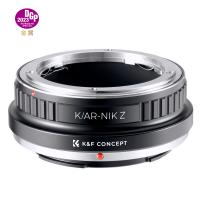
K/AR-NIK Z Manual Focus Compatible with Konica Auto-Reflex (AR) SLR Lens to Nikon Z Mount Camera Body K&F Concept Lens Mount Adapter
27
$66.99 $36.99
Canon EF EF-S Mount Lens to Fuji FX Mount Cameras EF/EF-S to FX Electronic Lens Adapter K&F Concept Auto Focus Lens Mount Adapter Ring
92
$362.99 $199.99
Products You May Like
82mm ND64 (6 Stop) Lens Filter Fixed Neutral Density Filter, Waterproof, Scratch-Resistant, Anti-reflective and Translucent Green Film Nano-Xcel
10
$62.99 $49.99
Body Fat Scales Smart BMI Scale Digital Bathroom Scales for Body Weight, Body Composition Monitor Health Analyzer Weight Scale, Unlimited Users, APP (Black)
$42.99 $19.99
JD900 Cardioid Condenser Microphone Plug & Play With USB 3.5mm Jack
15
$30.99
62mm MC UV Protection Filter with 24 Multi-Layer Green Coatings HD/Hydrophobic/Scratch Resistant Ultra-Slim UV Filter Nano-Dazzle
77
$28.99 $23.09
Professional Metal Detector, High-Performance Underground Metal Detector, Five Detection Modes, With LCD Display, Waterproof
56
$281.99 $134.99
72mm Black Mist 1/4 Filter with Brass Frame, Ultra Low Reflection, Mist Soft Glow Diffuser Lens Filters with 36 Multi-Layer Coatings - Nano-X Pro Series
$167.99 $125.99
Zoom Binoculars 10-30x70 High Power Zoom with Tripod Adapter BAK4 Prism Kentfaith
16
$168.74 $134.99
72mm Magnetic Lens Filter Kit GND8+ND8+ND64+ND1000+Magnetic Adapter Ring 5 in 1 Quick Swap System Nano-Xcel Series
63
$181.99 $144.99
K&F Concept Camera Sling Bag Small Crossbody Camera Case DSLR/SLR/Cute Compact Shoulder Photography Bags for Photographers - Sling Bag5L Urban Wander 05 (Green)
94
$38.99 $23.99
Solar Outdoor Wireless Security Camera Rechargeable Battery WiFi IP Home Surveillance Camera 1080p Night Vision 4dbi Antenna IP66 Waterproof Human
167
$79.99
Related articles
How To Turn Off Red Flash Camera?
How To Turn Off Earphone Mic?
Can You Turn The Microphone Off On Iphone?
How Do You Turn Off Alexa Light Ring?
Turn Sound Off When Recording Note 9?
Can You Turn Off Ring Blue Light?
How To Turn On Flip Video Camera?
How To Turn On Flash In Iphone Camera?
How To Turn On Microphone And Camera On Hp Laptop ?
How Does Sd Card Adapter Work?
Blog You May Like
How To Record Messenger Audio Call?
How To Reset Battery Indicator On Blink Camera ?
How To Make Light Painting Video?
What Is Filter On Security Cameras?
How To Install Sd Card On Nintendo Switch?
How To Mount Microscope Lens On Camera?
How To Find Camera Uid?
Which Dslr Camera Is Best For Video Shooting?
How To Setup Dslr As Webcam?
What Mount Does The Nikon D3200?
Related categories
On-Dash Camera C mount lens adapter m4/3 adapter Magnetic Lens Filter Soft GND Filter camera filter accessories protective lens filter camera filter pouch
Popular products
best golf distance rangefinder Polarize Filter For Mobile Phone clip on phone camera lens quadcopter drone with camera high quality condenser microphone nd filter for dji osmo action eos rp lens adapter one for all remote control camera lens mount adapters canon screw mount adapter
Related searches
Off White Camera Strap Get Stuck Filter Off Lens Auto Video Camera Turn Canon 50mm Fd Mount To Ef Adapter To Turn Lens Around For Macro Turn Table With Speakers Auto Tracking Camera Tripod Auto Zoom Video Camera Uv Filter On Digital Camera Auto Darkening Lens As A Camera Filter
Popular searches
55 To 82 Step Up Ring Universal Tripod Plate Best F Mount 35mm Lens Konica Hexanon Lens Adapter Eos 250d Lens Mount Dji Action 3 Nd Filter Mft Fuji X Adapter Canon Sx60 Filter Adapter Nikon F To Olympus Om Adapter Fujifilm G Mount Vs Nikon Z Mount
Blog Category
  • Activities
  • Guide
    • Filter Guide
    • Lens Adapter
    • Product Review
  • News & Reviews
    • Camera Reviews
    • Sample Gallery
    • News
  • Tutorials
    • Solar eclipse photography
    • Photography Basics
    • Landscape Photography
  • Inspiration
    • Travel
    • Travel Stories
Search Article
Latest from the Blog
How Do Night Vision Goggles Work?
Can You Save Facebook Videos To Camera Roll?
How To Buy A Security Camera System?
What Does A Uv Camera Filter Do?
What is A Variable ND Filter? The Complete Guide to Mastering Exposure Control
How To Find A Good Digital Camera?
How Much Storage For Security Camera?
Where Can I Buy Samsung Camera Battery?
What Is A Good Quality Dash Cam?
What Is Surveillance Camera Control System?
  • Easy Payment Multilple Payment Options

  • Free Shipping Global WareHouse Shipment

  • No Risk 30-Day No Reason Return

  • Limited Deals Buy More, Save More

  • Tax Free No any surcharges or tax fee

Information
  • About us
  • Contact Us
  • Site Map
  • Blog
  • Video
  • Gallery
  • VIP Membership Rewards
Service
  • Privacy Policy
  • Terms & Conditions
  • Shipping & Delivery
  • Payment Info
  • Warranty, Return & Refund
  • Intellectual Property Rights
  • Ambassador
  • Affiliates
  • Wholesale
Support
  • My account
  • Order History
  • FAQs
  • Extend Warranty
  • Logistics Tracking
Follow us
NewsLetter

Get the latest product, K&F Concept respects your privacy.

Powered By KENTFAITH © 2025