Camera Flashes Red When Taking Pictures?
Why Your Camera Flashes Red When Taking Pictures: Causes and Solutions
If you've ever noticed your camera flashing red when you try to take a picture, you might be wondering what it means and whether it's a sign of a problem. While it can be alarming at first, a red flash is often a normal part of your camera's operation and serves as an indicator of specific conditions or settings. In this article, we’ll explore the most common reasons why your camera flashes red, what it signifies, and how to address the issue to ensure smooth photography.
1. Low Light and Autofocus Assist Beam
One of the most common reasons for a red flash is the activation of the autofocus assist beam. Many cameras, especially DSLRs, mirrorless cameras, and advanced compact cameras, are equipped with an autofocus assist light that helps the camera focus in low-light conditions. This light is often red because red wavelengths are less likely to interfere with the image capture process.
Why It Happens:

- In dimly lit environments, your camera may struggle to lock focus on a subject. The autofocus assist beam projects a red light onto the subject to provide contrast, making it easier for the camera to focus accurately.
How to Address It:

- Check Your Camera Settings: If the red flash is distracting or unwanted, you can usually disable the autofocus assist beam in your camera’s settings. However, keep in mind that turning it off may make it harder for your camera to focus in low light.
- Use External Lighting: If you frequently shoot in low-light conditions, consider using an external light source, such as a ring light or LED panel, to improve visibility and reduce reliance on the autofocus assist beam.
2. Red-Eye Reduction Mode
Another common reason for a red flash is the activation of the red-eye reduction feature. This mode is designed to minimize the red-eye effect in photos, which occurs when light from the flash reflects off the retina of your subject’s eyes.
Why It Happens:

- When red-eye reduction is enabled, the camera emits a pre-flash or a series of red lights before taking the picture. This causes the subject’s pupils to constrict, reducing the likelihood of red-eye in the final image.
How to Address It:
- Disable Red-Eye Reduction: If you find the red flash unnecessary or disruptive, you can turn off the red-eye reduction feature in your camera’s flash settings. However, be aware that this may increase the chances of red-eye in your photos.
- Edit Photos Post-Capture: Many photo editing tools and apps allow you to remove red-eye digitally, so you can address the issue after taking the picture without relying on the camera’s red-eye reduction mode.
3. Battery or Memory Card Warnings
In some cases, a red flash or blinking red light may indicate a warning related to your camera’s battery or memory card. This is less common but worth considering if the red flash doesn’t seem to be related to autofocus or red-eye reduction.
Why It Happens:
- A low battery or a full memory card can trigger a red warning light on some cameras. This is the camera’s way of alerting you to address the issue before continuing to shoot.
How to Address It:
- Check Battery Levels: Ensure your camera’s battery is fully charged or replace it with a spare if necessary.
- Inspect the Memory Card: Make sure your memory card has enough storage space and is properly inserted. If the card is full, transfer your photos to another device or replace the card with an empty one.
4. Overheating or System Errors
In rare cases, a red flash or blinking red light may indicate an overheating issue or a system error. This is more likely to occur in cameras that are used for extended periods or in hot environments.
Why It Happens:
- Prolonged use of the camera, especially for video recording or burst photography, can cause the internal components to heat up. Some cameras use a red light to warn users of potential overheating.
- A system error, such as a malfunctioning sensor or firmware issue, may also trigger a red light.
How to Address It:
- Allow the Camera to Cool Down: If overheating is the issue, turn off the camera and let it rest in a cool, shaded area for a while before resuming use.
- Update Firmware: Check if your camera’s manufacturer has released a firmware update that addresses known issues. Updating the firmware can often resolve system errors.
- Contact Support: If the red flash persists and you suspect a hardware issue, consult the camera’s user manual or contact the manufacturer’s customer support for assistance.
5. Custom Settings or Indicators
Some cameras allow users to customize the behavior of indicator lights, including the red flash. For example, you might have inadvertently enabled a setting that causes the red light to flash under certain conditions.
Why It Happens:
- Custom settings or modes, such as interval shooting, self-timer, or remote control operation, may use a red light as a visual cue.
How to Address It:
- Review the User Manual: Check your camera’s user manual to understand the purpose of the red light in the context of your specific model.
- Reset to Default Settings: If you’re unsure which setting is causing the red flash, consider resetting your camera to its factory default settings. This will disable any custom configurations that might be triggering the light.
6. External Flash Units
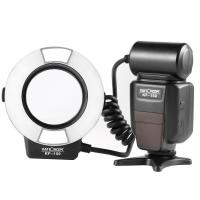
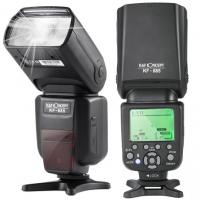
If you’re using an external flash unit, the red flash may be coming from the flash itself rather than the camera. Many external flashes have a red autofocus assist light or other indicators.
Why It Happens:
- The external flash’s autofocus assist light may activate in low-light conditions, or the flash may emit a red light to signal that it’s charging or ready to fire.
How to Address It:
- Consult the Flash Manual: Refer to the user manual for your external flash to understand its indicators and how to adjust its settings.
- Synchronize Flash Settings: Ensure that your camera and external flash are properly synchronized to avoid unexpected behavior.
Practical Tips for Avoiding Red Flashes
- Understand Your Camera’s Features: Familiarize yourself with your camera’s settings and features to better understand why the red flash occurs and how to control it.
- Use Manual Focus: In situations where the autofocus assist beam is causing the red flash, switching to manual focus can eliminate the need for the assist light.
- Invest in Accessories: Consider investing in accessories like external lights, reflectors, or diffusers to improve lighting conditions and reduce reliance on built-in camera features that trigger the red flash.
A red flash from your camera is usually not a cause for concern. In most cases, it’s a helpful feature designed to improve focus, reduce red-eye, or alert you to specific conditions. By understanding the reasons behind the red flash and how to manage it, you can take full control of your camera and enhance your photography experience. Whether it’s adjusting your settings, using external lighting, or addressing warnings, these solutions will help you capture stunning photos without unnecessary distractions.