kfconcept

KENTFAITH
K&F Concept    Blog >

Enjoy Your Selected Digital Life

Recently Viewed
  • Recently Viewed
  • Recently Viewed list is empty.

Compare (0) 0
  • Compare
  • You have not chosen any products to compare.

  • Compare
Currency: USD
  • Currency
Shop by Scene Shop by Rank

Log Into Your Account

Account

Order History

Wish List

Login

Forgotten Password?

Or connect with

Register Account

Already have an Account?Log In

  • Shopping Cart
  • Your shopping cart is empty!

  • Register/Login to purchase, earn points
  • Favorite
  • Your wish list is empty.

  • Register/Login to like, earn points
  • Activities
  • Guide
    • Filter Guide
    • Lens Adapter
    • Product Review
  • News & Reviews
    • Camera Reviews
    • Sample Gallery
    • News
  • Tutorials
    • Solar eclipse photography
    • Photography Basics
    • Landscape Photography
  • Inspiration
    • Travel
    • Travel Stories
  • Home
  • Blog
  • How To Use A Digital Camera?

How To Use A Digital Camera?

Kentfaith 2024-07-05 07:41:32 0 Comments

Digital cameras have revolutionized the way we capture and share moments. Whether you're a beginner or an experienced photographer, understanding how to use a digital camera effectively can significantly enhance your photography skills. This article will guide you through the essential aspects of using a digital camera, from basic operations to advanced techniques, ensuring you can make the most out of your device.

Understanding Your Digital Camera

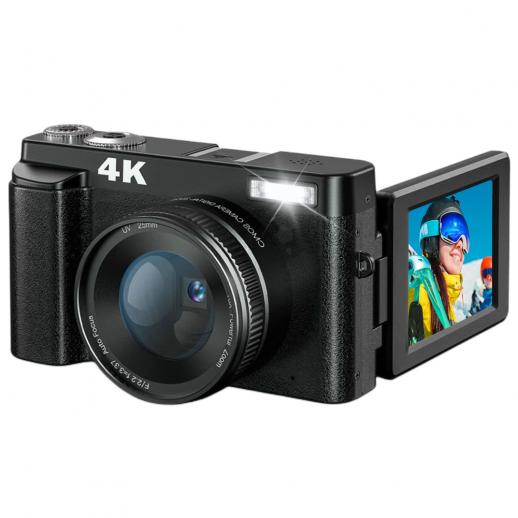
Before diving into the specifics of using a digital camera, it's crucial to familiarize yourself with its components and functions. Most digital cameras, regardless of brand or model, share common features:

1. Lens: The lens is the eye of the camera. It focuses light onto the camera's sensor. Lenses can be fixed or interchangeable, depending on the camera type.

2. Sensor: The sensor captures the light and converts it into an image. The size and quality of the sensor significantly impact image quality.

3. Viewfinder/Screen: This is where you compose your shots. Some cameras have an optical viewfinder, while others use an electronic viewfinder or an LCD screen.

4. Mode Dial: This dial allows you to switch between different shooting modes, such as automatic, manual, and various scene modes.

5. Shutter Button: Pressing this button captures the image. It often has a two-step action: a half-press to focus and a full press to take the photo.

6. Memory Card Slot: This is where you insert your memory card to store images.

7. Battery Compartment: Houses the camera's battery.

Basic Operations

1. Powering On and Off

To turn on your digital camera, locate the power button, usually marked with a power symbol. Press it to power up the camera. To turn it off, press the same button again.

2. Inserting the Memory Card and Battery

Open the memory card slot and battery compartment, usually located at the bottom or side of the camera. Insert the memory card and battery in their respective slots, ensuring they are correctly oriented.

3. Setting the Date and Time

When you first power on your camera, you may be prompted to set the date and time. This is important for organizing your photos. Use the camera's navigation buttons to set the correct date and time.

4. Selecting the Shooting Mode

Use the mode dial to select the desired shooting mode. For beginners, the automatic mode (often marked as "Auto") is a good starting point. As you become more comfortable, you can experiment with other modes like portrait, landscape, and manual.

Composing and Capturing Photos

1. Framing Your Shot

Look through the viewfinder or at the LCD screen to compose your shot. Pay attention to the rule of thirds, which suggests dividing your frame into nine equal parts and placing your subject along these lines or their intersections.

2. Focusing

Half-press the shutter button to focus on your subject. Most digital cameras use autofocus, which will automatically adjust the focus. You can also switch to manual focus if you prefer more control.

3. Taking the Photo

Once the focus is set, fully press the shutter button to take the photo. Hold the camera steady to avoid blurring.

Advanced Techniques

1. Understanding Exposure

Exposure is the amount of light that reaches the camera's sensor. It is controlled by three main settings: aperture, shutter speed, and ISO.

- Aperture: This is the size of the lens opening. A larger aperture (smaller f-number) allows more light in and creates a shallow depth of field, making the background blurry. A smaller aperture (larger f-number) lets in less light and increases the depth of field, keeping more of the scene in focus.

- Shutter Speed: This is the amount of time the shutter is open. A fast shutter speed freezes motion, while a slow shutter speed can create motion blur.

- ISO: This is the sensor's sensitivity to light. A lower ISO produces less noise but requires more light, while a higher ISO allows for shooting in low light but can introduce noise.

2. Using Manual Mode

Manual mode gives you full control over the camera settings. This is where you can adjust the aperture, shutter speed, and ISO to achieve the desired exposure. It requires practice but offers the most creative freedom.

3. White Balance

White balance adjusts the color temperature of your photos to match the lighting conditions. Most cameras have preset white balance settings like daylight, cloudy, tungsten, and fluorescent. You can also set a custom white balance for more accuracy.

4. Using Different Lenses

If your camera has interchangeable lenses, experiment with different types to achieve various effects. Wide-angle lenses are great for landscapes, while telephoto lenses are ideal for wildlife and sports photography. Prime lenses, with a fixed focal length, often offer superior image quality and larger apertures.

Post-Processing

After capturing your photos, post-processing can enhance them further. Software like Adobe Lightroom and Photoshop allows you to adjust exposure, contrast, color balance, and more. Here are some basic post-processing steps:

1. Import Your Photos: Transfer your photos from the memory card to your computer.

2. Organize and Select: Sort through your photos and select the best ones for editing.

3. Adjust Exposure and Contrast: Fine-tune the exposure and contrast to bring out details.

4. Crop and Straighten: Crop your photos to improve composition and straighten any tilted horizons.

5. Color Correction: Adjust the white balance and color saturation to achieve the desired look.

6. Sharpening and Noise Reduction: Apply sharpening to enhance details and reduce noise, especially in high ISO images.

Tips for Better Photography

1. Practice Regularly: The more you use your camera, the more comfortable you'll become with its functions and settings.

2. Learn from Others: Study the work of other photographers and learn from their techniques.

3. Experiment: Don't be afraid to try new things. Experiment with different settings, compositions, and subjects.

4. Understand Light: Light is a crucial element in photography. Learn how to use natural and artificial light to your advantage.

5. Keep Your Gear Clean: Regularly clean your camera and lenses to ensure optimal performance.

Using a digital camera effectively involves understanding its components, mastering basic operations, and exploring advanced techniques. By practicing regularly and experimenting with different settings, you can significantly improve your photography skills. Remember, the key to great photography is not just the equipment but also your creativity and vision. So, grab your camera, head out, and start capturing the world through your lens.
Leave your comment
Cancel reply
Note: HTML is not translated!
Related products
K&F CONCEPT Quick-Open U-Shaped Reflector, 47"x25"/120x65cm, with 4-in-1 reflective fabric, available in black, gold, white, and silver, includes a 1.5m stand and a storage bag. Suitable for photography studio use.
$79.99
Canon FD & FL 35mm Lens to  Leica SL T Sigma FP Panasonic L-mount digital camera Mount Adapter
Canon FD & FL 35mm Lens to Leica SL T Sigma FP Panasonic L-mount digital camera Mount Adapter
82
$53.99 $29.99
Gift Certificate: $200 Value - Can Use with Any Discounts
$200.00 $190.00
Gift Certificate: $300 Value  - Can Use with Any Discounts
Gift Certificate: $300 Value - Can Use with Any Discounts
$300.00 $285.00
Gift Certificate: $1000 Value  - Can Use with Any Discounts
Gift Certificate: $1000 Value - Can Use with Any Discounts
$1,000.00 $950.00
Gift Certificate: $500 Value  -Can Use with Any Discounts
Gift Certificate: $500 Value -Can Use with Any Discounts
$500.00 $475.00
Gift Certificate: $800 Value - Can Use with Any Discounts
$800.00 $760.00
Minolta A / Sony A Lenses to Pentax Q Lens Mount Adapter K&F Concept M22161 Lens Adapter
$45.99 $23.99
M42-L Manual Focus M42 Lens to Leica SL T Sigma FP Panasonic L-mount digital camera Mount Adapter
82
$53.99 $29.99
Sony Alpha Minolta AF A-Type Lens to NEX E-Mount Mirrorless Camera with Matting Varnish Design
146
$64.99 $35.99
Products You May Like
Canon EOS EF EF-S Lens to CCTV Industrial Monitoring Series C Mouth Thread Camera Body K&F Concept Mount Adapter
34
$53.99 $29.99
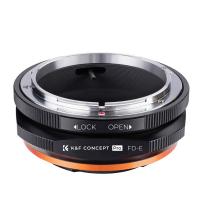
FD to E Mount Lens Mount Adapter Comaptible for Canon FD FL Mount Lens to E NEX Mount Mirrorless Cameras with Matting Varnish Design Comaptible for Sony A6000 A6400 A7II A5100 A7 A7RIII
147
$56.99 $33.99
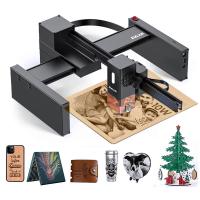
10W Metal Laser Engraving Machine with Air Assist 0.01mm Spot 600mm/min Speed
15
$749.99 $524.99
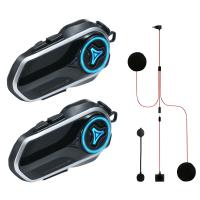
Motorcycle Helmet Headset, 2 Riders Bluetooth Intercom, Unlimited Group APP Intercom, Bluetooth 5.4,  Universal Pairing Audio Multitasking, 2 Pack, Kentfaith
Motorcycle Helmet Headset, 2 Riders Bluetooth Intercom, Unlimited Group APP Intercom, Bluetooth 5.4, Universal Pairing Audio Multitasking, 2 Pack, Kentfaith
$224.99 $179.99
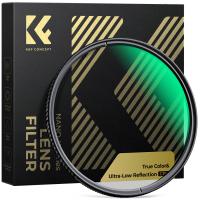
77mm True Color Ultra-Low Reflectivity CPL Filter Polarizer Lens Filter Circular Polarizing for Camera Lenses with 28 Multi-Coated Nano-Xcel Series
NEW Arrival
77mm True Color Ultra-Low Reflectivity CPL Filter Polarizer Lens Filter Circular Polarizing for Camera Lenses with 28 Multi-Coated Nano-Xcel Series
36
$93.99 $74.99
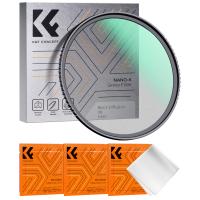
62mm Black Mist Filter 1/8 + 3pcs Cleaning Cloth with 18 Multi-Layer Coatings Nano-Klear Series
212
$31.99 $24.99
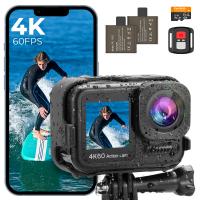
4K60FPS 48MP 66FT Waterproof Action Camera without a Case, Dual Screens, 64GB Card, EIS, WiFi Remote Control, Kentfaith
NEW Arrival
4K60FPS 48MP 66FT Waterproof Action Camera without a Case, Dual Screens, 64GB Card, EIS, WiFi Remote Control, Kentfaith
14
$191.24 $152.99
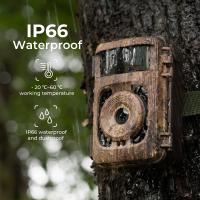
White Flash Trail Cameras
10
$162.99 $106.99
58mm Filter Set (UV, CPL, FLD, Graduated Blue, Orange, Gray)
17
$34.99 $18.69
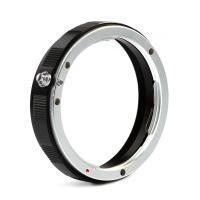
Lens Mount Protection Ring for Canon EOS K&F Concept Lens Adapter
2
$24.99
Related articles
How Do You Use A Digital Camera?
How To Use Old Flash With Digital Camera?
What's A Digital Camera?
How To Buy A Used Digital Camera?
How To Find A Good Digital Camera?
How Does A Digital Camera Work?
How Long Does A Digital Camera Last?
What Is A 35mm Digital Camera?
Which Batteries For A Digital Camera?
How To Replace Front Door Lock With Keyless?
Blog You May Like
How To Clean A Camera Bag?
How To Protect Outdoor Camera From Weather?
How Can I Record Audio From The Internet?
How To Pick Smart Key Locks?
How To Connect My Selfie Stick?
How To Take Great Photos With Digital Camera?
Recording How To Get That Open Sound?
What Nd Filter To Photograph The Sun?
Where Can I Purchase A Telescope?
Smart Watch That Can Take Blood Pressure?
Related categories
digital camera for beginner digital camera cases digital camera strap A Mount Lens Adapter C mount lens adapter Sony A Mount Lens Adapters minolta a mount lenses digital microscope m4/3 adapter
Popular products
digital microscope with usb quadcopter drone with camera leica m sony e mount adapter sony minolta adapter smart ai battery camera sony a mount to minolta adapter sony alpha a7r mirrorless digital camera hiding a trail camera digital camera straps digital camera shoulder strap
Related searches
Easy To Use Digital Slr Camera Flash On A Digital Camera Easy To Use Drone With Camera Outdoor Use Camera Digital Cameras With A Viewfinder Mirrorless Camera Adapter To Use Dslr Lens Multi Use Camera Backpack Easy To Use Fish Finder Digital Camera Digital Camera With Bluetooth To Phone
Popular searches
Action Camera With Helmet Mount Pentax A Mount Lenses Microphone And Camera For Zoom Meetings Canon Ef-m To Ef-s Adapter Car And Driver Dash Cam Wireless Outdoor Use Smart Camera Smartwatch For Running And Music K&f Concept Sling Bag Cut To Fit Screen Protector Car Camera That Records All The Time
Blog Category
  • Activities
  • Guide
    • Filter Guide
    • Lens Adapter
    • Product Review
  • News & Reviews
    • Camera Reviews
    • Sample Gallery
    • News
  • Tutorials
    • Solar eclipse photography
    • Photography Basics
    • Landscape Photography
  • Inspiration
    • Travel
    • Travel Stories
Search Article
Latest from the Blog
What Power Binoculars For Long Distance Viewing?
What Does Tripod?
Best Metal Detector for Kids in 2025
What Size Screen For Projector?
How To Save A Video From Security Camera?
how to clean microfiber cloth?
Black Friday 2025 Special at Kentfaith
How To Focus An Image On A Microscope?
How To Stream Live From Surveillance Camera?
How Do Cellular Trail Cameras Work? – The Complete Guide for Hunters and Wildlife Enthusiasts
  • Easy Payment Multilple Payment Options

  • Free Shipping Global WareHouse Shipment

  • No Risk 30-Day No Reason Return

  • Limited Deals Buy More, Save More

  • Tax Free No any surcharges or tax fee

Information
  • About us
  • Contact Us
  • Site Map
  • Blog
  • Video
  • Gallery
  • VIP Membership Rewards
Service
  • Privacy Policy
  • Terms & Conditions
  • Shipping & Delivery
  • Payment Info
  • Warranty, Return & Refund
  • Intellectual Property Rights
  • Ambassador
  • Affiliates
  • Wholesale
Support
  • My account
  • Order History
  • FAQs
  • Extend Warranty
  • Logistics Tracking
Follow us
NewsLetter

Get the latest product, K&F Concept respects your privacy.

Powered By KENTFAITH © 2026