kfconcept

KENTFAITH
K&F Concept    Blog >

Enjoy Your Selected Digital Life

Recently Viewed
  • Recently Viewed
  • Recently Viewed list is empty.

Compare (0) 0
  • Compare
  • You have not chosen any products to compare.

  • Compare
Currency: USD
  • Currency
Shop by Scene Shop by Rank

Log Into Your Account

Account

Order History

Wish List

Login

Forgotten Password?

Or connect with

Register Account

Already have an Account?Log In

  • Shopping Cart
  • Your shopping cart is empty!

  • Register/Login to purchase, earn points
  • Favorite
  • Your wish list is empty.

  • Register/Login to like, earn points
  • Activities
  • Guide
    • Filter Guide
    • Lens Adapter
    • Product Review
  • News & Reviews
    • Camera Reviews
    • Sample Gallery
    • News
  • Tutorials
    • Solar eclipse photography
    • Photography Basics
    • Landscape Photography
  • Inspiration
    • Travel
    • Travel Stories
  • Home
  • Blog
  • How To Set Sound Recorder On Computer?

How To Set Sound Recorder On Computer?

Kentfaith 2024-10-11 01:33:06 0 Comments

Setting up a sound recorder on your computer can be an incredibly useful skill, whether you need it for professional purposes, academic work, or personal projects. With the right tools and knowledge, you can easily transform your computer into a high-quality sound recording device. This article will guide you through the entire process, from selecting the right software and hardware to configuring your system for optimal recording performance. Along the way, we’ll also discuss some common troubleshooting tips to ensure you achieve the best results.

Choosing the Right Software
how to set sound recorder on computer 1

Free vs. Paid Options

how to set sound recorder on computer 2

There are many sound recording software options available, ranging from free to premium paid versions. Each software varies in features and capabilities, so it's important to choose one that fits your specific needs.

- Free Software: Programs like Audacity and Ocenaudio offer robust features without any cost, making them ideal for beginners or those on a tight budget. They are equipped with essential tools for recording, editing, and exporting audio files.

- Paid Software: For those looking for more advanced features, premium options such as Adobe Audition, Logic Pro X, and Pro Tools offer extensive capabilities in terms of sound manipulation, multi-track recording, plugins, and more.

Selecting the Right Hardware

Microphones

The quality of your recordings heavily depends on the microphone you use. Here are a few types to consider:

- Built-in Microphone: Most computers come with built-in microphones, but their quality is generally subpar and not suited for serious recording tasks.

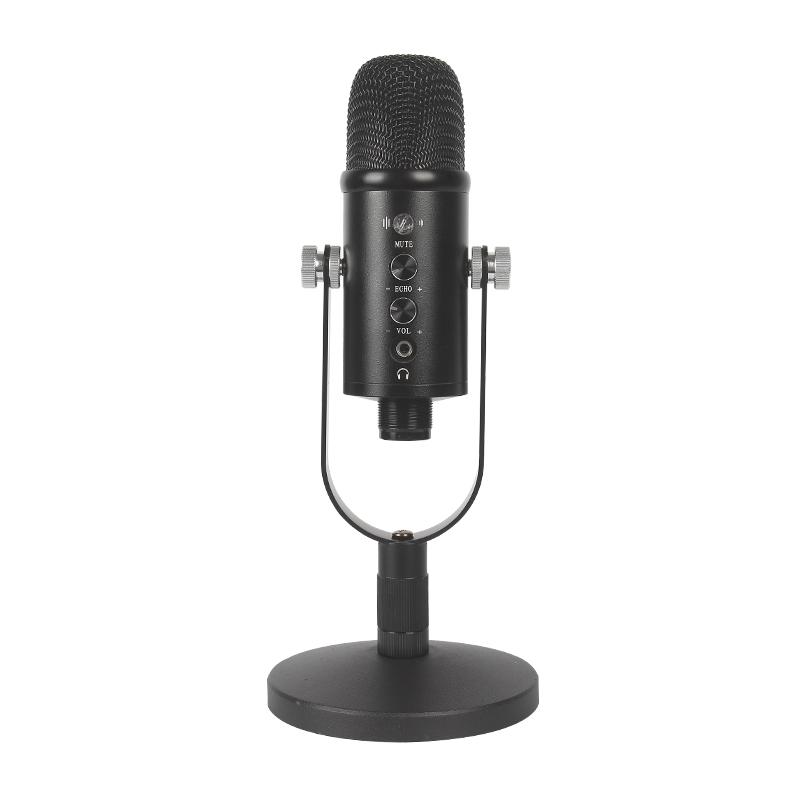
- External Microphone: Investing in a good external microphone can significantly upgrade your audio quality. USB microphones are user-friendly and offer good quality for their price. For professional sound recording, consider XLR microphones, which, while more complex to set up, deliver superior sound.

Audio Interface

If you opt for an XLR microphone, you'll need an audio interface to connect it to your computer. An audio interface converts analog signals into digital data, ensuring high-quality sound capture. Popular choices include Focusrite Scarlett, PreSonus AudioBox, and Universal Audio Apollo.

Setting Up Your Sound Recorder

Step-by-Step Guide

1. Install the Software: Begin by downloading and installing your chosen sound recording software. Follow the on-screen instructions to complete the installation process.

2. Connect Your Microphone: For USB microphones, just plug it into an available USB port. For XLR microphones, connect it to your audio interface, which will then be connected to your computer via USB or another compatible connection.

3. Configure Audio Settings:

- Input Device: Open your sound recording software and navigate to the settings or preferences menu. Choose your microphone (or audio interface) as the input device.

- Sample Rate: Set the sample rate to your preference; 44.1 kHz is standard for CD-quality audio, while 48 kHz is commonly used for video production.

4. Set Levels:

- Microphone Level: Speak into the microphone and adjust the input level within your recording software to avoid peaking (distortion due to input levels being too high) and ensure clear audio capture.

- Monitor Levels: Use headphones to monitor your levels in real-time, if your software supports it, to get immediate feedback on any adjustments needed.

5. Test Recording: Perform a test recording to ensure everything is set up correctly. Listen to the playback to confirm the audio quality meets your expectations.

Optimizing Recording Environment

Acoustic Treatment

Good recording quality often requires a controlled environment:

- Room Acoustics: Rooms with hard surfaces can cause echoes and reverberations. Soft furnishings, carpets, and pillows can help minimize these issues. For a more professional setup, consider acoustic foam panels and bass traps.

- Ambient Noise: Try to eliminate as much background noise as possible. Turn off appliances, close windows, and consider using a microphone with good off-axis rejection capabilities.

Software Settings

Beyond physical setup, software settings can further enhance your recordings:

- Noise Reduction: Many software options include noise reduction features to minimize background noise.

- Equalization (EQ): Use EQ to balance different frequency components of your audio to achieve a clearer, more pleasant sound.

Troubleshooting Common Issues

Even with the right setup, you may encounter some common issues:

- Latency: When there's a noticeable delay between speaking into the microphone and hearing the playback, you're experiencing latency. To reduce it, adjust the buffer size in your audio software settings. Lower buffer sizes reduce latency but increase CPU usage.

- Distorted Audio: Distortion can occur if the input volume is too high. Ensure your input level is set correctly and that the microphone isn’t too close to loud sound sources.

- No Sound: If you're not capturing any sound, double-check that the correct input device is selected in your software and that all cables are securely connected.

In conclusion, setting up a sound recorder on your computer involves a combination of selecting the right software, choosing suitable hardware, configuring your system settings, and optimizing your recording environment. Whether you're an aspiring podcaster, musician, or someone needing to record lectures or interviews, understanding these steps will help you achieve professional-quality recordings.

Through careful planning and adjustment, you can overcome common challenges and enhance the quality of your recordings significantly. This foundational knowledge will serve you well as you embark on your sound recording endeavors, enabling you to produce clear, high-quality audio content with consistency and ease.

Leave your comment
Cancel reply
Note: HTML is not translated!
Related products
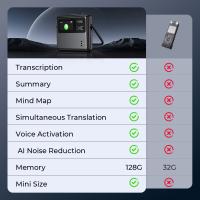
Mini Voice Recorder, Sound-activated & Magnetic, 128GB 1600H Capacity with AI Noise Cancelling Kentfaith
13
$94.99 $53.99
Mini Sound Recorder 128GB 1600H Recording Capacity with 1.4" Screen, Voice Activated Mode Kentfaith
NEW Arrival
Mini Sound Recorder 128GB 1600H Recording Capacity with 1.4" Screen, Voice Activated Mode Kentfaith
12
$99.99 $79.99
AI Voice Recorder Voice-to-Text & Transcription for Meetings, Calls, Interviews, 64G Kentfaith Mini & Magnetic
HOT Seller
AI Voice Recorder Voice-to-Text & Transcription for Meetings, Calls, Interviews, 64G Kentfaith Mini & Magnetic
26
$119.99 $69.99
63'' Magnetic Iphone Tripod Phone Selfie Stick Tripod And Clip-On ND Filter(1-9 stops) For All Phone Set
207
$113.99 $59.99
64GB Digital Voice Recorder 800 Hours Voice Activated Recorder with 1536Kbps High Sensitivity, AGC Noise Reduction Pen Recorder with Type-C Port for Lecture Meeting Interview, Kentfaith
10
$129.99 $103.99
67mm Clip-on CPL Phone Camera Lens Filter Kit Applicable to All Mobile Phone Models
40
$18.99
67mm Clip-on ND2-32 Phone Camera Lens Filter Kit Applicable to All Mobile Phone Models
NEW Arrival
67mm Clip-on ND2-32 Phone Camera Lens Filter Kit Applicable to All Mobile Phone Models
13
$37.99
64GB Multifunctional Recorder, Active Noise Reduction Voice Recorder, Mp3 Playback, Video Playback, Suitable for Lectures, Meetings, Interviews, Classrooms, Etc.
29
$53.99
Mini Voice Recorder Magnetic & Voice-activated, 800H Recording with Noise Cancelling, Kentfaith Voice Recorder for Meetings, Lectures, Studying, Interviews 64G
TOP Best
Mini Voice Recorder Magnetic & Voice-activated, 800H Recording with Noise Cancelling, Kentfaith Voice Recorder for Meetings, Lectures, Studying, Interviews 64G
635
$68.99 $56.99
Mini Voice Recorder Magnetic & Voice-activated, 1600H Recording with Noise Cancelling, Kentfaith Voice Recorder for Meetings, Lectures, Studying, Interviews 128G
635
$82.49 $64.99
Products You May Like
58mm Gold Diffusion 1/4 Filter Mist Soft Glow Warm Highlights Vintage Cinematic Aesthetic Camera Lens Filter Nano-Xcel Series
NEW Arrival
58mm Gold Diffusion 1/4 Filter Mist Soft Glow Warm Highlights Vintage Cinematic Aesthetic Camera Lens Filter Nano-Xcel Series
72
$99.99 $74.99
Industrial Endoscope Inspection Camera with 1080P 8mm Camera 4.3in Display Kentfaith
$74.99 $59.99
62mm-82mm Magnetic Lens Filter Adapter Ring
20
$33.99 $24.99
128G Small Digital Voice Recorder with Ultra-long 1000H Continuous Recording, Voice-Activated & Magnetic, Kentfaith
17
$118.74 $94.99
49mm Variable ND Filter ND2-ND32 (1-5 Stops) Lens Filter Waterproof Scratch Resistant with 18 Layers of Nano-coating Nano-Klear Series
30
$37.99 $29.99
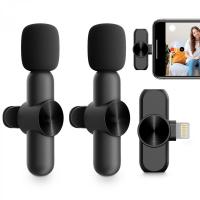
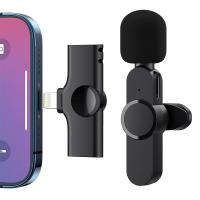
AP004 Wireless Lavalier Microphone for iPhone 14 pro  Android - USB C Mini Wireless Lavalier Microphone for Recording, Vlogging (No App or Bluetooth Required)
AP004 Wireless Lavalier Microphone for iPhone 14 pro Android - USB C Mini Wireless Lavalier Microphone for Recording, Vlogging (No App or Bluetooth Required)
$99.99 $23.99
K&F Concept XK43 82mm Natural Night Filter Nano-Xcel
26
$99.99 $79.99
58mm Matte Box Adapter Ring
$13.99
72mm Lens Filter Black Mist 1/8 & Variable ND2-32 2 in 1 Filter Cinematic Effect Neutral Density Filter with 18 Multi-Layer Coatings - Nano-Klear Series
24
$66.99 $39.99
X8 TWS Portable Bluetooth Speaker IPX7 - Black
249
$34.99
Related articles
How To Make Sound Recorder Record Computer?
How To Record Sound On The Computer?
Which Program To Record My Computer Sound?
How To Change Sound Recorder Save Settings?
Where Does Sound Recorder Store?
Where Do My Sound Recorder Files Go?
How To Set Up Earphone Mic On Pc?
How To Set Up Lavalier Microphone On Laptop?
How To Set Time On Huawei Smart Watch?
Cpl Camera Filter What Does It Do?
Blog You May Like
How To Install Security Camera With No Wifi?
How To Find Camera In Hotel?
What Are Fixed Focus Binoculars?
What Does The Flash Do On A Camera?
Backpack That Can Double As Camera Bag?
What Lens Mount Is My Camera?
How To Connect Selfie Stick Shutter?
Can You Access A Camera With Wifi Password?
How Long Do Batteries Last In Smart Locks?
What Mounts Do The Sony Action Cams Use?
Related categories
On-Dash Camera step up lens filter adapter rings C mount lens adapter camera filter kit circular polarizer CPL Video Shooting Canon RF Mount Adapter filter matte box
Popular products
digital voice recorder with usb ai voice recorder device computer microphone with usb usb condenser microphone for streaming travel tripod for iphone phone voice call recording Polarize Filter For Mobile Phone clip on phone camera lens portable mp3 voice recorder voice recorder battery life
Related searches
Voice Activated Sound Recorder Audio Sound Voice Recorder Pen Microphone For Karaoke On Computer Microphone For Music Recording On Computer Microphone For Recording Audio On Computer Wireless Lavalier Microphone To Computer Computer Microscope Camera Voice Recorder Camera Recorder 37mm Filter Set
Popular searches
Lens Filter Zeiss Lens To Fd Mount Minolta Md To Nikon Adapter Video Camera For Deer Hunting Canon To Fuji Lens Adapter Canon Ef To Sony Adapter Variable Nd Filter For Osmo Fujifilm Finepix Lens Adapter Iphone 12 Pro Max Microphone Sony Rikenon Lens Adapter
Blog Category
  • Activities
  • Guide
    • Filter Guide
    • Lens Adapter
    • Product Review
  • News & Reviews
    • Camera Reviews
    • Sample Gallery
    • News
  • Tutorials
    • Solar eclipse photography
    • Photography Basics
    • Landscape Photography
  • Inspiration
    • Travel
    • Travel Stories
Search Article
Latest from the Blog
How Much Does It Cost For Security Cameras?
Can You Zoom In With Binoculars?
What To Look For In A Dash Cam?
Is the Sony A7M5 worth buying?
How To Buy A Security Camera System?
What Is Surveillance Camera Control System?
What Does Tripod?
Kentfaith x ANACONDA: Capturing the Wild, Frame by Frame
UV Filter: Everything You Need to Know About UV Protection Lens Filters
What Is The Best Wireless Outdoor Security Camera?
  • Easy Payment Multilple Payment Options

  • Free Shipping Global WareHouse Shipment

  • No Risk 30-Day No Reason Return

  • Limited Deals Buy More, Save More

  • Tax Free No any surcharges or tax fee

Information
  • About us
  • Contact Us
  • Site Map
  • Blog
  • Video
  • Gallery
  • VIP Membership Rewards
Service
  • Privacy Policy
  • Terms & Conditions
  • Shipping & Delivery
  • Payment Info
  • Warranty, Return & Refund
  • Intellectual Property Rights
  • Ambassador
  • Affiliates
  • Wholesale
Support
  • My account
  • Order History
  • FAQs
  • Extend Warranty
  • Logistics Tracking
Follow us
NewsLetter

Get the latest product, K&F Concept respects your privacy.

Powered By KENTFAITH © 2026