kfconcept

KENTFAITH
K&F Concept    Blog >

Enjoy Your Selected Digital Life

Recently Viewed
  • Recently Viewed
  • Recently Viewed list is empty.

Compare (0) 0
  • Compare
  • You have not chosen any products to compare.

  • Compare
Currency: USD
  • Currency
Shop by Scene Shop by Rank

Log Into Your Account

Account

Order History

Wish List

Login

Forgotten Password?

Or connect with

Register Account

Already have an Account?Log In

  • Shopping Cart
  • Your shopping cart is empty!

  • Register/Login to purchase, earn points
  • Favorite
  • Your wish list is empty.

  • Register/Login to like, earn points
  • Activities
  • Guide
    • Filter Guide
    • Lens Adapter
    • Product Review
  • News & Reviews
    • Camera Reviews
    • Sample Gallery
    • News
  • Tutorials
    • Solar eclipse photography
    • Photography Basics
    • Landscape Photography
  • Inspiration
    • Travel
    • Travel Stories
  • Home
  • Blog
  • How To Put A Camera Lens On?

How To Put A Camera Lens On?

Kentfaith 2024-07-05 01:21:05 0 Comments

Attaching a camera lens to your camera body is a fundamental skill that every photographer, whether amateur or professional, needs to master. This process, while seemingly straightforward, can be daunting for beginners. In this article, we will walk you through the steps to properly attach a camera lens, discuss common issues you might encounter, and provide tips to ensure you get the best performance from your equipment.

Understanding the Basics
how to put a camera lens on 1

Before diving into the step-by-step process, it’s essential to understand the basic components involved:

1. Camera Body: This is the main part of your camera, which houses the sensor and the controls.

2. Lens: The optical component that focuses light onto the camera sensor.

3. Lens Mount: The interface on both the camera body and the lens that allows them to connect securely.

Different camera brands have different lens mounts, so ensure that your lens is compatible with your camera body.

Step-by-Step Guide to Attaching a Camera Lens

Step 1: Prepare Your Workspace

Find a clean, dust-free environment to change your lens. Dust and debris can easily get into your camera and lens, potentially damaging the sensor or affecting image quality.

Step 2: Turn Off Your Camera

Always turn off your camera before changing lenses. This helps prevent any electrical damage and reduces the risk of dust being attracted to the sensor due to static electricity.

Step 3: Remove the Rear Lens Cap and Body Cap

Both your camera body and lens will have protective caps. Remove the rear lens cap from the lens and the body cap from the camera. Keep these caps in a safe place as you will need them when you detach the lens.

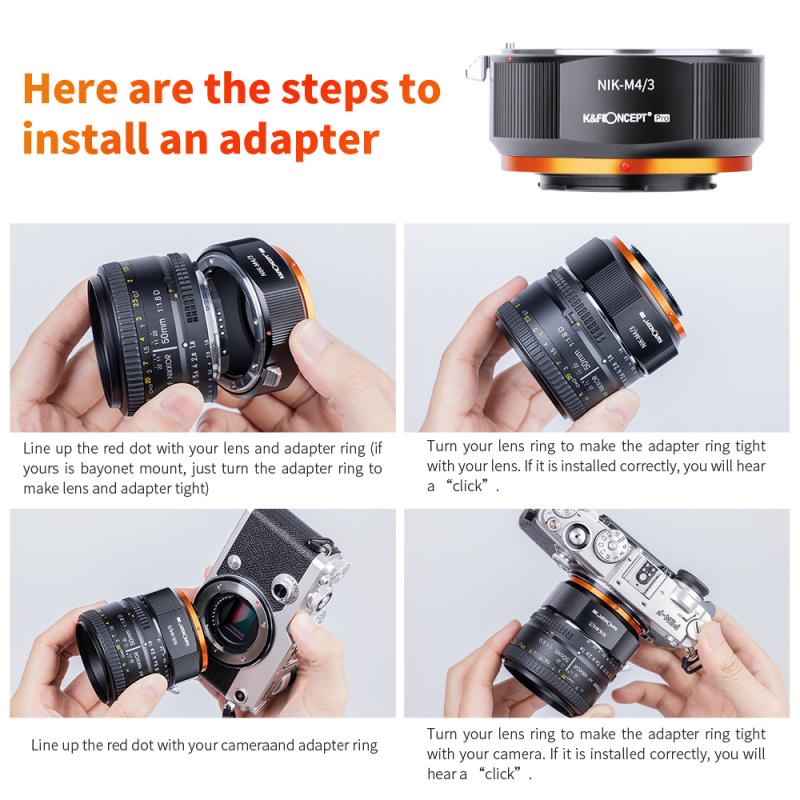
Step 4: Align the Mounting Indexes

Most cameras and lenses have alignment marks (usually a dot or a line). Align these marks to ensure that the lens is positioned correctly before attaching it to the camera body.

Step 5: Attach the Lens

Gently insert the lens into the camera body, aligning the mounting indexes. Once aligned, rotate the lens clockwise (or counterclockwise, depending on your camera model) until you hear a click. This click indicates that the lens is securely attached.

Step 6: Check the Connection

Gently wiggle the lens to ensure it is firmly attached. There should be no movement between the lens and the camera body. If the lens feels loose, remove it and repeat the process.

Common Issues and Troubleshooting

Issue 1: Lens Won’t Attach

If the lens doesn’t seem to fit, double-check the alignment marks. Ensure that you are using a compatible lens for your camera body. Forcing a lens that doesn’t fit can damage both the lens and the camera.

Issue 2: Dust on the Sensor

If you notice dust spots on your images, it’s likely that dust has entered the camera body during the lens change. Use a blower to gently remove dust from the sensor. Avoid using canned air as it can damage the sensor.

Issue 3: Autofocus Not Working

If the autofocus isn’t working after attaching the lens, ensure that the lens is fully attached and that the camera is set to autofocus mode. Check the lens contacts for any dirt or debris and clean them if necessary.

Tips for Maintaining Your Camera and Lenses

Tip 1: Regular Cleaning

Regularly clean your camera and lenses to maintain optimal performance. Use a microfiber cloth to clean the lens glass and a blower to remove dust from the camera body.

Tip 2: Use Lens Caps

Always use lens caps when the lens is not in use. This protects the lens from dust, scratches, and other potential damage.

Tip 3: Store Properly

Store your camera and lenses in a dry, cool place. Use a camera bag or case to protect your equipment from physical damage and environmental factors.

Tip 4: Avoid Changing Lenses in Harsh Conditions

Try to avoid changing lenses in windy, dusty, or wet conditions. If you must change lenses in such environments, do so quickly and shield your camera and lens as much as possible.

Advanced Considerations

Lens Calibration

Over time, you might notice that your lens isn’t focusing as accurately as it used to. This can be due to slight misalignments that occur with regular use. Many cameras offer a lens calibration feature that allows you to fine-tune the focus for each lens.

Firmware Updates

Both camera bodies and lenses can have firmware updates that improve performance or add new features. Check the manufacturer’s website regularly for updates and follow their instructions to keep your equipment up to date.

Using Lens Adapters

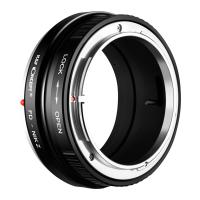
If you have lenses from different brands or older lenses, you might be able to use them with your camera body using a lens adapter. However, be aware that not all functions (like autofocus) may work with adapted lenses.

Attaching a camera lens is a fundamental skill that, once mastered, becomes second nature. By following the steps outlined in this article, you can ensure that your lens is properly attached, reducing the risk of damage and ensuring optimal performance. Regular maintenance and proper handling of your camera and lenses will extend their lifespan and keep your photography equipment in top condition.

Whether you are a beginner or an experienced photographer, understanding how to properly attach and care for your lenses is crucial. With practice and attention to detail, you can avoid common pitfalls and enjoy the full potential of your photography gear. Happy shooting!


Leave your comment
Cancel reply
Note: HTML is not translated!

Related products
67mm Clip-on CPL Phone Camera Lens Filter Kit Applicable to All Mobile Phone Models
40
$18.99
67mm Clip-on ND2-32 Phone Camera Lens Filter Kit Applicable to All Mobile Phone Models
NEW Arrival
67mm Clip-on ND2-32 Phone Camera Lens Filter Kit Applicable to All Mobile Phone Models
13
$37.99
67mm Clip-on Black Mist 1/4 Phone Camera Lens Filter Kit Applicable to All Mobile Phone Models
7
$29.99
52mm Clip-on CPL Phone Camera Lens Filter Kit, Circular Polarizer Polarizing Filter Applicable to All Mobile Phone Models
24
$16.99
Minolta A / Sony A Lenses to Pentax Q Lens Mount Adapter K&F Concept M22161 Lens Adapter
$45.99 $23.99
67mm Clip-on CPL&Black Mist 1/4 2-in-1 Phone Camera Lens Filter Kit Applicable to All Mobile Phone Models
3
$29.99
Minolta A / Sony A Lenses to Pentax Q Lens Mount Adapter with Tripod Mount K&F Concept M22162 Lens Adapter
$55.99 $28.99
Sony Alpha Minolta AF A-Type Lens to NEX E-Mount Mirrorless Camera with Matting Varnish Design
146
$64.99 $35.99
Lens Mount Adapter Compatible with Sony Alpha Minolta AF A-Type Lens to NEX E-Mount Mirrorless Camera Body
155
$53.99 $27.99
Lens Mount Adapter for Pentax K/M/A/FA/DA Mount Lens to Sony NEX E-Mount Camera Body
146
$60.99 $34.99
Products You May Like
Big Rack Trail Camera
10
$135.99 $74.99
Necklace Strap for Osmo Pocket 3, Multi-functional Hanging Rope for Smartphones, Triple Protection, Adjustable Length, Tool-Free Installation, Compatible with Smartphones and Action Cameras, Frees Up Your Hands and Gets Shooting Quickly, Black
19
$21.99
67mm Black Diffusion 1/2 Filter Mist Cinematic Effect Filter with 18 Multi-Layer Coatings Nano-Klear Series
212
$31.99 $24.99
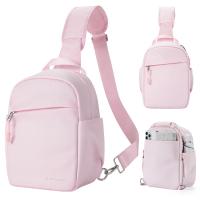
Camera Sling Bag Small Camera Crossbody Shoulder Backpack DSLR/SLR/Mirrorless Camera Compact Case Photography Bags 5L - Urban Wander 08 (Pink)
88
$58.99 $37.99
100*150*2mm Reverse GND8 Square Filter HD Optical Glass Waterproof ND Filter Nano-Xcel Pro Series
20
$137.99 $119.99
K&F Concept XK43 82mm Natural Night Filter Nano-Xcel
26
$99.99 $79.99
K&F Concept Camera Sling Bag Small Camera Crossbody Shoulder Backpack DSLR/SLR/Mirrorless Camera Compact Case Photography Bags 5L, Urban Wander 05 Light Pink
88
$37.99
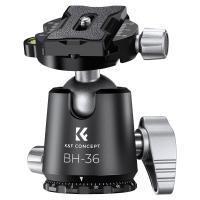
35.3lbs/16kg Load Professional 36mm Metal Tripod Ball Head,CNC Process With Die-casting Clamp BH-36 Tripod Head
$59.99 $39.99
58mm Black Diffusion Black Diffusion Pro-Mist 1/4 + 1/8 Filter Kit (each 1 pcs) Mist Cinematic Effect Filter for Vlog/Video/Portrait Image with 28 Multi-Layer Coated-Nano-X
$89.99 $55.99
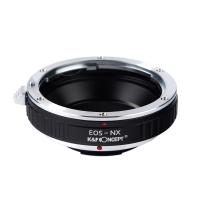
Canon EOS EF Lenses to Samsung NX Lens Mount Adapter K&F Concept M12251 Lens Adapter
2
$21.99
Related articles
How To Put On A Mirrorless Camera Strap?
How To Put The Straps On Camera?
How To Put On Fuji Camera Strap?
How To Put Camera On Ring Light?
How To Put A Ring Camera Outdoor?
What Is Vr On A Camera Lens?
How To Remove Ir Filter On A Lens?
Where To Put Cameras On House?
How To Mount Microscope Lens On Camera?
How To Use Mobile As Car Dash Cam?
Blog You May Like
How Do You Use A Memory Card Reader?
Where To Position Lights For Photography?
Can You Use Iphone As Baby Monitor?
What Does Saturn Look Like Through A Telescope?
Why Isn't My Camera Flash Working?
How To Draw A Camera Flash?
Where To Put Speakers In A Room?
Where Is The Depth Finder On A Boat?
How To Replace Camera Lens On Galaxy 5?
How To Put Camera Sd Card Into Computer?
Related categories
A Mount Lens Adapter On-Dash Camera Sony A Mount Lens Adapters C mount lens adapter m4/3 adapter minolta a mount lenses Magnetic Lens Filter lens CPL filter black mist nd filter​
Popular products
Polarize Filter For Mobile Phone leica m sony e mount adapter sony minolta adapter sony a mount to minolta adapter clip on phone camera lens nex lens adapter sony a7r lens adapter af lens adapter sony alpha a7r mirrorless digital camera mft adapter sony
Related searches
Camera On A Rope Video Camera On A Stick Flash On A Digital Camera Eyepiece Lens On A Microscope A Mount Lens On E Mount Camera Best Video Camera On A Phone Lens Mount On A Canon 40d Solar Panel On A Car Using A Lens Adapter On Nikon D7200 Sony Camera To A Minolta Lens Adapter
Popular searches
Battery For Canon R6 Mark Ii 77mm Star Filter Small Binoculars For Bird Watching Low Light Video Camera Phone 40.5 Mm Lens Filter Sony A6000 Canon Eos 4000d Lens Mount Urth Bag Lens Adapter For Nikon D5200 I Touch 3 Smart Watch Solar Filter For Nikon P900
Blog Category
  • Activities
  • Guide
    • Filter Guide
    • Lens Adapter
    • Product Review
  • News & Reviews
    • Camera Reviews
    • Sample Gallery
    • News
  • Tutorials
    • Solar eclipse photography
    • Photography Basics
    • Landscape Photography
  • Inspiration
    • Travel
    • Travel Stories
Search Article
Latest from the Blog
How Do Metal Detectors Work? A Complete Guide for Beginners and Pros
Can Security Cameras Detect Motion Through Glass?
How Do Cellular Trail Cameras Work? – The Complete Guide for Hunters and Wildlife Enthusiasts
Kentfaith x ANACONDA: Capturing the Wild, Frame by Frame
Which Binoculars To Buy?
What To Look For In A Dash Cam?
Which Bluetooth Earphones?
How Big A Memory Card For Camera?
Where Can I Find Hidden Cameras?
How Do Night Vision Goggles Work?
  • Easy Payment Multilple Payment Options

  • Free Shipping Global WareHouse Shipment

  • No Risk 30-Day No Reason Return

  • Limited Deals Buy More, Save More

  • Tax Free No any surcharges or tax fee

Information
  • About us
  • Contact Us
  • Site Map
  • Blog
  • Video
  • Gallery
  • VIP Membership Rewards
Service
  • Privacy Policy
  • Terms & Conditions
  • Shipping & Delivery
  • Payment Info
  • Warranty, Return & Refund
  • Intellectual Property Rights
  • Ambassador
  • Affiliates
  • Wholesale
Support
  • My account
  • Order History
  • FAQs
  • Extend Warranty
  • Logistics Tracking
Follow us
NewsLetter

Get the latest product, K&F Concept respects your privacy.

Powered By KENTFAITH © 2026