kfconcept

KENTFAITH
K&F Concept    Blog >

Enjoy Your Selected Digital Life

Recently Viewed
  • Recently Viewed
  • Recently Viewed list is empty.

Compare (0) 0
  • Compare
  • You have not chosen any products to compare.

  • Compare
Currency: USD
  • Currency
Shop by Scene Shop by Rank

Log Into Your Account

Account

Order History

Wish List

Login

Forgotten Password?

Or connect with

Register Account

Already have an Account?Log In

  • Shopping Cart
  • Your shopping cart is empty!

  • Register/Login to purchase, earn points
  • Favorite
  • Your wish list is empty.

  • Register/Login to like, earn points
  • Activities
  • Guide
    • Filter Guide
    • Lens Adapter
    • Product Review
  • News & Reviews
    • Camera Reviews
    • Sample Gallery
    • News
  • Tutorials
    • Solar eclipse photography
    • Photography Basics
    • Landscape Photography
  • Inspiration
    • Travel
    • Travel Stories
  • Home
  • Blog
  • How To Operate A Camera Mounted Flash?

How To Operate A Camera Mounted Flash?

Kentfaith 2024-07-25 06:13:29 0 Comments

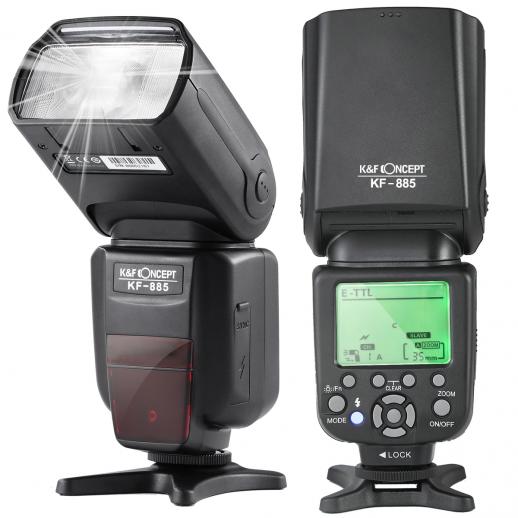
Operating a camera-mounted flash can be a game-changer for photographers, whether you're a beginner or a seasoned professional. Understanding how to use this tool effectively can significantly enhance the quality of your photos, especially in low-light conditions or when you need to fill in shadows. In this article, we will delve into the essentials of operating a camera-mounted flash, covering everything from basic setup to advanced techniques.

Understanding the Basics

1. Mounting the Flash

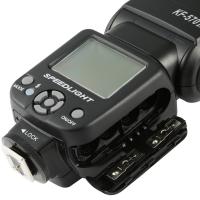
The first step in using a camera-mounted flash is, of course, mounting it onto your camera. Most flashes are designed to fit into the camera's hot shoe, a bracket located on the top of the camera body. Ensure that the flash is securely attached and locked into place to prevent it from falling off during use.

2. Powering On

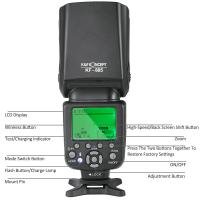
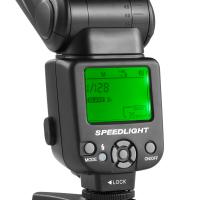
Once the flash is mounted, turn it on. Most flashes have a power switch or button. Some advanced models may also have an LCD screen that displays various settings. Make sure the flash is fully charged or has fresh batteries to avoid interruptions during your shoot.

3. Basic Settings

Familiarize yourself with the basic settings of your flash. These typically include:

- Mode: Most flashes have several modes, such as TTL (Through The Lens), Manual, and Multi. TTL mode automatically adjusts the flash output based on the camera's metering system, while Manual mode allows you to set the flash power manually.

- Zoom: The zoom setting adjusts the flash coverage to match the focal length of your lens. This helps in directing the light more precisely.

- Exposure Compensation: This setting allows you to increase or decrease the flash output to achieve the desired exposure.

Advanced Techniques

1. Bounce Flash

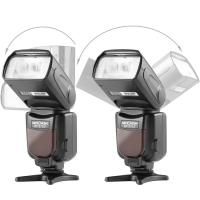
One of the most effective ways to use a camera-mounted flash is to bounce the light off a ceiling or wall. This technique diffuses the light, creating a softer and more natural look. To do this, tilt the flash head upwards or to the side, depending on your shooting environment. Bouncing the flash can significantly reduce harsh shadows and produce more flattering portraits.

2. Diffusers and Modifiers

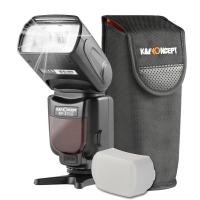
Using diffusers and other light modifiers can further soften the light from your flash. A diffuser is a simple attachment that spreads the light more evenly. Other modifiers, such as softboxes or bounce cards, can also be used to control the direction and quality of the light.

3. High-Speed Sync

High-Speed Sync (HSS) is a feature that allows you to use the flash at shutter speeds faster than the camera's native sync speed. This is particularly useful for outdoor photography when you need to balance the flash with bright ambient light. To enable HSS, consult your flash and camera manuals, as the process can vary between models.

4. Rear Curtain Sync

Rear Curtain Sync is a technique where the flash fires at the end of the exposure rather than at the beginning. This can create interesting motion blur effects, making it ideal for capturing dynamic subjects like dancers or athletes. To use this feature, set your camera to a slower shutter speed and enable Rear Curtain Sync in the flash settings.

Practical Tips

1. Avoid Red-Eye

Red-eye occurs when the flash is too close to the lens, causing light to reflect off the subject's retina. To minimize this, use a flash with a red-eye reduction mode or position the flash further away from the lens. You can also use post-processing software to correct red-eye in your photos.

2. Balancing Flash and Ambient Light

Achieving a natural look often involves balancing the flash with the ambient light. Start by setting your camera to expose for the ambient light, then adjust the flash output to fill in the shadows. This technique, known as fill flash, is particularly useful for outdoor portraits.

3. Using Flash Gels

Flash gels are colored filters that can be attached to your flash to match the color temperature of the ambient light. For example, if you're shooting under tungsten lighting, using an orange gel can help balance the color temperature, resulting in more natural-looking photos.

4. Experiment with Angles

Don't be afraid to experiment with different flash angles. Direct flash can be harsh and unflattering, but angling the flash or using bounce techniques can create more pleasing results. Try different positions and angles to see what works best for your subject and environment.

Troubleshooting Common Issues

1. Overexposure or Underexposure

If your photos are consistently overexposed or underexposed, check your flash settings. In TTL mode, you can use flash exposure compensation to adjust the output. In Manual mode, try adjusting the flash power or changing the distance between the flash and the subject.

2. Flash Misfires

Flash misfires can be frustrating, especially during important shoots. Ensure that your flash is fully charged and that the contacts between the flash and the camera are clean. If the problem persists, try resetting the flash or consulting the user manual for troubleshooting tips.

3. Slow Recycle Time

Recycle time is the duration it takes for the flash to recharge between shots. If you find the recycle time too slow, consider using high-capacity batteries or an external battery pack. Some flashes also have a power-saving mode that can help extend battery life.

Mastering the use of a camera-mounted flash can significantly elevate your photography, allowing you to capture well-lit, professional-quality images in a variety of settings. By understanding the basics, experimenting with advanced techniques, and troubleshooting common issues, you can make the most of this versatile tool. Whether you're shooting portraits, events, or creative projects, a camera-mounted flash can be an invaluable addition to your photographic arsenal.
Leave your comment
Cancel reply
Note: HTML is not translated!
Related products
Head-Mounted Night Vision Binoculars with 3D VR Viewing & 6X Zoom, Up To 700M/2296FT Night Vision Range, Kentfaith Night Vision Binoculars
11
$629.99 $439.99
3D VR Night Vision Binoculars with Infrared Head Mounted 6X Zoom Kentfaith
13
$524.99 $367.99
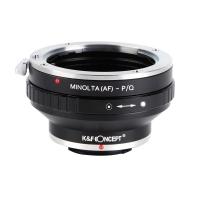
Minolta A / Sony A Lenses to Pentax Q Lens Mount Adapter K&F Concept M22161 Lens Adapter
$45.99 $23.99
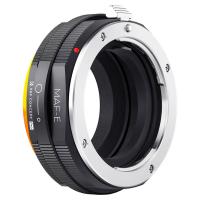
Sony Alpha Minolta AF A-Type Lens to NEX E-Mount Mirrorless Camera with Matting Varnish Design
146
$64.99 $35.99
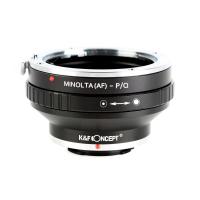
Minolta A / Sony A Lenses to Pentax Q Lens Mount Adapter with Tripod Mount K&F Concept M22162 Lens Adapter
$55.99 $28.99
K&F CONCEPT 39.37"/100cm Wall-Mounted Triangle Boom Arm – 180° Adjustable for Ring Lights, Video Lighting, Cameras, and Softboxes
NEW Arrival
K&F CONCEPT 39.37"/100cm Wall-Mounted Triangle Boom Arm – 180° Adjustable for Ring Lights, Video Lighting, Cameras, and Softboxes
16
$59.99 $31.99
K&F CONCEPT 51.18"/130cm Wall-Mounted Triangle Boom Arm – 180° Adjustable for Ring Lights, Video Lighting, Cameras, and Softboxes
NEW Arrival
K&F CONCEPT 51.18"/130cm Wall-Mounted Triangle Boom Arm – 180° Adjustable for Ring Lights, Video Lighting, Cameras, and Softboxes
16
$59.99
K&F CONCEPT 70.87"/180cm Wall-Mounted Triangle Boom Arm – 180° Adjustable for Ring Lights, Video Lighting, Cameras, and Softboxes
NEW Arrival
K&F CONCEPT 70.87"/180cm Wall-Mounted Triangle Boom Arm – 180° Adjustable for Ring Lights, Video Lighting, Cameras, and Softboxes
16
$85.99
Lens Mount Adapter Compatible with Sony Alpha Minolta AF A-Type Lens to NEX E-Mount Mirrorless Camera Body
155
$53.99 $27.99
K&F Concept Digital Camera Case, Waterproof & Protective Small Camera Bag, Lightweight Camera Sling Bag with 2 Carrying Ways - Sling Bag 1L Urban Wander 07 (Pink)
93
$25.99 $19.99
Products You May Like
Shipping Charge
Shipping Charge
11
$5.00
Instant Translator Earbuds with 164 Languages, No Extra Fees, Real-time 2 Way Voice Translation with 98% Accuracy, 24H Battery Life, Kentfaith
16
$74.99 $59.99
55mm Black Mist 1/8 Filter Waterproof Mist Cinematic Effect Camera Lens Filter with 24 Multi-Coatings for Video/Vlog/Portrait Photography (Nano-Dazzle)
25
$43.99 $34.99
Screen Protector*3 + Hot Shoe Level*3 + Vacuum Cleaning Cloth*1 for Fujifilm X-T30, X-T30 II Cameras
$9.99
55MM, Nano-X, Japan Optical Glass ND32-CPL, ultra-clear, coated with waterproof, scratch-resistant and anti-reflection green film
$53.99 $34.99
Kingston 16GB SDHC Memory Card Class 10 UHS-I 45R/10W
6
$9.99
K&F Concept MCN1 43mm Lens Filter Kit ND1000 CPL with Multiple Layer Nano Coated
$53.99 $29.99
K&F Concept Camera Sling Bag Small Camera bag Lightweight Crossbody and Inner Liner Bag for Protection and Versatility, Black
64
$59.99 $39.99
Compound Microscope with 7in Display, 40X-5000X Magnification, 195 Objectives, Mechanical Stage, WF10x and WF25x Eyepieces, Abbe Condenser, for Lab, Biology, Education, Kentfaith
14
$487.49 $389.99
77mm Black Mist 1/8 Filter + Lens Cap, Mist Cinematic Effect Filter with 18 Multi-Layer Coatings for Video, Vlog, Portrait Photography Nano-Klear Series
NEW Arrival
77mm Black Mist 1/8 Filter + Lens Cap, Mist Cinematic Effect Filter with 18 Multi-Layer Coatings for Video, Vlog, Portrait Photography Nano-Klear Series
20
$53.99 $39.99
Related articles
How To Make A Camera Flash?
How To Fix A Camera Flash?
How To Draw A Camera Flash?
When To Use A Camera Flash?
How Bright Is A Camera Flash?
How To Make A Camera Flash After Effects?
How To Make A Flash Ring?
How Far Does A Camera Flash Reach?
How Many Lumens Is A Camera Flash?
How To Format A Sd Card In Linux?
Blog You May Like
How To Find My Lost Dslr Camera?
How Does Selfie Stick Work With Headphone Jack?
How Do You Record Facetime With Audio?
What Is The Best Dslr Camera For Video?
How To Get Retro Camera Filter?
What Is The Best Thermal Imaging Monocular?
Which Uv Filter Should I Buy?
Can Projector Work On Wall?
How Long Does Dash Cam Record?
Can You Record Voice With Airpods?
Related categories
detachable camera flash canon ring flash A Mount Lens Adapter C mount lens adapter Sony A Mount Lens Adapters ring flash nikon flash the camera minolta a mount lenses
Popular products
night vision goggles helmet infrared hunting binoculars leica m sony e mount adapter sony minolta adapter night vision binoculars for stargazing black flash infrared trail camera black flash trail camera invisible flash trail camera no flash trail camera white flash trail camera
Related searches
Flash On A Digital Camera Best Wall Mounted Speakers Wall Mounted Wireless Speakers External Camera Flash Camera Flash Light Head Mounted Night Vision Goggles Surgitel Front Lens Mounted Loupes Head Mounted Night Vision Binoculars Canon To Nikon Flash Adapter Canon To Sony Flash Adapter
Popular searches
Spotting Scope Tripod Adapter Canon Lens To Nikon Body Adapter Minolta Dynax Lens Mount Lens Adapter For Stacking Canon M10 Lens Adapter Sony A6500 Lens Mount Flexible Endoscope Camera Ring Light For Laptop Video Conferencing Omd Em5 Lens Adapter Smart Watch For 12 Year Old
Blog Category
  • Activities
  • Guide
    • Filter Guide
    • Lens Adapter
    • Product Review
  • News & Reviews
    • Camera Reviews
    • Sample Gallery
    • News
  • Tutorials
    • Solar eclipse photography
    • Photography Basics
    • Landscape Photography
  • Inspiration
    • Travel
    • Travel Stories
Search Article
Latest from the Blog
What Is The Best Wireless Outdoor Security Camera?
How Much Does It Cost For Security Cameras?
Kentfaith x Citadel Season 2
What Is A Good Quality Dash Cam?
What Does A Uv Camera Filter Do?
How To Setup A Tripod?
Dash Cam That Can Connect To Phone?
Where Can I Find Hidden Cameras?
What Is A Good Video Camera For Vlogging?
What Is The Difference Between Binoculars And Telescope?
  • Easy Payment Multilple Payment Options

  • Free Shipping Global WareHouse Shipment

  • No Risk 30-Day No Reason Return

  • Limited Deals Buy More, Save More

  • Tax Free No any surcharges or tax fee

Information
  • About us
  • Contact Us
  • Site Map
  • Blog
  • Video
  • Gallery
  • VIP Membership Rewards
Service
  • Privacy Policy
  • Terms & Conditions
  • Shipping & Delivery
  • Payment Info
  • Warranty, Return & Refund
  • Intellectual Property Rights
  • Ambassador
  • Affiliates
  • Wholesale
Support
  • My account
  • Order History
  • FAQs
  • Extend Warranty
  • Logistics Tracking
Follow us
NewsLetter

Get the latest product, K&F Concept respects your privacy.
Powered By KENTFAITH © 2026