kfconcept

KENTFAITH
K&F Concept    Blog >

Enjoy Your Selected Digital Life

Recently Viewed
  • Recently Viewed
  • Kingwear KW99 3G Smartwatch Phone Android 5.1 GPS - Black
    Kingwear KW99 3G Smartwatch Phone Android 5.1 GPS - Black
    $59.16
    T6 Solar Bluetooth Portable Speaker IPX5 - Dual Speakers With Microphone
    T6 Solar Bluetooth Portable Speaker IPX5 - Dual Speakers With Microphone
    $44.99
Compare (0) 0
  • Compare
  • You have not chosen any products to compare.

  • Compare
Currency: USD
  • Currency
Shop by Scene Shop by Rank

Log Into Your Account

Account

Order History

Wish List

Login

Forgotten Password?

Or connect with

Register Account

Already have an Account?Log In

  • Shopping Cart
  • Your shopping cart is empty!

  • Register/Login to purchase, earn points
  • Favorite
  • Your wish list is empty.

  • Register/Login to like, earn points
  • Activities
  • Guide
    • Filter Guide
    • Lens Adapter
    • Product Review
  • News & Reviews
    • Camera Reviews
    • Sample Gallery
    • News
  • Tutorials
    • Solar eclipse photography
    • Photography Basics
    • Landscape Photography
  • Inspiration
    • Travel
    • Travel Stories
  • Home
  • Blog
  • How To Make Recorded Audio Sound Better?

How To Make Recorded Audio Sound Better?

Kentfaith 2025-02-06 01:33:37 0 Comments

How to Make Recorded Audio Sound Better: A Comprehensive Guide

In today’s multimedia-driven world, the quality of recorded audio holds significant importance. Whether you are a podcaster, content creator, musician, or just someone recording voice memos, clear and professional audio makes a significant difference. Poor sound quality can detract from the message and turn off your audience. Fortunately, improving audio quality is achievable with some effort and the right techniques. This article provides a detailed guide on enhancing recorded audio to meet professional standards.

---

Understanding the Basics of Audio Recording
how to make recorded audio sound better 1

Before diving into improvements, it’s important to understand some key factors that affect audio quality:

1. Recording Environment: Ambient noise, echo, and room acoustics play a critical role in sound quality.

2. Equipment Quality: The microphone and recording device used significantly impact the fidelity of the audio.

3. Recording Techniques: Proper positioning of the microphone, consistent volume levels, and clear enunciation matter.

---

Step 1: Optimizing Your Recording Environment
how to make recorded audio sound better 2

The foundation of great audio is a controlled recording environment. Here’s how you can optimize yours:

- Choose a Quiet Location: Minimize external sounds by selecting a secluded, quiet space. Avoid locations with high traffic or constant noise sources.

- Reduce Echo: Bare walls and hard surfaces create reflections that cause echoes. Use curtains, carpets, or foam panels to dampen sound.

- Minimize Background Noise: Turn off fans, air conditioners, or other equipment that generates hums or white noise.

Creating a good recording environment upfront reduces the effort required in post-production.

---

Step 2: Using Quality Recording Equipment
how to make recorded audio sound better 3

High-quality equipment directly impacts the clarity and richness of audio recordings. If possible, invest in the following:

- Microphone: A dedicated condenser or dynamic microphone will offer better audio fidelity compared to built-in laptop or phone microphones.

- Pop Filter: This accessory reduces plosive sounds caused by letters like "P" and "B."

- Audio Interface: If using a professional microphone, an audio interface converts analog signals into digital format with better accuracy.

Ensure your recording device supports the format and quality (bit rate and sample rate) needed for your project.

---

Step 3: Employing Proper Recording Techniques
how to make recorded audio sound better 4

The way you handle recording significantly affects the outcome:

- Maintain Consistent Distance: Keep a consistent distance (6–12 inches) from the microphone to avoid volume fluctuations.

- Speak Clearly: Enunciate words properly and avoid speaking too fast.

- Monitor Levels: Avoid clipping (distortion caused by overly loud signals) by setting input levels below 0 dB. Aim for levels around -12 dB to allow headroom for peaks.

Practicing good recording habits ensures you start with clean audio, making it easier to refine during editing.

---

Step 4: Editing the Audio

Editing is where you can drastically improve the sound quality. Popular tools for this include Adobe Audition, Audacity, Logic Pro X, and GarageBand. Key editing techniques include:

1. Noise Reduction

Even in a controlled environment, some background noise may creep in. Most audio software includes noise reduction tools that help isolate and remove constant noises such as hums, hisses, or air conditioning.

- Select a section of silence in your recording to create a noise profile.

- Apply the noise reduction tool to the entire recording.

2. Equalization (EQ)

EQ adjusts the balance of different frequency ranges in your audio. Proper equalization can make voices sound richer and clearer.

- Boost low frequencies (bass) to add warmth.

- Cut mid-range frequencies to remove muddiness.

- Slightly enhance high frequencies to add clarity.

3. Compression

Compression evens out volume levels, ensuring quieter parts are amplified and louder parts are tamed. This improves overall consistency and makes the audio more professional.

- Use a moderate ratio (e.g., 3:1) and set a threshold to reduce peaks.

- Avoid over-compression, as it can make the audio sound unnatural.

4. De-essing

De-essers reduce harsh "s" sounds that can be jarring in speech. Most audio editing tools include a de-essing feature.

5. Reverb and Effects

Adding a small amount of reverb can create a natural, fuller sound. However, use effects sparingly to maintain clarity and prevent artificiality.

6. Volume Normalization

Normalize your audio to a consistent loudness level. Aim for industry standards like -16 LUFS for podcasts or -23 LUFS for broadcast.

---

Step 5: Enhancing Audio with Advanced Techniques

For those with more experience or access to professional tools, advanced techniques can elevate your recordings further:

- Multi-band Compression: Applies compression to specific frequency ranges for more precise control.

- Stereo Imaging: Enhances the width and spatial depth of audio, useful for music and immersive soundscapes.

- Pitch Correction: Ensures vocals are in tune (commonly used in music production).

- Layering: Combine multiple audio tracks or overdubs to create a richer, more dynamic sound.

---

Step 6: Testing and Feedback

Once you’ve edited your audio, test it across different playback devices like headphones, speakers, and mobile devices. Gather feedback from others to identify any areas needing improvement. Ensure your audio sounds good in various environments, such as a noisy café or a quiet room.

---

Common Pitfalls to Avoid

1. Over-editing: Excessive use of effects or filters can make audio sound artificial.

2. Ignoring Input Quality: Poorly recorded audio cannot be fully fixed in post-production.

3. Clipping: Always monitor input levels to prevent distortion.

4. Inconsistent Workflow: Establish a consistent process for recording and editing to maintain quality.

---

Tools and Resources

Here are some recommended tools for audio editing:

- Free Tools: Audacity, GarageBand

- Professional Software: Adobe Audition, Pro Tools, Logic Pro X

- Plugins: iZotope RX (for restoration), Waves Audio (for effects)

Additionally, online platforms like YouTube and Skillshare offer tutorials to help you master these tools.

---

Practical Scenarios and Solutions

Scenario 1: Recording on a Budget

If you’re limited to basic equipment, focus on optimizing your environment and mastering free tools like Audacity. Use your smartphone wisely by positioning it on a stable surface and recording in a quiet, treated room.

Scenario 2: Editing a Noisy Recording

For audio with unavoidable background noise, use advanced noise reduction plugins like iZotope RX. Experiment with EQ to isolate and enhance the vocal frequencies.

Scenario 3: Preparing Audio for Different Platforms

Each platform may have specific loudness standards. For example:

- Podcasts: Normalize to -16 LUFS

- YouTube: Normalize to -14 LUFS

Use tools like LUFS meters to measure and adjust loudness accurately.

---

Improving recorded audio involves a mix of preparation, technical skill, and creative decision-making. By optimizing your environment, using quality equipment, mastering editing techniques, and continuously testing and iterating, you can achieve professional-quality audio.

Remember, great sound starts with great preparation. The better your recording, the less effort required in post-production. Whether you’re creating content for personal use or a wide audience, prioritizing audio quality ensures your message resonates effectively. By following the steps outlined above, you can elevate your recordings and create a lasting impression on your listeners.

Leave your comment
Cancel reply
Note: HTML is not translated!
Related products
Mini Voice Recorder, Sound-activated & Magnetic, 128GB 1600H Capacity with AI Noise Cancelling Kentfaith
13
$94.99 $53.99
Mini Sound Recorder 128GB 1600H Recording Capacity with 1.4" Screen, Voice Activated Mode Kentfaith
12
$99.99 $79.99
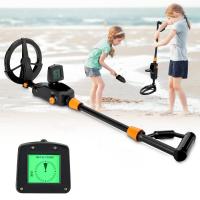
Children’s Entry-Level Metal Detector, High Sensitivity, With LCD Display and Sound Indication, Suitable for Beginners
144
$64.49 $50.99
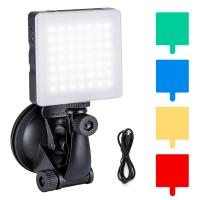
Touch Lighting Kit for Laptop Video Conference, K&F Concept 6500K Computer LED Video Light with Suction Cup, 4 Color Filters for Remote Working,Zoom Meeting, Self Broadcasting, Vlogging and Make Up
64
$39.99 $29.99
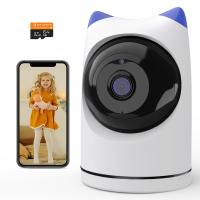
Indoor security camera, 2.4Ghz WiFi, infrared night vision, human detection, intelligent motion tracking, sound alarm, two-way talk, monitor for babies, pets, elderly, with 64G Memory Card
$49.99
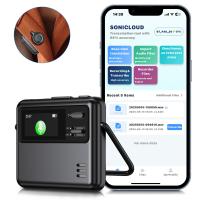
AI Voice Recorder Transcriber Summary Translation Audio Activated 128G Kentfaith
15
$99.99 $79.99
32 Riders Intercom Motorcycle Helmet Bluetooth Headset Mesh 3.0 Audio Multitasking
12
$209.99 $146.99
Over Ear Headphones 7.1 Surround Sound Gaming Headset Works with PC, PS4 PRO, Xbox One S, Cell Phone SOMIC Active Noise Canceling with Mic HI-FI USB Jack Game Earphones
23
$65.99
Wireless Lavalier Microphone for iPhone & Android 48kHz 24bit HiFi Audio Noise Cancelling
16
$134.99 $94.99
Dual-Rider Intercom Motorcycle Helmet Bluetooth Headset with Audio Multitasking Music Sharing
12
$134.99 $94.99
Products You May Like
Propeller Holder Compatible with DJI Mini 3 Pro RC - Propellers Guard Strap Protector Stabilizer and Propellers Fixator for DJI Mini 3 Pro RC Drone Accessories
$12.49 $9.99
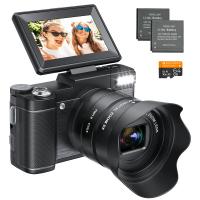
5K Digital Camera for Beginners Flip Screen for Selfie 8X Optical Zoom Kentfaith
119
$162.49 $136.99
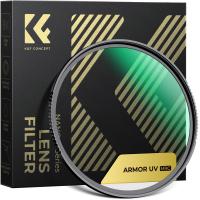
72mm Explosive-Proof MCUV Lens Protection Filter 28 Multi-Layer Coatings Ultra-Slim HD Waterproof Scratch Resistant Nano-Xcel Series
58
$52.49 $41.99
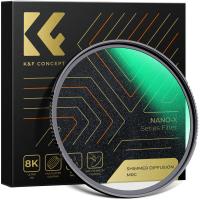
67mm Shimmer Diffusion 1 Filter Optical Glass Glimmer Effect Filter for Camera Lens Nano-Xcel Series
34
$62.99 $49.99
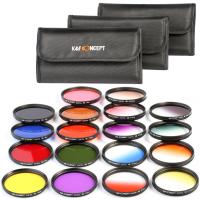
67mm Filter Set (Graduated & Full Color Orange, Blue, Red, Green, Yellow, Purple, Pink, Grey, Brown)
5
$65.99 $32.99
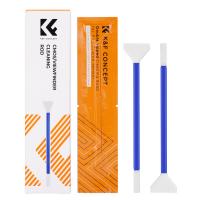
K&F Concept 2-in-1 24mm Full Frame Sensor Cleaning Swab & Viewfinder Cleaning Swab, DSLR SLR Digital Camera CMOS and CCD Sensor Cleaning Swab Kits for Nikon Sony Canon Camera Clean
$9.49
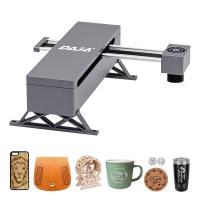
5W Laser Engraver and Cutter with 0.01mm High Precision
12
$449.99 $314.99
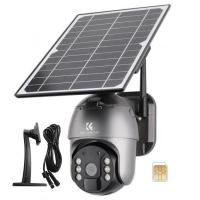
4G solar security camera System Wireless LTE cctv solar camera PIR Motion Detection 2-Way Audio Built-in Battery 10400mAh 2K Infrared Night Vision 20m/65.6ft AU Version + Stand + 2m extension cable + Sim Card Without Contract
$229.99 $158.99
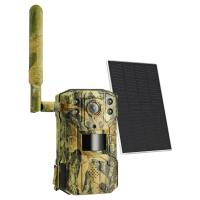
【$79.9 Flash Deal One order per customer】10'' Selfie Ring Light with Stand Phone Holder for Vlog Camera Video Smartphone YouTube Self-Portrait Makeup Shooting4G LTE Solar Trail Camera, 2.7K Ultra HD Infrared Night Vision  (Only ship to US)
【$79.9 Flash Deal One order per customer】10'' Selfie Ring Light with Stand Phone Holder for Vlog Camera Video Smartphone YouTube Self-Portrait Makeup Shooting4G LTE Solar Trail Camera, 2.7K Ultra HD Infrared Night Vision (Only ship to US)
31
$249.99 $131.99
Related articles
How To Make My Recording Sound Better?
How To Remove Sound From A Recorded Video?
How To Get Sound On Screen Recorded Videos?
How To Improve Sound Quality Of Recorded Video?
How To Make An Mp3 Audio Recording?
How To Make Sound Recorder Record Computer?
How To Make Big Room Sound Recording?
How To Make Sound In Screen Recording?
How To Make Your Recording Sound Clear?
How To Make Wireless Camera Screen?
Blog You May Like
How To Connect Smart Watch With Android?
What Digital Cameras Look Like Film?
How To Setup Dslr As Webcam?
How Do I Find My Camera?
How To Store Camera Batteries?
Smart Life Camera How To Change Wifi Network?
How Can I Record Audio From The Internet?
Can You Connect Your Phone To Baby Monitor?
How Do You Use A Digital Camera?
How To Check Wifi Signal For Cctv Camera?
Related categories
C mount lens adapter m4/3 adapter digital camera for beginner Monopod Photography Fill Light Pentax K adapter camera tripod mount canon cameras lens
Popular products
security camera home surveillance Bluetooth Earbuds With Noise Cancellation digital voice recorder with usb video conference lighting kit ai voice recorder device entry level metal detector hidden camera detector finder earphones for motorcycle helmet indoor camera for pets wi fi smart camera
Related searches
Good Camera To Make Videos Better Life Digital Camera Adapter To Make Manual Lens Autofocus Lens Adapter To Make Focal Length Longer Extension To Make E Mount Lens Macro Make Your Own Camera Lens Filter Sound Recorder Usb Video Sound Recorder Smart Sound Recorder Tiny Sound Recorder
Popular searches
Commlite Cm-enf-e 1 Af Lens Adapter Cfast Adapter Canon C200 Monocular Telescope With Night Vision Omd Em5 Canon Adapter Nikon Enel Adapter Npf Best Running Bluetooth Headphones Osmo Mobile Sony Action Cam Adapter Nikon Coolpix L340 Adapter Digital Camera Zoom Lens Latest Bluetooth Earphones
Blog Category
  • Activities
  • Guide
    • Filter Guide
    • Lens Adapter
    • Product Review
  • News & Reviews
    • Camera Reviews
    • Sample Gallery
    • News
  • Tutorials
    • Solar eclipse photography
    • Photography Basics
    • Landscape Photography
  • Inspiration
    • Travel
    • Travel Stories
Search Article
Latest from the Blog
How To Make A Camera Flash After Effects?
What Is A Good Quality Dash Cam?
Where Can I Buy Samsung Camera Battery?
What Is Nd Filter On Video Camera?
How To Find A Good Digital Camera?
Kentfaith x ANACONDA: Capturing the Wild, Frame by Frame
How To Stream Live From Surveillance Camera?
Can Security Cameras Detect Motion Through Glass?
Dash Cam That Can Connect To Phone?
How Does a WiFi Trail Camera Work?
  • Easy Payment Multilple Payment Options

  • Free Shipping Global WareHouse Shipment

  • No Risk 30-Day No Reason Return

  • Limited Deals Buy More, Save More

  • Tax Free No any surcharges or tax fee

Information
  • About us
  • Contact Us
  • Site Map
  • Blog
  • Video
  • Gallery
  • VIP Membership Rewards
Service
  • Privacy Policy
  • Terms & Conditions
  • Shipping & Delivery
  • Payment Info
  • Warranty, Return & Refund
  • Intellectual Property Rights
  • Ambassador
  • Affiliates
  • Wholesale
Support
  • My account
  • Order History
  • FAQs
  • Extend Warranty
  • Logistics Tracking
Follow us
NewsLetter

Get the latest product, K&F Concept respects your privacy.

Powered By KENTFAITH © 2025