kfconcept

KENTFAITH
K&F Concept    Blog >

Enjoy Your Selected Digital Life

Recently Viewed
  • Recently Viewed
  • Recently Viewed list is empty.

Compare (0) 0
  • Compare
  • You have not chosen any products to compare.

  • Compare
Currency: USD
  • Currency
Shop by Scene Shop by Rank

Log Into Your Account

Account

Order History

Wish List

Login

Forgotten Password?

Or connect with

Register Account

Already have an Account?Log In

  • Shopping Cart
  • Your shopping cart is empty!

  • Register/Login to purchase, earn points
  • Favorite
  • Your wish list is empty.

  • Register/Login to like, earn points
  • Activities
  • Guide
    • Filter Guide
    • Lens Adapter
    • Product Review
  • News & Reviews
    • Camera Reviews
    • Sample Gallery
    • News
  • Tutorials
    • Solar eclipse photography
    • Photography Basics
    • Landscape Photography
  • Inspiration
    • Travel
    • Travel Stories
  • Home
  • Blog
  • How To Format Sd Card On My Phone?

How To Format Sd Card On My Phone?

Kentfaith 2024-09-06 01:01:58 0 Comments

Formatting an SD card on your phone is a common task that many users need to perform for various reasons, such as clearing space, removing corrupted files, or preparing the card for use in a different device. This article will guide you through the process of formatting an SD card on your phone, addressing common issues and providing practical solutions to ensure a smooth experience.

Understanding the Need to Format an SD Card
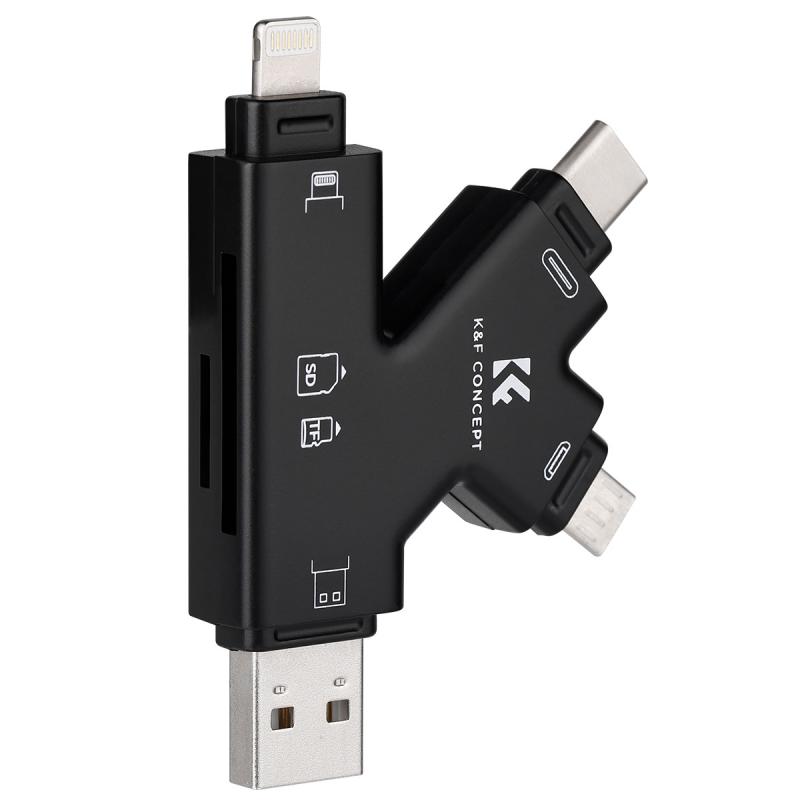
how to format sd card on my phone 1

Before diving into the steps, it's essential to understand why you might need to format an SD card. Here are some common reasons:

1. Clearing Space: Over time, SD cards can accumulate a lot of unnecessary files. Formatting the card can help free up space.

2. Removing Corrupted Files: Sometimes, files on an SD card can become corrupted, causing issues with accessing or using the card. Formatting can resolve these issues.

3. Preparing for a New Device: If you plan to use the SD card in a different device, formatting it ensures compatibility and optimal performance.

4. Improving Performance: Regularly formatting your SD card can help maintain its performance and longevity.

Steps to Format an SD Card on Your Phone
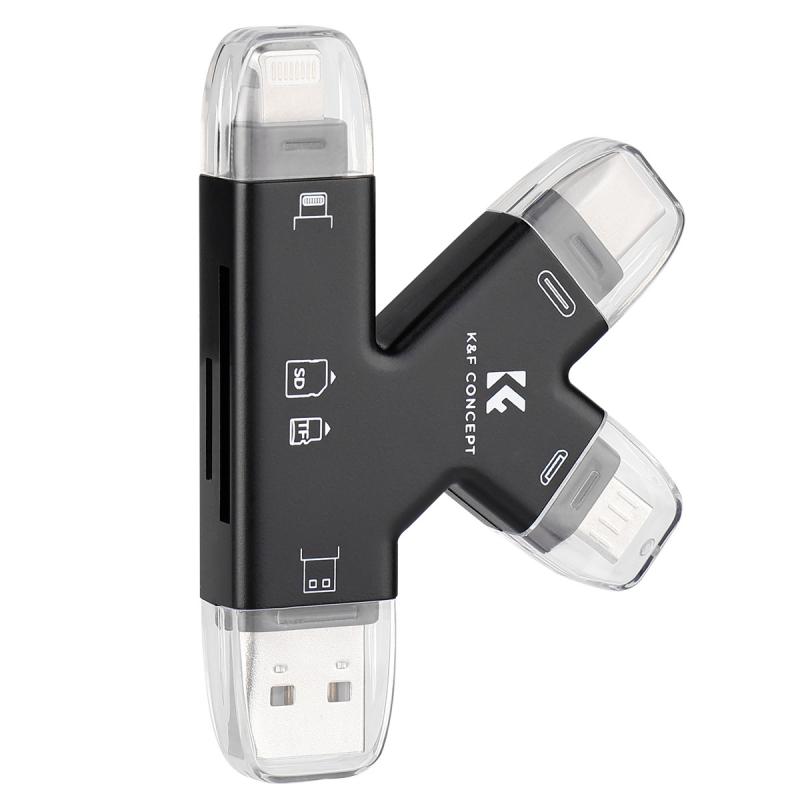
how to format sd card on my phone 2

The process of formatting an SD card can vary slightly depending on the type of phone you have. Below, we provide detailed instructions for both Android and iOS devices.

Formatting an SD Card on an Android Phone
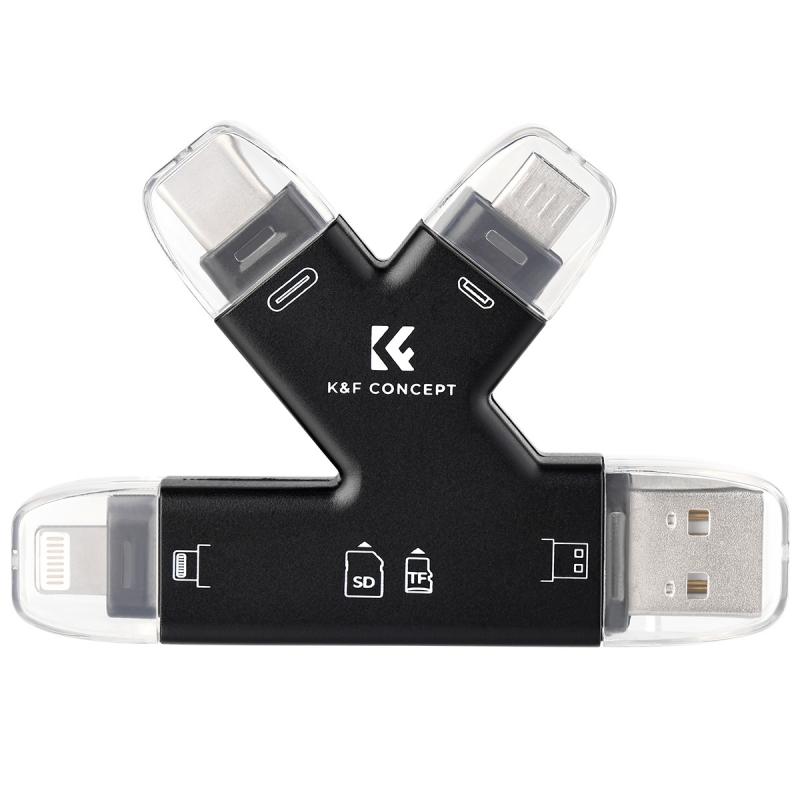
how to format sd card on my phone 3

1. Insert the SD Card: Ensure that the SD card is properly inserted into your phone. Most Android phones have a dedicated slot for SD cards, usually located next to the SIM card slot.

2. Open Settings: Navigate to the 'Settings' app on your phone. This can usually be found in the app drawer or by swiping down from the top of the screen and tapping the gear icon.

3. Access Storage Settings: Scroll down and tap on 'Storage' or 'Device care' (the exact wording may vary depending on your phone model and Android version).

4. Select the SD Card: In the storage settings, you should see an option for your SD card. Tap on it to access more options.

5. Format the SD Card: Look for an option that says 'Format' or 'Format SD card'. Tap on it and confirm your choice. Be aware that this will erase all data on the card, so make sure to back up any important files beforehand.

6. Wait for the Process to Complete: The formatting process may take a few minutes. Once it's done, your SD card will be ready for use.

Formatting an SD Card on an iPhone
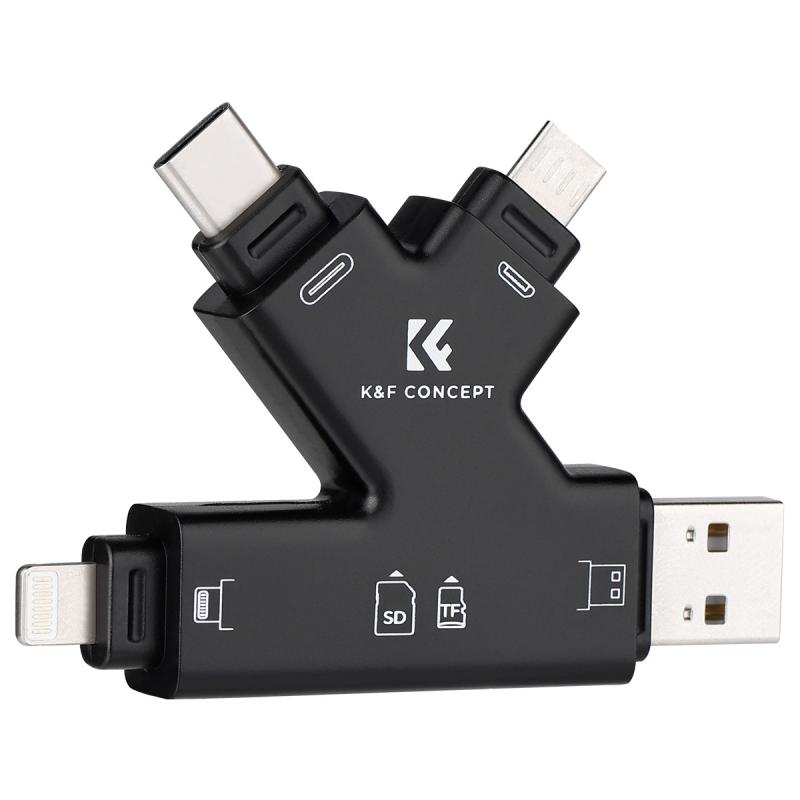
how to format sd card on my phone 4

iPhones do not support external SD cards directly. However, if you are using an SD card reader or adapter, you can format the SD card using a computer. Here’s how:

1. Connect the SD Card to Your Computer: Use an SD card reader to connect the SD card to your computer.

2. Open Disk Utility (Mac) or File Explorer (Windows):

- On a Mac, open 'Disk Utility' from the Applications > Utilities folder.

- On Windows, open 'File Explorer' and right-click on the SD card under 'This PC' or 'My Computer'.

3. Select the SD Card: In Disk Utility, select the SD card from the list on the left. In File Explorer, right-click on the SD card and select 'Format'.

4. Choose the Format Type:

- On a Mac, click on 'Erase' and choose the format type (usually 'MS-DOS (FAT)' for compatibility).

- On Windows, choose the file system (usually 'FAT32' or 'exFAT') and click 'Start'.

5. Confirm and Format: Confirm your choice and wait for the process to complete. Once done, you can safely eject the SD card and use it with your iPhone adapter.

Common Issues and Troubleshooting

While formatting an SD card is generally straightforward, you may encounter some issues. Here are common problems and their solutions:

1. SD Card Not Recognized: If your phone or computer does not recognize the SD card, try reinserting it or using a different card reader. Ensure the card is not physically damaged.

2. Formatting Errors: If you receive an error message during formatting, try using a different device to format the card. Sometimes, using a computer instead of a phone can resolve the issue.

3. Data Recovery: If you accidentally format an SD card and lose important data, data recovery software can help retrieve lost files. However, success is not guaranteed, and it's best to back up data before formatting.

4. Incompatible File System: Ensure you choose a compatible file system when formatting. For most purposes, 'FAT32' or 'exFAT' are suitable choices.

Best Practices for SD Card Maintenance

To ensure the longevity and performance of your SD card, follow these best practices:

1. Regular Backups: Regularly back up important data to avoid data loss in case of corruption or accidental formatting.

2. Avoid Frequent Formatting: While formatting can help maintain performance, doing it too often can reduce the lifespan of the SD card. Only format when necessary.

3. Use Quality SD Cards: Invest in high-quality SD cards from reputable brands to ensure reliability and durability.

4. Safely Eject: Always safely eject the SD card from your phone or computer to prevent data corruption.

Formatting an SD card on your phone is a simple yet essential task that can help maintain the performance and reliability of your storage. Whether you're using an Android phone or an iPhone with an adapter, the steps outlined in this article will guide you through the process. By understanding the reasons for formatting, following the correct steps, and adhering to best practices, you can ensure a smooth and trouble-free experience with your SD card.


Leave your comment
Cancel reply
Note: HTML is not translated!
Related products
SD Card Reader for iPhone/iPad/Android/Mac/Computer/Camera, 4 in 1 Micro SD Card Reader Tracking Camera Viewer, Portable Memory Card Reader SD Card Adapter Compatible with SD and Micro SD Card/TF Card ( black)
$14.99
K&F Concept 36 Slots SD Micro SD Memory Card Case, Water-Resistant SD Card Holder, Anti-Shock Card Carrying Storage Box for 24 Micro SD SDXC SDHC TF Cards and 12 SD SDXC SDHC Cards
$18.99 $9.99
67mm Clip-on CPL Phone Camera Lens Filter Kit Applicable to All Mobile Phone Models
40
$18.99
67mm Clip-on ND2-32 Phone Camera Lens Filter Kit Applicable to All Mobile Phone Models
NEW Arrival
67mm Clip-on ND2-32 Phone Camera Lens Filter Kit Applicable to All Mobile Phone Models
13
$37.99
K&F Concept 28 Slots Micro SD Card Case,Water-Resistant Anti-Shock Anti-Dust TF Card Holder,Micro SD/Micro SDHC/Micro SDXC Card Box Organizer Storage
$18.99 $9.99
67mm Clip-on Black Mist 1/4 Phone Camera Lens Filter Kit Applicable to All Mobile Phone Models
7
$29.99
K&F Concept 24 Slots SD Card Holder Memory Card Case, Water-Resistant Shockproof Memory Card Storage Carrying Case for 12 SD SDXC SDHC Cards, 12 CFexpress Type A Cards
$18.99 $9.99
52mm Clip-on CPL Phone Camera Lens Filter Kit, Circular Polarizer Polarizing Filter Applicable to All Mobile Phone Models
24
$19.99
67mm Clip-on CPL&Black Mist 1/4 2-in-1 Phone Camera Lens Filter Kit Applicable to All Mobile Phone Models
3
$29.99
32GB Micro SD Card U3/V30/A1 with Adapter, Memory Card for Cameras, Borescopes,  Microscopes, Night Vision Goggles, Kentfaith
32GB Micro SD Card U3/V30/A1 with Adapter, Memory Card for Cameras, Borescopes, Microscopes, Night Vision Goggles, Kentfaith
$19.99 $19.99
Products You May Like
Camera Backpack DSLR/SLR/Mirrorless Photography Camera Bag fits 15.6
24
$89.99
K&F Concept 75" Lightweight Tripod, Camera Compact Tripod with Remote and 2-in-1 Phone Holder,Travel Phone Tripod with Removable 3-Way Pan Head for Selfie/Video Recording/Photo/Live Stream/Vlog
175
$99.99 $55.99
58mm Magnetic MCUV Filter,HD Waterproof Scratch-Resistant Anti-Reflection Green Film with Magnetic Metal Cover Nano-Xcel series
102
$44.99 $35.99
Video Baby Monitor with Camera of Wireless Remote Control Pet Monitor WIFI Not Needed (UK Plug)
2
$66.99
77mm  Black Mist Filter 1/8 Special Effects Filter Ultra-Clear Multi-layer Coated With Waterproof Scratch-Resistant and Anti-Reflection Nano-Xcel Series
77mm Black Mist Filter 1/8 Special Effects Filter Ultra-Clear Multi-layer Coated With Waterproof Scratch-Resistant and Anti-Reflection Nano-Xcel Series
135
$99.99 $79.99
1080P Projector 120" HD Screen with HiFi Stereo Speakers 50000H Work With TV Sticks Smartphones Tablets HDMI USB VGA AV (US Standard)
3
$113.99
52mm Variable ND Filter ND2-ND32 (1-5 Stops) Lens Filter Waterproof Scratch Resistant with 24 Layers of Nano-coating Nano-Dazzle Series
31
$47.99 $37.99
77mm MCUV+CPL+ND1000+Adapter Ring Magnetic 4 in 1 Lens Filter Kit Waterproof Scratch-Resistant Anti-Reflection with Filter Pouch
45
$156.99 $124.99
Carrying Bag for DJI Osmo Pocket 3, Portable Storage Carry Case , Protective for DJI Osmo Pocket 3 Creator Combo Accessories
NEW Arrival
Carrying Bag for DJI Osmo Pocket 3, Portable Storage Carry Case , Protective for DJI Osmo Pocket 3 Creator Combo Accessories
54
$19.99
Minolta MD Lenses to Pentax K Lens Mount Adapter with Optic Glass K&F Concept M15221 Lens Adapter
1
$33.99
Related articles
How To Format Sd Card On Mobile?
How To Format Sd Card On Tablet?
How To Format Sd Card On Gopro 10?
How To Format Sd Card In Windows?
How To Format A New Sd Card?
How To Manage Sd Card On Android Phone?
How To Format A Sd Card In Linux?
How To Remove A Sd Card From Phone?
How To Expand Phone Memory Without Sd Card?
What Is Polarized Filter Used For Camera?
Blog You May Like
How To Get Pink Lighting Video?
How To Remove Ambient Light Photography?
How To Take Flash Off Camera?
How To Put A Camera Lens On?
What Are the Best Compact Binoculars for Hunting?
How To Get Sound In Screen Recording?
How To Record Video On Screen With Sound?
How To Do Photography In Gym Lighting?
Speakers Making Noise When Radio Is Off?
How To Get Good Lighting With Ring Light?
Related categories
cell phone tripods On-Dash Camera phone camera lens iphone lens filter camera card memory
Popular products
Polarize Filter For Mobile Phone clip on phone camera lens portable sd card reader travel tripod for iphone digital sd memory card 32gb high speed sd memory card high speed sd memory card micro sd card and reader lens filter storage case class 10 micro sd card
Related searches
Format Sd Card For Video Camera Micro To Sd Card Adapter Adapting Medium Format Lens On Dslr Sd Card Cameras Microscope On Phone Sd Card Security Cameras Camera Sd Card Holder Micro Sd Card Adapters Canon Sd Card Adapter Sd Card For Cameras
Popular searches
Night Vision Goggles For Watching Wildlife Microphone Headphones For Nintendo Switch Inspection Microscope With Digital Camera 39mm Uv Filter Adapt Bolex Bayonet Lens To Pl Dji Mini 2 Drone Charger Minolta Sr Adapter Canon Most Comfortable Wired Headphones Pentax Wg 3 Lens Adapter Smartphone Gimbal Stabilizer
Blog Category
  • Activities
  • Guide
    • Filter Guide
    • Lens Adapter
    • Product Review
  • News & Reviews
    • Camera Reviews
    • Sample Gallery
    • News
  • Tutorials
    • Solar eclipse photography
    • Photography Basics
    • Landscape Photography
  • Inspiration
    • Travel
    • Travel Stories
Search Article
Latest from the Blog
What Is A Good Quality Dash Cam?
Which Ring Light Is Best?
Kentfaith x Citadel Season 2
Is the Sony A7M5 worth buying?
Best Metal Detector for Kids in 2025
What Hi Fi In Ear Headphones?
Kentfaith x ANACONDA: Capturing the Wild, Frame by Frame
What Is The Best Smartwatch For Heart Health?
How Fast Is A Camera Flash?
Where To Get Wireless Earbuds?
  • Easy Payment Multilple Payment Options

  • Free Shipping Global WareHouse Shipment

  • No Risk 30-Day No Reason Return

  • Limited Deals Buy More, Save More

  • Tax Free No any surcharges or tax fee

Information
  • About us
  • Contact Us
  • Site Map
  • Blog
  • Video
  • Gallery
  • VIP Membership Rewards
Service
  • Privacy Policy
  • Terms & Conditions
  • Shipping & Delivery
  • Payment Info
  • Warranty, Return & Refund
  • Intellectual Property Rights
  • Ambassador
  • Affiliates
  • Wholesale
Support
  • My account
  • Order History
  • FAQs
  • Extend Warranty
  • Logistics Tracking
Follow us
NewsLetter

Get the latest product, K&F Concept respects your privacy.

Powered By KENTFAITH © 2026