kfconcept

KENTFAITH
K&F Concept    Blog >

Enjoy Your Selected Digital Life

Recently Viewed
  • Recently Viewed
  • Recently Viewed list is empty.

Compare (0) 0
  • Compare
  • You have not chosen any products to compare.

  • Compare
Currency: USD
  • Currency
Shop by Scene Shop by Rank

Log Into Your Account

Account

Order History

Wish List

Login

Forgotten Password?

Or connect with

Register Account

Already have an Account?Log In

  • Shopping Cart
  • Your shopping cart is empty!

  • Register/Login to purchase, earn points
  • Favorite
  • Your wish list is empty.

  • Register/Login to like, earn points
  • Activities
  • Guide
    • Filter Guide
    • Lens Adapter
    • Product Review
  • News & Reviews
    • Camera Reviews
    • Sample Gallery
    • News
  • Tutorials
    • Solar eclipse photography
    • Photography Basics
    • Landscape Photography
  • Inspiration
    • Travel
    • Travel Stories
  • Home
  • Blog
  • How To Connect Mobile Smart Watch?

How To Connect Mobile Smart Watch?

Kentfaith 2024-08-01 02:02:37 0 Comments

Connecting a mobile smartwatch to your smartphone can significantly enhance your digital experience, providing you with seamless access to notifications, fitness tracking, and various other functionalities right from your wrist. However, the process of connecting these devices can sometimes be confusing, especially for first-time users. This article aims to provide a comprehensive guide on how to connect your mobile smartwatch to your smartphone, addressing common issues and offering practical solutions.

Understanding Compatibility
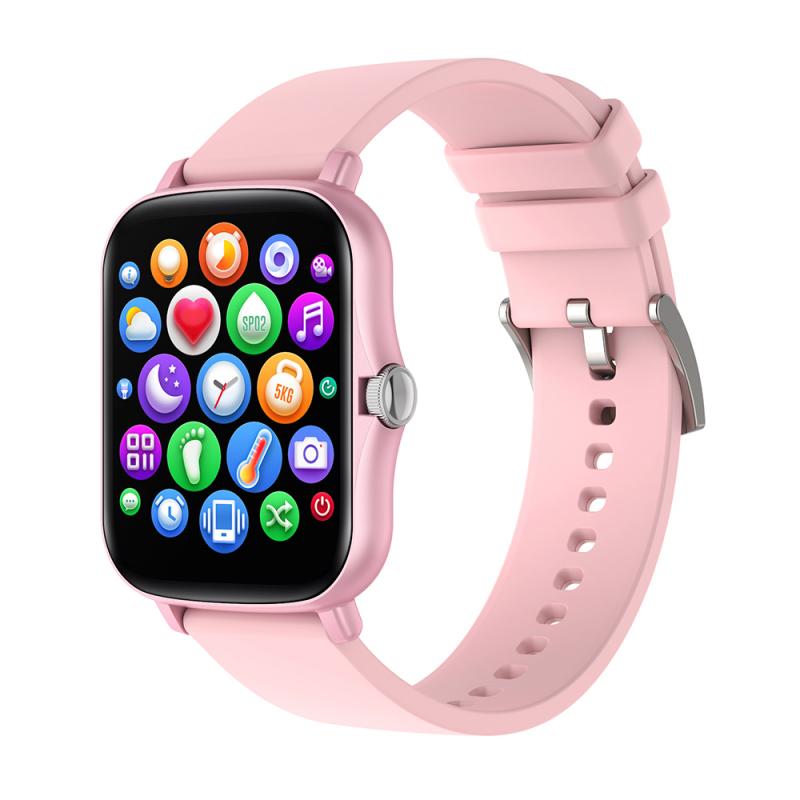
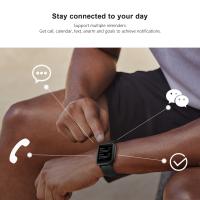
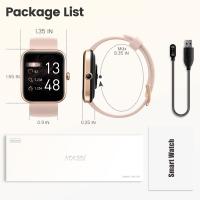
how to connect mobile smart watch 1

Before diving into the connection process, it’s crucial to ensure that your smartwatch is compatible with your smartphone. Most smartwatches are designed to work with specific operating systems, such as Android or iOS. Here are a few steps to check compatibility:

1. Check the Manufacturer’s Website: Visit the official website of your smartwatch’s manufacturer to see if your device is compatible with your smartphone’s operating system.

2. Read the User Manual: The user manual often contains information about compatibility and any specific requirements for connecting the devices.

3. Download the Companion App: Most smartwatches require a companion app to be installed on your smartphone. Check the app’s description in the App Store or Google Play Store for compatibility information.

Preparing Your Devices
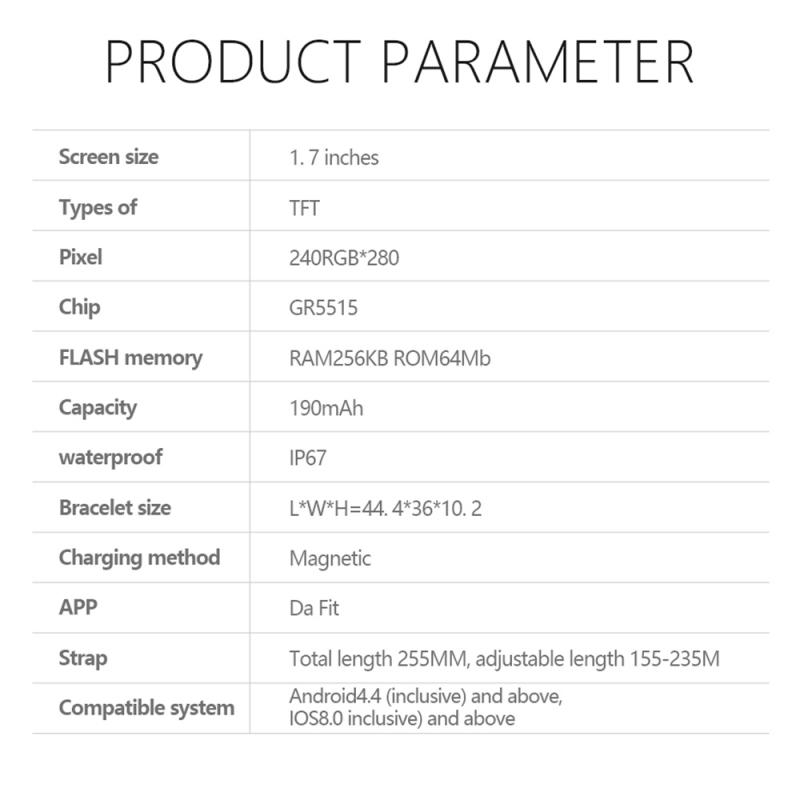
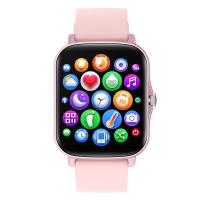
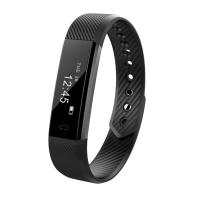
how to connect mobile smart watch 2

Once you’ve confirmed compatibility, the next step is to prepare both your smartwatch and smartphone for the connection process. Here’s how:

1. Charge Both Devices: Ensure that both your smartwatch and smartphone are fully charged to avoid any interruptions during the setup process.

2. Enable Bluetooth: Turn on Bluetooth on your smartphone. This is usually found in the settings menu under “Connections” or “Bluetooth.”

3. Install the Companion App: Download and install the companion app required for your smartwatch. Common apps include Wear OS by Google, Samsung Galaxy Wearable, and Apple Watch app.

Connecting Your Smartwatch to Your Smartphone
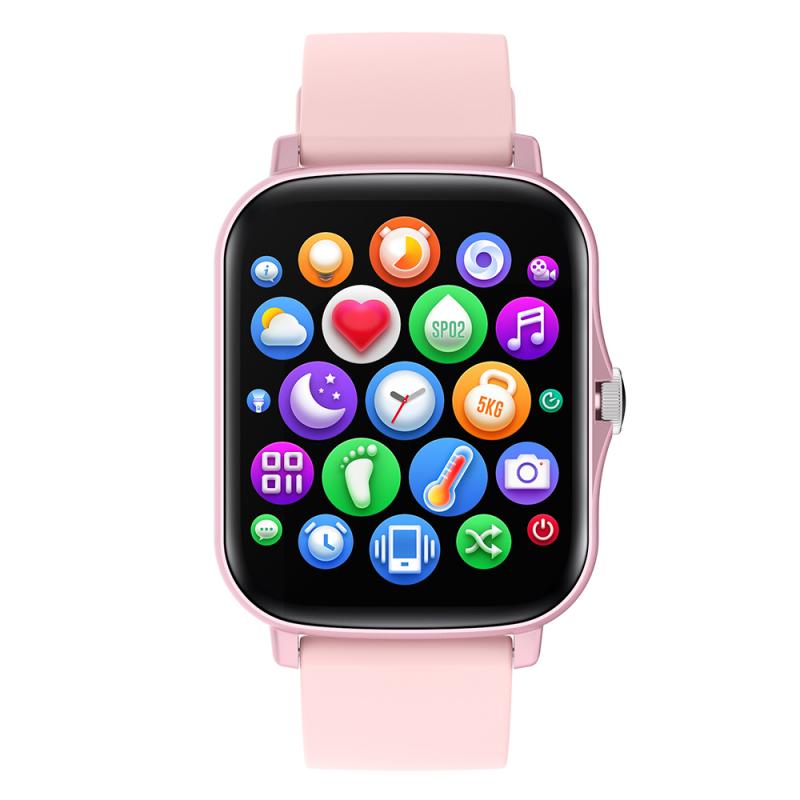
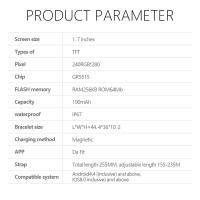
how to connect mobile smart watch 3

Now that your devices are prepared, follow these steps to connect your smartwatch to your smartphone:

1. Open the Companion App: Launch the companion app on your smartphone.

2. Turn on Your Smartwatch: Power on your smartwatch. It should display a welcome screen or prompt you to start the pairing process.

3. Follow On-Screen Instructions: The companion app will guide you through the pairing process. This usually involves selecting your smartwatch from a list of available devices and entering a pairing code displayed on your smartwatch.

4. Grant Permissions: The app may request various permissions, such as access to notifications, contacts, and location. Grant these permissions to ensure full functionality.

5. Complete the Setup: Once paired, the app will guide you through additional setup steps, such as customizing watch faces, setting up notifications, and syncing data.

Troubleshooting Common Issues

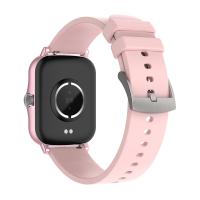
how to connect mobile smart watch 4

Despite following the steps above, you may encounter some issues during the connection process. Here are some common problems and their solutions:

1. Smartwatch Not Found: If your smartphone cannot find your smartwatch, ensure that Bluetooth is enabled on both devices and that they are within close proximity. Restart both devices and try again.

2. Pairing Code Not Displayed: If the pairing code does not appear on your smartwatch, restart the device and ensure it is in pairing mode. Refer to the user manual for specific instructions on entering pairing mode.

3. Connection Drops: If the connection between your smartwatch and smartphone frequently drops, ensure that both devices have a stable Bluetooth connection. Avoid interference from other Bluetooth devices and keep your smartphone and smartwatch close together.

4. App Crashes: If the companion app crashes or freezes, try reinstalling the app or updating it to the latest version. Ensure that your smartphone’s operating system is also up to date.

Maximizing the Use of Your Smartwatch

Once your smartwatch is successfully connected to your smartphone, you can start exploring its features and functionalities. Here are some tips to get the most out of your smartwatch:

1. Customize Watch Faces: Most smartwatches allow you to customize watch faces to suit your style and preferences. Explore the available options in the companion app.

2. Set Up Notifications: Configure your smartwatch to receive notifications for calls, messages, emails, and other apps. This allows you to stay updated without constantly checking your smartphone.

3. Track Fitness Activities: Use your smartwatch to monitor your fitness activities, such as steps taken, calories burned, and heart rate. Sync this data with your smartphone for detailed insights and progress tracking.

4. Use Voice Commands: Many smartwatches support voice commands, allowing you to perform tasks hands-free. Familiarize yourself with the voice assistant features available on your device.

5. Explore Third-Party Apps: Download and install third-party apps to extend the functionality of your smartwatch. Popular apps include fitness trackers, music players, and productivity tools.

Maintaining Your Smartwatch

To ensure the longevity and optimal performance of your smartwatch, follow these maintenance tips:

1. Keep It Clean: Regularly clean your smartwatch to remove dirt, sweat, and oils. Use a soft, damp cloth and avoid harsh chemicals.

2. Update Software: Keep your smartwatch’s software up to date by regularly checking for updates in the companion app. Software updates often include bug fixes and new features.

3. Charge Properly: Use the provided charger to charge your smartwatch and avoid overcharging. Follow the manufacturer’s guidelines for optimal battery health.

4. Store Safely: When not in use, store your smartwatch in a safe place away from extreme temperatures and moisture.

Connecting a mobile smartwatch to your smartphone can greatly enhance your digital lifestyle, offering convenience and a range of functionalities at your fingertips. By following the steps outlined in this guide, you can ensure a smooth and successful connection process. Additionally, by troubleshooting common issues and maximizing the use of your smartwatch, you can fully enjoy the benefits of this innovative technology. Remember to maintain your smartwatch properly to ensure its longevity and optimal performance. With these tips and insights, you are well-equipped to make the most of your mobile smartwatch experience.

Leave your comment
Cancel reply
Note: HTML is not translated!
Related products
Smart Camera Glasses, HD 1080P, EIS Stabilization, WiFi Connect, Translation, 4H Playtime, Kentfaith
16
$119.99 $95.99
Camera Sunglasses, HD 1080P, EIS Stabilization, WiFi Connect, Translation, 4H Playtime, Kentfaith
16
$119.99 $95.99
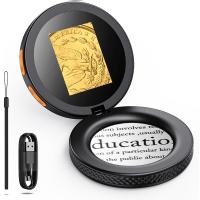
Handheld Microcsope, 500X Zoom, 1080P Videos,  PC Connect, with Large 5X Magnifier, Autofocus, Kentfaith
Handheld Microcsope, 500X Zoom, 1080P Videos, PC Connect, with Large 5X Magnifier, Autofocus, Kentfaith
15
$87.49 $69.99
4K Video Camera, 64MP Photos, WiFi Connect, 28X Zoom, Wireless Mic, Full Color NV, Kentfaith
18
$212.49 $169.99
67mm Clip-on CPL Phone Camera Lens Filter Kit Applicable to All Mobile Phone Models
40
$18.99
67mm Clip-on ND2-32 Phone Camera Lens Filter Kit Applicable to All Mobile Phone Models
NEW Arrival
67mm Clip-on ND2-32 Phone Camera Lens Filter Kit Applicable to All Mobile Phone Models
13
$37.99
67mm Clip-on Black Mist 1/4 Phone Camera Lens Filter Kit Applicable to All Mobile Phone Models
7
$29.99
52mm Clip-on CPL Phone Camera Lens Filter Kit, Circular Polarizer Polarizing Filter Applicable to All Mobile Phone Models
24
$19.99
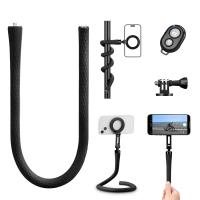
Flexible Magnetic Mobile Phone Holder, with Magnetic Guide, Bluetooth Remote Control, Mobile Phone Lanyard, Gopro Adapter, MS35
20
$27.99
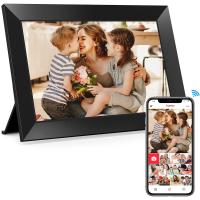
Digital Photo Frame, 10.1 inch Touchscreen, WiFi Transfer from Any Corner, 32GB Storage, Multi-user Connect & Share, Auto Rotation, Kentfaith
17
$187.49 $149.99
Products You May Like
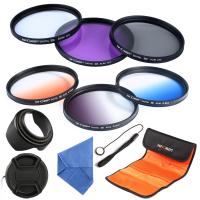
52mm Filter Set (UV, CPL, FLD, Graduated Blue, Orange, Gray)
9
$37.99 $18.99
58mm Filter Set (UV, CPL, FLD)
2
$15.99 $8.99
49mm UV Lens Filter HD MCUV Ultraviolet 28 Multi-Coated Filters (Nano-Xcel series Toughened Glass)
110
$41.99 $32.95
Canon EG Camera Viewfinder Eyecup*2+Hot Shoe Level*2+Vacuum Cleaning Cloth*1 for Canon 5DM4, 5DM3, 5DS R, 5DS, 7D, 7DM2, 1DX, 1DXM2, 1DXM3, 1DSM3, 1DM4, 1DM3
$15.99 $7.99
49mm Black Diffusion Mist 1/4 & Variable ND2-32 2-in-1 Filter Cinematic Effect Neutral Density Filter for Camera Lens with 18 Multi-Layer Coatings - Nano-Klear Series
NEW Arrival
49mm Black Diffusion Mist 1/4 & Variable ND2-32 2-in-1 Filter Cinematic Effect Neutral Density Filter for Camera Lens with 18 Multi-Layer Coatings - Nano-Klear Series
35
$53.99 $37.99
67mm CPL+MCUV+ND1000+Lens Cap Circular Polarizing Filter MCUV Protection Neutral Density Lens Filters Kit with 24 Layer Coatings Nano-Dazzle Series
36
$62.99 $49.99
77mm Solar Filter 20-Stops,ND1000000 Solid Neutral Density Filter Solar Filter For Eclipse With 18 Multi-Layer Coatings Nano-Klear Series
33
$45.99 $22.99
Camera Sling Bag Small Camera Crossbody Shoulder Backpack DSLR/SLR/Mirrorless Camera Compact Case Photography Bags 5L - Urban Wander 08 (Black)
88
$58.99 $37.99
Aluminum Alloy 360 Degree Panoramic Gimbal Head With 1/4'' Standard Quick Release Plate
98
$154.99 $80.99
4G 3 Lens Solar Security Camera Wireless Outdoor, 6MP Full HD Video, 360° View Pan/Tilt Home Security Camera with Color Night Vision, Easy to Install, PIR Alarm, 3pcs, Kentfaith
$524.99 $419.99
Related articles
How To Connect Smart Watch With Android?
How To Connect Smart Watch With Earbuds?
Which App Is Used To Connect Smart Watch?
How To Set Smart Watch Clock?
How To Setup Your Smart Watch?
How To Set Smart Band Watch?
How To Measure Smart Watch Size?
How To Charge Smart Tracker Watch?
How To Reset Your Smart Watch?
How To Record Audio On A Macbook?
Blog You May Like
How To Install Micro Sdhc Memory Card?
How Can The Sun Damage A Camera Lens?
What Colour Is Speed Camera Flash?
Most Powerful Telescope You Can Buy?
Where To Put Speakers In A Room?
How To Take Video Without Tripod?
Which Is Best Binoculars?
How To Connect Smart Watch With Android?
What Is A Trail Camera Used For?
Best Magnetic ND Filters
Related categories
C mount lens adapter m4/3 adapter Outdoor Security Camera Wifi Floodlight Camera Wireless camera feeder Action Camera Mount hard edge graduated neutral density GND filter​
Popular products
bluetooth smart sports watch hd screen smart watch waterproof smart watch for swimming 3atm smart watch Camera Glasses With Wifi new waterproof smart watch smart watch in waterproof Full Touch Screen Smart Watch smart watch compatible with iphone android smart watch for women
Related searches
Smart Watch Connect To Iphone T Mobile Smart Watch Mobile Phone Smart Watch Smart Watch To Monitor Heart Extra Smart Watch Outdoor Smart Watch Advanced Smart Watch Black Smart Watch Rugged Smart Watch Smart Wrist Watch
Popular searches
Om To E Mount Adapter Canon 50mm 1.2 M Mount Dji Osmo Screen Protector Commlite Cm-ef-eos M Lens Adapter A To E Mount Adaptor Spy Hidden Camera For Home Tripod For Iphone 16 Fotga E-mount To Canon Tilt Adapter Moment Lens V1 Adapter Circular Vs Linear Polarizer Lens Filter
Blog Category
  • Activities
  • Guide
    • Filter Guide
    • Lens Adapter
    • Product Review
  • News & Reviews
    • Camera Reviews
    • Sample Gallery
    • News
  • Tutorials
    • Solar eclipse photography
    • Photography Basics
    • Landscape Photography
  • Inspiration
    • Travel
    • Travel Stories
Search Article
Latest from the Blog
How Do Cellular Trail Cameras Work? – The Complete Guide for Hunters and Wildlife Enthusiasts
Camera That Can Wifi Photos To Phone?
Where Can I Find Hidden Cameras?
What To Look For In A Dash Cam?
How To Make A Camera Flash After Effects?
How To Stream Live From Surveillance Camera?
Is the Sony A7M5 worth buying?
Neutral Density Filter: The Ultimate Guide for Photographers and Videographers
Pressure In Ear When Wearing Headphones?
Can You Save Facebook Videos To Camera Roll?
  • Easy Payment Multilple Payment Options

  • Free Shipping Global WareHouse Shipment

  • No Risk 30-Day No Reason Return

  • Limited Deals Buy More, Save More

  • Tax Free No any surcharges or tax fee

Information
  • About us
  • Contact Us
  • Site Map
  • Blog
  • Video
  • Gallery
  • VIP Membership Rewards
Service
  • Privacy Policy
  • Terms & Conditions
  • Shipping & Delivery
  • Payment Info
  • Warranty, Return & Refund
  • Intellectual Property Rights
  • Ambassador
  • Affiliates
  • Wholesale
Support
  • My account
  • Order History
  • FAQs
  • Extend Warranty
  • Logistics Tracking
Follow us
NewsLetter

Get the latest product, K&F Concept respects your privacy.
Powered By KENTFAITH © 2026