Can You Use Digital Camera As Webcam?
what you need
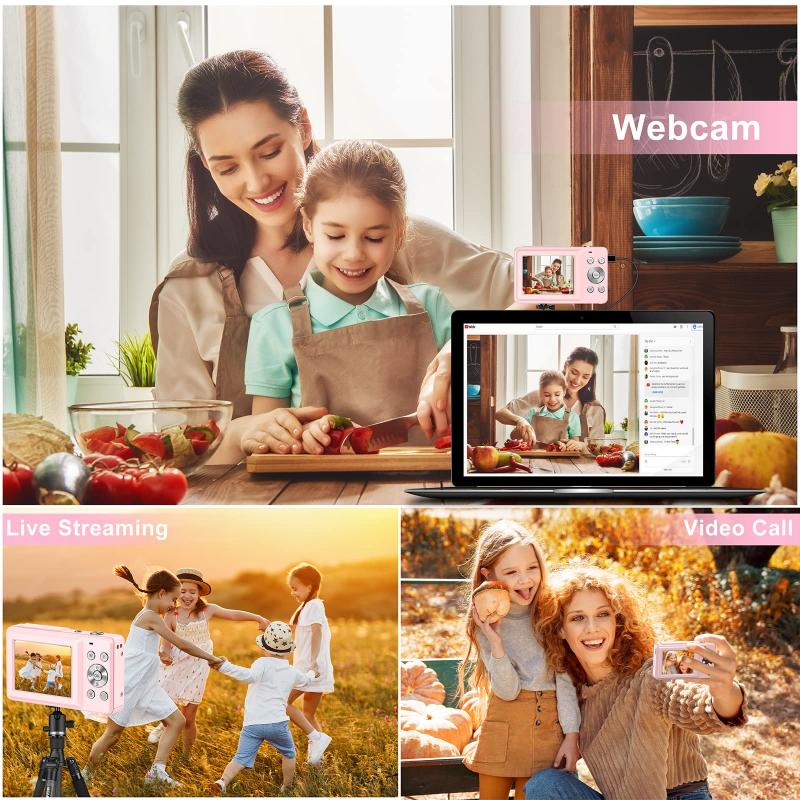
- a camera that can stream using one of the methods described below.
- software to set up a virtual camera for your video conferencing platform; or if you are using hdmi, an hdmi capture device
- a way to power your camera for the length of your conferences.
- [optional] a good usb microphone (possibly a lav mic), since the condenser mics built into cameras tend to suck.
keep in mind that video conferences can be continuous for hours. batteries are unlikely to cut it. to run a camera off ac power, you need two pieces: a compatible ac-to-dc converter to plug into the wall, and a dummy battery that fits your camera's battery compartment and plugs into the converter. these may be sold separately because one converter can connect to multiple dummy batteries for multiple models of camera.
mini hdmi port and capture card setup
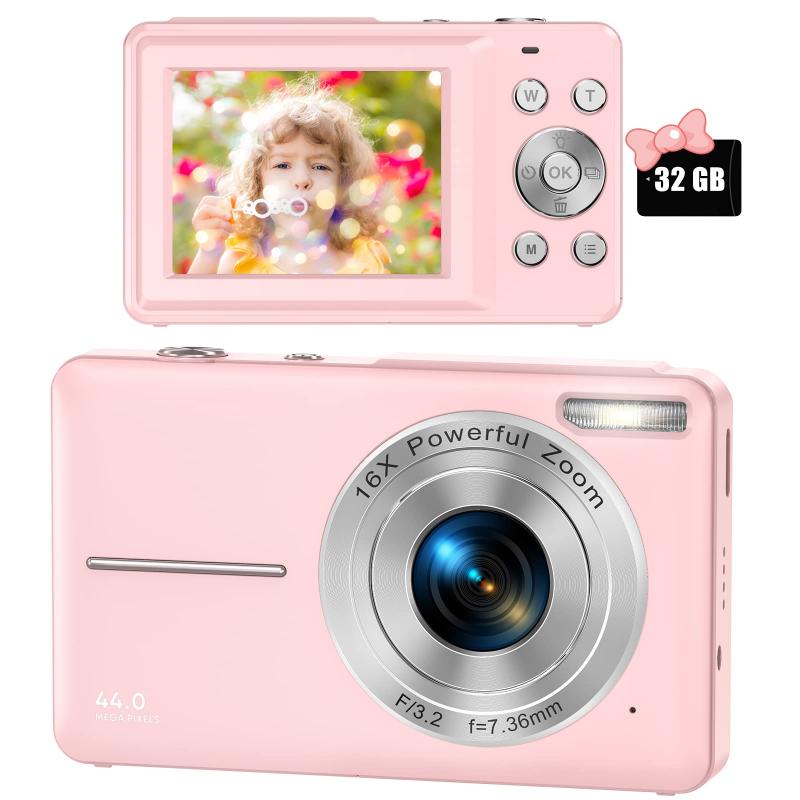
i don't know that camera specifically, but yes, you can use a mini hdmi port to bring video to your computer like that. you need a capture card - the kind you get depends on your needs, but elgato is a frequently recommended company.
- you'll need software to facilitate the streaming - many people use obs (which has tons of tutorials), we use twitch studio because it works better for our needs (and we found it to be more user friendly).
- you'll set up your camera, run the hdmi cable from it to the capture card, possibly run another cable from the capture card to the computer (some are usb, some are cards that physically connect directly to the computer) - that should give you a webcam source to use (don't forget to keep your camera plugged in so it doesn't die on you).
- you create a twitch account if you haven't already and link it to your streaming software so that it knows where to broadcast.
- you build a layout in the software: something like screen capture for gameplay taking up most of the display, webcam in one corner, maybe some text in another, and a place for the chat to appear so you can see when people talk to you.
if that camera doesn't work as a webcam, i can confirm that you can use a digital video camera as a webcam - there's just no good way to know if yours specifically works or not unless you get a capture card and try it out.
streaming methods
there are three main methods by which a dslr/mirrorless camera can be used as a webcam.
- hdmi capture
- hdmi capture requires two things: that the camera can output "clean hdmi"; that is hdmi that doesn't have camera control overlays all over it, and an hdmi capture device to turn the hdmi output from the camera into a usb webcam input to the computer. most* video-capable interchangeable lens cameras do not output clean hdmi if they are not from the last generation or two (this is written in 2020) of cameras.
- but hdmi capture does allow for hd resolutions and 4k.
- tethered liveview translation
- the second method is using a camera's ability to do tethered liveview over usb, and using software to translate this to look like a usb webcam input. resolution may be limited.
- also, a lot of camera bodies can't do this. canon and sony excepted, most camera manufacturers reserve this feature for higher-end prosumer models. so you'll need to check whether your specific camera has this capability.
- you then need some software that can translate this liveview stream to look internally like webcam input. typically, transforming it into spout (windows), syphon (osx), or v4l2 (linux) input, and then software to make that a virtual camera you can select from your video conferencing app.
- many camera companies are rolling their own versions of how to do this (see by camera manufacturer section, below), but there are free and open solutions that can work for older cameras and os versions (see my personal experience section).
- screen capture streaming
- this method typically still requires usb liveview capability, but doesn't rely on having a newer camera or os versions that are supported by the oem webcam releases.
hdmi output, usb connections, and old film camera
- that’s still possible with some kind of video camera with analog output.
- for a camera with hdmi output, you can get hdmi capture cards.
- for a digital camera with usb connections, in some cases you can command the camera to take a picture.
- there’s a linux program gphoto2 that will do that (not with my camera though).
- or you could program the camera to take pictures continuously with a timed, or via a remote shutter program, and keep downloading and deleting the images.
- for an old film camera, no, not possible.
by camera manufacturer
- nikon
- webcam utility for windows 10 and osx 10.13, 10.14, and 10.15.
- it lists the following supported cameras:
- z 7ii, z 7, z 6ii, z 6, z 5, z 50d6, d5d850, d810, d780, d750, d500d7500, d7200,d5600, d5500, d5300, and d3500
- sony
- imaging edge webcam software for windows 10. it supports 35 models.
- supported cameras include every sony a7 and a7r since the mark ii, all three a7s cameras, both a9 cameras, and the a5100, a6100, a6300, a6400, a6500, and a6600.... the software also supports three a-mount models, and a slew of rx-series cameras as well.
- the a6000 is not on it.
- the chances of getting clean hdmi or liveview tethering with sony is pretty high.
- canon
- canon eos webcam utility for windows 10, osx 10.13, 10.14, and 10.15 for the following cameras to take advantage of liveview tethering:
- so, if your canon dslr isn't listed, try it anyway and see. you may need to be in video mode.
- fuji
- x webcam for windows 10 and osx 10.12-10.15, and lists compatibility with the following cameras:
- a firmware update for the x-t200 and x-a7, so they can be used as webcams without additional software on windows 10 and osx 10.14/10.15.
- panasonic
- lumix webcam software (beta), for windows 10 and mac, and lists compatibility with:
- dc-gh5dc-g9dc-gh5sdc-s1, dc-s1r, dc-s1hdc-s5dc-g100/g110 (in the future)
- olympus
- olympus om-d webcam beta for windows 10. and lists compatibility with:
- they also have a page on using an hdmi capture device, and lists the same models as having clean hdmi output, excluding the e-m1 (mark i).
android/ios smartphone cameras
apparently, smartphone cameras can also be used as webcams, if you had need for more video-studio style manipulation vs. simply using the conferencing app for your phone.
they typically do something similar to the liveview tethering deal, only using a mobile app, wi-fi, and a windows/os driver or application to turn the wifi signal into a webcam.
sparkocam for canon or nikon
if you have a canon or nikon camera, and a windows pc, sparkocam might be a solution. it enables you to connect the camera via usb, and use the camera for for example skype.
i have used my canon eos 700d with sparcocam, and it works well. it is free to try, but costs $49.95 for a standard license for either canon or nikon (upgrades for 1 year).
- if you don't have a laptop with a built-in webcam or an externalwebcam or simply want to make the most of your digital cameracapabilities (like aperture adjusting for blurring your background),there is a way to adapt your digital camera as a webcam.
- some digital cameras have ability to be used as webcams and areshipped with necessary webcam software, but most camera vendors don'tprovide such software.
- in this tutorial you will learn how to use canon dslr or nikon dslrcamera as a regular webcam with the help of sparkocam.
- sparkocam isthe software that allows you to turn your canon or nikon camera into astandard webcam for video chats, conferencing, recordings, etc.
mac webcam app
for mac users - a new webcam app.
i've just tried the demo & it "just worked".
- the app runs you through a setup procedure, including asking if you want to connect over wifi or usb. i went with usb for my nikon d5500.
- switch camera off, connect to usb, switch on - camera is discovered & set up automatically.
- it then asks if it can install a plugin to add it as an input option on any camera-capable app.
- done, that's it.
might want to mention it requires mojave or catalina.
also that it is less than 720p resolution.
wifi preview stream functioning as a webcam
my panasonic gx-80 doesn't support 'lumix tether for streaming' - but it does have a wifi function allowing you to watch a live preview from a smartphone.
the wifi preview stream functioning as a webcam under linux.
- the result is only a 640x480 video stream, it's not very reliable if there's wifi interference, and it's delayed by ~100ms.
- but compared to the laptop webcams used by 99% of people it's still a pretty big step up in quality.
- obviously there are only so many panasonic users on linux, so it's unlikely my tool can help you personally - but if you're a computer programmer, and your device has a preview mobile app, you too may be able to bodge it into service as a webcam, by reverse-engineering the preview video stream.
digital camera compared with webcam
am i correct that a digital camera would probably be better than any webcam due to its feature ?
it's features and primarily the megapixel count. see a good dslr is better than a good camcorder or webcam usually, and cheaper than camcorders because they aren't used to record video and are therefore subject to different tax laws or something like that.