How Wireless Camera Works?
How Wireless Cameras Work: Technology and Practical Insights
Wireless cameras are revolutionizing the way we ensure security, monitor spaces, and document activities. Their seamless design, lack of physical connections, and ease of installation have made them highly popular across industries and households alike. But have you ever wondered how wireless cameras work? Let’s dive into the details of their functional mechanisms, technological components, and practical considerations when using these devices.
Understanding Wireless Cameras

At their core, wireless cameras operate using radio frequency (RF) technology to transmit data. Unlike traditional wired cameras, which rely on physical cables for power and data transfer, wireless cameras offer flexibility and convenience due to their ability to operate without such connections. These cameras are versatile and can be deployed in diverse environments — from homes and retail spaces to industrial sites and outdoor areas.
Wireless cameras come in two primary types: one type relies on Wi-Fi connectivity, while the other works on cellular networks. While they differ slightly in their means of communication, both types use the fundamental principles of wireless data transmission to send and receive video footage.
Key Components of Wireless Cameras

Before understanding how they function, let’s break down their major components:
1. Camera Lens and Image Sensor:
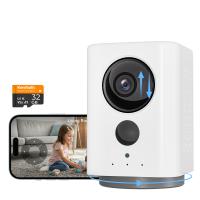
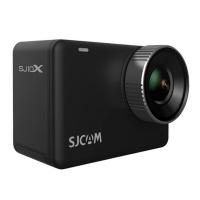
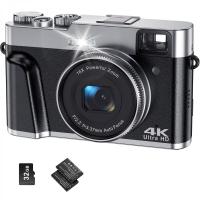
Wireless cameras feature a lens that focuses light onto an image sensor. The sensor processes the image and converts it into electronic signals, which are used to create digital footage. Typical sensors used include CCD (charge-coupled device) or CMOS (complementary metal-oxide-semiconductor).
2. Wireless Transmitter:
Once the image signals are captured, a built-in transmitter encodes the footage and sends it over a wireless medium. Depending on the camera, this could be Wi-Fi, Bluetooth, or a cellular signal (like 4G or 5G).
3. Power Source:
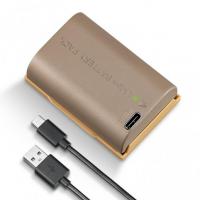
Most wireless cameras run on rechargeable batteries, while others rely on solar power or fixed outlets for energy. The absence of video signal cables eliminates the need for disruptive wiring.
4. Antenna/Networking Component:
This component handles the communication between the camera and the receiver — whether that’s a local device, cloud storage, or a server.
5. Storage Device or Cloud Integration:
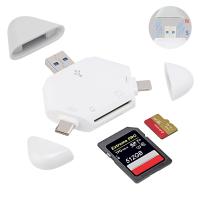
Stored footage can reside locally on SD cards or external drives, or it can be uploaded directly to cloud servers for remote access.
6. Encryption and Network Security:
Data encryption ensures that video streams are sent securely, minimizing the risk of interceptions or unauthorized access.
7. Software and Mobile Apps:
Many wireless cameras integrate with dedicated apps to provide real-time alerts, access to recorded footage, and even two-way communication.
How Wireless Cameras Work

Wireless cameras record video footage just like traditional cameras. However, their distinct functionality lies in how they transmit, store, and retrieve captured data:
1. Capture of Images and Video

The process begins when the camera's image sensor detects light and converts it into electronic signals. This creates a continuous video feed, often measured in standard formats like 720p, 1080p, or even 4K resolution, depending on the camera model.
2. Data Encoding and Encryption
After capturing the raw footage, the camera encodes it into digital data using codecs (like H.264 or H.265) so the file size remains manageable. This data is then encrypted to ensure privacy during transmission.
3. Wireless Transmission
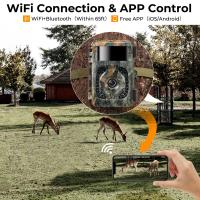
The camera transmits data wirelessly over the designated channel. Wi-Fi cameras connect to your local network and stream data through your router to cloud servers or local devices. Alternatively, cellular cameras send footage directly to cloud storage or predetermined devices via mobile networks.
4. Storage and Access
Once transmitted, video footage can be saved locally on an SD card or an external device. Alternatively, it may be uploaded directly to a remote storage platform like a cloud server. Live streams and stored footage can then be accessed through smartphones, computers, or dedicated monitors.
5. Playback and Alerts
Advanced wireless cameras support playback features that allow users to view specific events stored in the archive. Additionally, many cameras are equipped with motion sensors and AI algorithms. When triggered, such as by movement, these cameras can alert users in real time through notifications or alarms.
Wi-Fi Cameras vs. Cellular Cameras: A Comparison
Wireless cameras typically operate on either Wi-Fi or cellular networks. Each comes with distinct characteristics:
Wi-Fi Cameras:
These cameras connect to your home or office Wi-Fi router to transmit data. The advantage lies in their minimal operating cost, as Wi-Fi doesn't require extra cellular fees. However, these cameras depend heavily on the strength of your local network and may falter during an internet outage.
Cellular Cameras:
Cellular cameras use mobile data (via SIM cards) to operate. They are especially useful in remote or rural settings where Wi-Fi coverage may be poor. While more reliable in terms of connectivity, they tend to incur higher operational costs due to data usage fees.
Applications of Wireless Cameras
Wireless cameras have found extensive applications across various domains. Some common use cases include:
1. Home Security:
Wireless cameras enable homeowners to monitor their properties in real time and receive alerts about unusual activity.
2. Business Surveillance:
They are widely used in retail, manufacturing, and office spaces to deter theft, monitor operations, and ensure safety compliance.
3. Outdoor Monitoring:
Weatherproof wireless cameras are ideal for monitoring construction sites, parking lots, or outdoor property areas.
4. Baby and Pet Monitoring:
Wireless cameras allow parents and pet owners to watch over their loved ones remotely, keeping them connected even when they're away from home.
5. Event Broadcasting:
With live-streaming capabilities, wireless cameras are often employed to broadcast events and social gatherings.
6. Wildlife Observation:
Cellular-enabled wireless cameras are particularly effective in observing wildlife in remote or natural habitats.
Advantages of Wireless Cameras
1. Ease of Installation:
Since no physical wiring is needed, installation is quick and hassle-free.
2. Flexibility:
Wireless cameras can be placed or relocated easily, accommodating evolving surveillance needs.
3. Remote Access:
Real-time video streams can be accessed on mobile devices from virtually anywhere.
4. Scalability:
You can add more cameras to your network without worrying about a tangle of cables.
5. Enhanced Features:
Many models are equipped with advanced features like motion detection, face recognition, and night vision.
Challenges to Consider
While wireless cameras are highly convenient, users should consider the following challenges:
1. Dependency on Connectivity:
Failures in Wi-Fi or cellular connectivity can disrupt camera performance.
2. Battery Life:
Wireless cameras often rely on batteries, which require periodic charging or replacement.
3. Data Security:
While encoded, transmitted data is susceptible to hacking. Choosing cameras with robust encryption is crucial.
4. Latency:
Wireless signal processing sometimes results in a slight delay between capture and transmission.
5. Operating Costs:
Cellular cameras incur recurring data costs, and cloud storage subscription fees may be necessary for many Wi-Fi cameras.
Choosing the Right Wireless Camera
Selecting the right camera depends on your specific needs and environment. Here are some factors to consider:
1. Resolution:
Higher resolution offers better clarity, particularly for large spaces.
2. Storage Type:
Consider whether you prefer local storage (SD cards) or cloud-based storage.
3. Power Source:
Decide if a battery-powered or solar-powered camera would suit your location and usage.
4. Night Vision:
For outdoor or 24-hour surveillance, ensure the camera is equipped with infrared or low-light vision capabilities.
5. Connectivity:
Check whether Wi-Fi or cellular connectivity aligns with your environment.
Final Thoughts
Wireless cameras bring a whole new level of convenience, functionality, and flexibility to modern surveillance. By eliminating physical constraints like cables, they open up vast opportunities for creative and practical deployment. Understanding how these devices work ensures that users can optimize their usage effectively, avoid potential pitfalls, and achieve their specific security or monitoring goals.
Although wireless cameras represent a significant leap forward in surveillance technology, choosing the right type and using it responsibly are critical. Whether it’s for home security, wildlife monitoring, or remote observation, wireless cameras are bound to remain indispensable in our increasingly connected world.