kfconcept

KENTFAITH
K&F Concept    Blog >

Enjoy Your Selected Digital Life

Recently Viewed
  • Recently Viewed
  • Recently Viewed list is empty.

Compare (0) 0
  • Compare
  • You have not chosen any products to compare.

  • Compare
Currency: USD
  • Currency
Shop by Scene Shop by Rank

Log Into Your Account

Account

Order History

Wish List

Login

Forgotten Password?

Or connect with

Register Account

Already have an Account?Log In

  • Shopping Cart
  • Your shopping cart is empty!

  • Register/Login to purchase, earn points
  • Favorite
  • Your wish list is empty.

  • Register/Login to like, earn points
  • Activities
  • Guide
    • Filter Guide
    • Lens Adapter
    • Product Review
  • News & Reviews
    • Camera Reviews
    • Sample Gallery
    • News
  • Tutorials
    • Solar eclipse photography
    • Photography Basics
    • Landscape Photography
  • Inspiration
    • Travel
    • Travel Stories
  • Home
  • Blog
  • How To Record Messenger Video Call With Sound?

How To Record Messenger Video Call With Sound?

Kentfaith 2024-12-12 02:58:48 0 Comments

How to Record Messenger Video Calls with Sound: A Step-by-Step Guide
how to record messenger video call with sound 1

Recording video calls, especially from popular platforms like Facebook Messenger, is a feature many users look for, whether for personal memories, professional reference, or creating content. However, capturing the audio along with the video is often a challenge, particularly with Messenger's privacy settings. In this guide, we’ll explore various ways you can record Messenger video calls with sound on different devices and operating systems.

1. Why You Need to Record Messenger Video Calls

Recording video calls can be useful in a variety of scenarios:

- Personal Use: Preserve special moments or conversations with family and friends.

- Business and Work: Record meetings, interviews, or client calls for later review.

- Content Creation: Capture call highlights for creating social media posts, tutorials, or other media.

However, it’s crucial to note that recording calls should always be done ethically. In many places, it's required by law to inform all participants of the recording, so make sure to get consent before you start.

Now, let's dive into the technical steps for recording Messenger video calls with sound on both Windows/Mac and mobile devices.

---

2. How to Record Messenger Video Calls with Sound on Windows and Mac

For desktop users, recording Messenger video calls typically requires third-party software, as Messenger itself doesn’t offer an in-app recording feature. Here are the most popular methods for both Windows and Mac users.

A. Using Screen Recording Software

The most reliable way to record video calls from Messenger on your computer is by using screen recording software. Many of these apps allow you to capture both the video and audio of the call. Some of the best options include:

- OBS Studio (Open Broadcaster Software)

OBS Studio is a free, open-source software that is commonly used for video streaming and recording. It works on both Windows and Mac and supports recording both video and audio.

Steps to Record a Messenger Video Call with OBS:

1. Download and install OBS Studio from the official website.

2. Open OBS and create a new scene by clicking the "+" under the "Scenes" box.

3. Click the "+" under the "Sources" box, select "Display Capture" or "Window Capture," and choose the Messenger window.

4. To capture audio, ensure that the "Audio Input Capture" is set to your microphone, and the "Audio Output Capture" is set to your computer’s speakers or audio system.

5. Hit “Start Recording” to begin the recording when the video call starts.

6. After the call, click "Stop Recording" to save your video file.

- Camtasia

Camtasia is a professional screen recording software that is very user-friendly and allows for both video and audio capture. It is a paid software, but its user interface makes it ideal for those who want to add post-production edits to their recordings.

Steps to Record a Messenger Video Call with Camtasia:

1. Download and install Camtasia.

2. Open Camtasia and choose “New Recording.”

3. Select the area of the screen you want to record (entire screen or specific window).

4. Enable both “System Audio” (for call audio) and “Microphone” (for your own voice).

5. Click “Start Recording” when you begin your Messenger video call.

6. After the call, click the stop button to end the recording and save it.

B. Using Audio Recording Tools (For Audio Only)

If you are only interested in recording the audio from a Messenger video call, you can use dedicated audio recording software like:

- Audacity

Audacity is a free audio recording software that is widely used for high-quality sound recordings. It works on both Windows and Mac and can capture internal system audio (such as the sound from a Messenger call) if configured correctly.

Steps to Record Messenger Audio with Audacity:

1. Download and install Audacity from the official website.

2. Open Audacity, and from the dropdown menu, select the audio device you want to record from (usually "Stereo Mix" or "What U Hear" for system audio).

3. Start your Messenger video call.

4. Click the “Record” button in Audacity to begin recording the audio.

5. Once the call ends, click the “Stop” button in Audacity to save the audio.

- VoiceMeeter

VoiceMeeter is another tool for routing and recording audio. It works well for capturing both microphone input and system sound, which makes it ideal for recording Messenger calls with sound.

Steps to Use VoiceMeeter:

1. Download and install VoiceMeeter.

2. Set VoiceMeeter as your default playback and recording device in your system’s sound settings.

3. Open Messenger and start the video call.

4. In VoiceMeeter, adjust the settings to capture both system audio (Messenger’s call sound) and your microphone.

5. Hit the “Record” button in the software, and it will capture the entire call’s audio.

---

3. How to Record Messenger Video Calls on Mobile Devices

Recording Messenger video calls on mobile devices, such as iPhones and Android phones, presents unique challenges. However, there are still ways to capture both video and sound.

A. Using Built-In Screen Recording on iPhone

Since iOS 11, Apple has included a built-in screen recording feature that works well for recording video calls, including those on Messenger. However, the audio recording depends on the settings you choose.

Steps to Record Messenger Calls on iPhone:

1. Open the “Settings” app on your iPhone and ensure that the Screen Recording option is in the Control Center. You can do this by navigating to Settings > Control Center > Customize Controls.

2. Swipe down from the top-right corner of your iPhone to access the Control Center.

3. Press and hold the screen recording button to show the microphone option.

4. Tap the microphone icon to enable audio recording.

5. Start the Messenger video call, and swipe to the Control Center to begin screen recording.

6. Once the call ends, swipe again to stop recording.

This will save a video of your Messenger call, including both the video and audio.

B. Using Screen Recording on Android

Android phones also come with a native screen recording feature (depending on the model and Android version). If you don’t have this feature, you can use third-party apps like AZ Screen Recorder or Mobizen.

Steps to Record Messenger Video Calls on Android:

1. Open the “Settings” app and find the “Screen Recording” or “Screen Capture” option (this varies by device).

2. If your phone doesn’t have native screen recording, download and install a third-party app like AZ Screen Recorder.

3. Before the Messenger call begins, open your screen recorder and ensure audio recording is enabled (some apps require you to allow audio capture from your phone’s system).

4. Start the Messenger call and hit record on the screen recorder app.

5. After the call ends, stop the recording, and the video will be saved to your gallery.

---

4. Legal and Ethical Considerations

While recording calls might be technically feasible, it’s important to remember that privacy laws vary across regions. Some jurisdictions require all participants to consent to the recording of a conversation, while others only require one person’s consent (the person recording). Always check the local laws and obtain the necessary permissions before recording a call.

Additionally, Messenger’s Terms of Service state that users should not misuse the platform for unauthorized recordings. Always respect others' privacy and only record conversations with the consent of all participants.

---

5. Conclusion

Recording Messenger video calls with sound can be incredibly useful, but it requires the right tools and understanding of the technology at hand. Whether you're using desktop software like OBS Studio and Camtasia, or relying on built-in screen recording features on your mobile phone, there are various ways to capture both video and audio from your Messenger calls.

Remember, always be mindful of the legal requirements and ethical considerations surrounding call recording. With the right setup, however, you can record high-quality video calls for personal, professional, or creative purposes.


Leave your comment
Cancel reply
Note: HTML is not translated!
Related products
Instant Cross-APP Translator Device for Business & Trade, Video Call Translation, Record, & Transcription, Kentfaith AI Translator Devices
12
$124.99 $99.99
128G Mini Digital Voice Recorder with Color Screen Bluetooth Call Record 3072kbps Kentfaith
HOT Seller
128G Mini Digital Voice Recorder with Color Screen Bluetooth Call Record 3072kbps Kentfaith
15
$119.99 $83.99
5K Video Camera with 75MP Photos, 8X Optical Zoom, WiFi Transfer, Wireless Mic, Dual Batteries, Support PIP Record, Kentfaith
16
$274.99 $239.99
Real-time Translation Earbuds with 132 Languages, Offline Translation, Voice & Video Call Translation, AI Note Taker, Kentfaith
17
$137.49 $109.99
Real-Time Translation Earbuds 2-Way 132 Languages/Accents, Video Call Translator, Transcribe, Summarize Kentfaith
14
$112.49 $89.99
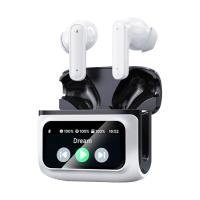
Real-Time Translation Earbuds with 150 Languages, Free Offline Translation, Voice & Video Call Translation, LCD Touch Screen, Kentfaith
15
$149.99 $119.99
5K Video Camera with 75MP Photos, 8X Optical Zoom, WiFi Transfer, Foldable Tripod, Wireless Mic, Dual Batteries, Support PIP Record, Kentfaith
$312.49 $249.99
Real-Time Translator Earbuds, 132 Languages/Accents, Voice/Video Call Translation, AI Note Taker, LCD Touchscreen Kentfaith
14
$99.99 $79.99
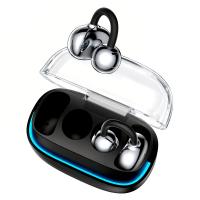
Real-time Translator Earbuds with 150 Languages, Offline Translation, Video & Voice Call Translation, 40H Battery Life, Clip-on Design, Kentfaith
16
$137.49 $109.99
Real-Time Translator Earbuds, 2-Way, 132 Languages/Accents, Voice/Video Call Translation, AI Note Taker, LCD Touchscreen Kentfaith
12
$99.99 $79.99
Products You May Like
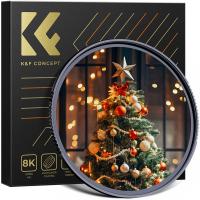
77mm  Black Mist Filter 1/4 Special Effects Filter Ultra-Clear Multi-layer Coated With Waterproof Scratch-Resistant and Anti-Reflection Nano-X Series
77mm Black Mist Filter 1/4 Special Effects Filter Ultra-Clear Multi-layer Coated With Waterproof Scratch-Resistant and Anti-Reflection Nano-X Series
$94.99 $62.99
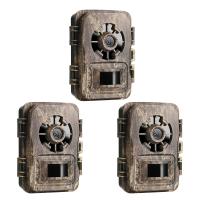
24MP*1296P night vision, 120° wide-angle*0.2S trigger 2-inch screen tracking camera, dead wood color 3pcs
$229.99
55mm Black Diffusion Mist Effect 1/4 & Variable ND2-32(1-5 Stops) & Circular Polarizing Filter CPL 3 in 1 Lens Filter with 18 Multi-Coatings Nano-Klear Series
NEW Arrival
55mm Black Diffusion Mist Effect 1/4 & Variable ND2-32(1-5 Stops) & Circular Polarizing Filter CPL 3 in 1 Lens Filter with 18 Multi-Coatings Nano-Klear Series
$59.99 $47.99
K&F CONCEPT 10ft/3.05m Stainless Steel Heavy Duty Light Stand: C-Stand with Universal Casters, Sandbag & Adjustable Legs for Softboxes, Strobes & Photography Lighting
8
$139.99
TM2515 Aluminum Tripod Monopod for DSLR Camera 60 inch 5 Sections
70
$71.99
KF, High precision lens adapter ring, Nik(G)-GFX
10
$104.99 $54.99
72mm Snap-On Center Pinch Lens Cap 4 in 1 with Anti-Loss Keeper Leash Compatible with Nikon, Canon, Sony, Fujifilm Camera Lenses
$11.99 $5.99
52mm ND8 Magnetic Lens Filter HD Waterproof Scratch-Resistant Anti-Reflection Nano-Xcel Series
10
$48.99 $38.99
Professional Lightweight Camera Backpack for Photographers Large Waterproof Photography Camera Bag with Laptop/Tripod Compartment for Men Women - Backpack 18L Nature Wander 05 (Black Orange)
83
$74.99 $69.99
82mm True Color Variable ND2-400 (1-9 Stops) ND Lens Filter Adjustable Neutral Density Filter with 18 Multi-Layer Coatings for Camera Lens Nano-Klear Series
84
$75.99 $39.99
Related articles
How To Record Messenger Audio Call?
How To Record Line Video Call With Audio?
How To Record Online Video With Sound?
How To Record Video On Screen With Sound?
How To Record Video With Sound On Pc?
How To Record Phone Screen With Sound?
How To Put Screen Record With Sound?
How To Record Video With Selfie Stick?
How To Record With Sound On Laptop Camera?
How To Change A Smart Watch Time?
Blog You May Like
Can You Use Microphone Cable For Speakers?
Can You Use A Camcorder For Skype?
How To Clear A Camera Memory Card?
How To Create A Small Wireless Camera?
How To Format Sd Card In Windows?
How To Use Uv Filter For Camera?
How To Record Line Video Call With Audio?
What does a golf rangefinder do in golf?
Kentfaith And Sony: Karate Kid Legends, Photography Innovation
What Binoculars To Buy For Hunting?
Related categories
Video Shooting lightweight video tripod C mount lens adapter m4/3 adapter
Popular products
Mini Digital Voice Recorder​ video recording camera for youtube sony camera with microphone earphones for motorcycle helmet earbuds for video recording earbuds with longest battery life earbuds for calls and music security camera home surveillance noise cancelling earbuds with mic active noise cancelling earbuds
Related searches
Video Call Light For Laptop Video Camera With Good Sound First Video Camera With Sound Cheap Camera To Record Videos Camera Messenger Bag Best Camera To Record Time Lapse Headphones With Surround Sound Sound System With Microphone Camera Messenger Bag Uk Security Camera With Sound Detection
Popular searches
Camera Flash Adapter Fujifilm X Series Z9 Screen Protector Canon 7d Lens Adapter To Lumix Gh4 The Best Metal Detector For Coins Nikon Fsa L1 Dslr Fieldscope Adapter Pl Mount Macro Lens Nikon Ftz Adapter Crop Factor Sony Fz-mount To Pl Lens Adapter Olympus Cla 12 Lens Adapter Canon Lens Adapter Ef To Rf
Blog Category
  • Activities
  • Guide
    • Filter Guide
    • Lens Adapter
    • Product Review
  • News & Reviews
    • Camera Reviews
    • Sample Gallery
    • News
  • Tutorials
    • Solar eclipse photography
    • Photography Basics
    • Landscape Photography
  • Inspiration
    • Travel
    • Travel Stories
Search Article
Latest from the Blog
Kentfaith x ANACONDA: Capturing the Wild, Frame by Frame
Is the Sony A7M5 worth buying?
Which Camera Is Best For Low Light Photography?
Can You Zoom In With Binoculars?
How Do Cellular Trail Cameras Work? – The Complete Guide for Hunters and Wildlife Enthusiasts
Which Bluetooth Earphones?
Where Can I Buy Samsung Camera Battery?
UV Filter: Everything You Need to Know About UV Protection Lens Filters
How Much Does It Cost For Security Cameras?
How Do Trail Cameras Work? The Ultimate Guide to Trail Cameras
  • Easy Payment Multilple Payment Options

  • Free Shipping Global WareHouse Shipment

  • No Risk 30-Day No Reason Return

  • Limited Deals Buy More, Save More

  • Tax Free No any surcharges or tax fee

Information
  • About us
  • Contact Us
  • Site Map
  • Blog
  • Video
  • Gallery
  • VIP Membership Rewards
Service
  • Privacy Policy
  • Terms & Conditions
  • Shipping & Delivery
  • Payment Info
  • Warranty, Return & Refund
  • Intellectual Property Rights
  • Ambassador
  • Affiliates
  • Wholesale
Support
  • My account
  • Order History
  • FAQs
  • Extend Warranty
  • Logistics Tracking
Follow us
NewsLetter

Get the latest product, K&F Concept respects your privacy.

Powered By KENTFAITH © 2026