kfconcept

KENTFAITH
K&F Concept    Blog >

Enjoy Your Selected Digital Life

Recently Viewed
  • Recently Viewed
  • Recently Viewed list is empty.

Compare (0) 0
  • Compare
  • You have not chosen any products to compare.

  • Compare
Currency: USD
  • Currency
Shop by Scene Shop by Rank

Log Into Your Account

Account

Order History

Wish List

Login

Forgotten Password?

Or connect with

Register Account

Already have an Account?Log In

  • Shopping Cart
  • Your shopping cart is empty!

  • Register/Login to purchase, earn points
  • Favorite
  • Your wish list is empty.

  • Register/Login to like, earn points
  • Activities
  • Guide
    • Filter Guide
    • Lens Adapter
    • Product Review
  • News & Reviews
    • Camera Reviews
    • Sample Gallery
    • News
  • Tutorials
    • Solar eclipse photography
    • Photography Basics
    • Landscape Photography
  • Inspiration
    • Travel
    • Travel Stories
  • Home
  • Blog
  • How To Install Secret Voice Recorder?

How To Install Secret Voice Recorder?

Kentfaith 2025-02-17 09:19:50 0 Comments

Mastering the Installation of a Secret Voice Recorder: A Comprehensive Guide
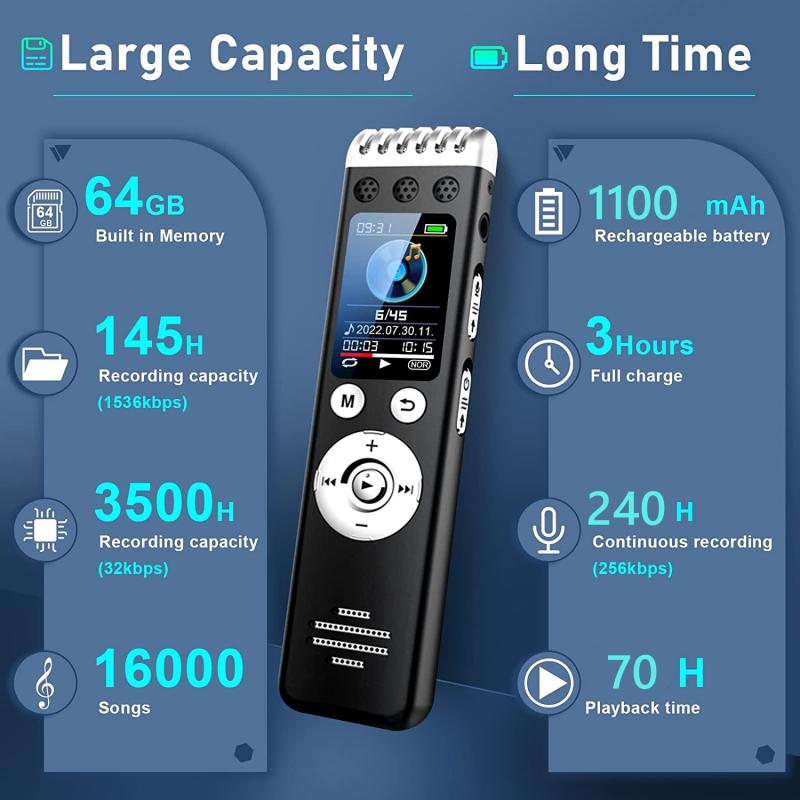
how to install secret voice recorder 1

In today's technologically advanced world, voice recorders are valuable tools used for personal security, journalism, or even workplace documentation. Secret voice recorders, in particular, are designed to operate discreetly, offering an efficient way to capture audio in environments where visible recording devices might not be ideal. Installing and using a secret voice recorder can seem daunting at first, but with the right guidance, the process becomes straightforward. This article provides a detailed, step-by-step approach to installing a secret voice recorder while addressing practical challenges and offering expert tips.

---

Understanding Secret Voice Recorders

Secret voice recorders come in various forms, including pen recorders, USB recorders, button-sized devices, and apps installed on smartphones. Each type caters to specific needs:

- Pen Recorders: Ideal for meetings or interviews.

- USB Recorders: Disguised as USB drives for desk environments.

- Wearable Recorders: Integrated into clothing or accessories for mobile use.

- App-Based Recorders: Installed on smartphones for flexible recording.

Selecting the right device depends on your intended use and environment. Ensure compliance with local laws regarding voice recording to avoid legal complications.

---

Steps to Install a Secret Voice Recorder

1. Choosing the Right Device

- Research Device Features: Look for devices with features like noise cancellation, long battery life, and high storage capacity.

- Compatibility: Ensure the device works with your intended playback or storage medium (e.g., computer, smartphone).

- Discretion: Choose a model that blends seamlessly into its intended environment.

2. Preparing for Installation

- Charge the Device: Before installation, fully charge the recorder to maximize battery life.

- Test Functionality: Verify the recorder is functional by performing a short test recording.

- Gather Accessories: Collect any necessary tools, such as mounting kits or connecting cables, depending on the type of recorder.

3. Installation Process

- Physical Placement: For physical devices, identify a location that is both discrete and optimal for audio capture. This could be inside a pen holder, under a table, or clipped to a piece of clothing.

- App Installation: For smartphone apps, download the software from a reliable source. Configure the app settings to ensure optimal performance, such as activating background recording and adjusting microphone sensitivity.

- Secure the Device: Use adhesive mounts or clips to stabilize the recorder if required.

- Adjust Settings: Set the recording format and quality. Higher quality may take more storage but offers clearer audio.

4. Ensuring Seamless Operation

- Stealth Mode Activation: Many devices have a stealth mode that disables visible lights or sounds during operation.

- Storage Management: Regularly transfer recordings to a secure location to free up space.

- Power Management: Recharge or replace batteries as needed to avoid interruptions during recording.

---

Practical Challenges and Solutions

While the process may seem simple, real-world installation often presents challenges. Here are common issues and how to address them:

1. Poor Audio Quality

- Problem: Background noise or low voice clarity.

- Solution: Invest in a recorder with noise-cancellation features or position the device closer to the source of sound.

2. Limited Battery Life

- Problem: Recorder stops functioning during use.

- Solution: Use a recorder with extended battery life or keep a portable power bank handy.

3. Detection by Others

- Problem: The recorder is noticed in its environment.

- Solution: Opt for devices with a discreet design or camouflage the recorder in everyday objects.

4. Insufficient Storage

- Problem: Recorder runs out of space mid-recording.

- Solution: Use devices with expandable storage or regularly transfer files to an external storage medium.

---

Best Practices for Effective Use

To maximize the effectiveness of your secret voice recorder, adhere to the following best practices:

1. Regular Maintenance

- Clean the device to avoid dust or dirt from interfering with the microphone.

- Check for firmware updates if applicable, especially for app-based recorders.

2. Secure Storage

- Encrypt recordings if they contain sensitive information.

- Store the device and its recordings in a secure location to prevent unauthorized access.

3. Legal Compliance

- Understand the recording laws in your jurisdiction. Some regions require consent from all parties involved before recording.

4. Optimize Recording Conditions

- Choose quiet environments whenever possible.

- Test and adjust settings periodically to adapt to changing conditions.

---

Advanced Tips for Power Users

For those seeking to utilize secret voice recorders in more complex scenarios, consider the following:

1. Integrating with IoT Devices

- Some modern recorders can connect with Internet of Things (IoT) devices, enabling remote monitoring or control. For example, you can start or stop recordings via a connected smartphone.

2. Voice Activation Features

- Enable voice-activated recording to save storage and power. The recorder will only operate when it detects sound above a certain threshold.

3. Backup Systems

- Set up automated backups to cloud storage to ensure recordings are preserved even if the device is damaged or lost.

4. Use of AI Transcription

- Employ AI tools to transcribe recordings for easier analysis and retrieval of key information.

---

Conclusion

Installing a secret voice recorder is a blend of technical know-how and practical preparation. Whether you're a professional requiring discreet recording for interviews or an individual seeking to document personal interactions, the proper installation and use of these devices can provide significant utility. Always prioritize ethical usage and comply with legal requirements to maintain trust and avoid conflicts.

By following this guide, you can confidently install and operate a secret voice recorder, ensuring that your audio capture needs are met effectively and discreetly. As technology continues to evolve, staying informed about the latest advancements in recording devices will further enhance your ability to leverage these tools for a variety of applications.


Leave your comment
Cancel reply
Note: HTML is not translated!
Related products
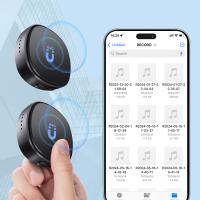
AI Voice Recorder Voice-to-Text & Transcription for Meetings, Calls, Interviews, 64G Kentfaith Mini & Magnetic
HOT Seller
AI Voice Recorder Voice-to-Text & Transcription for Meetings, Calls, Interviews, 64G Kentfaith Mini & Magnetic
26
$119.99 $69.99
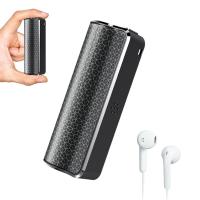
Mini Voice Recorder Magnetic & Voice-activated, 800H Recording with Noise Cancelling, Kentfaith Voice Recorder for Meetings, Lectures, Studying, Interviews 64G
TOP Best
Mini Voice Recorder Magnetic & Voice-activated, 800H Recording with Noise Cancelling, Kentfaith Voice Recorder for Meetings, Lectures, Studying, Interviews 64G
635
$69.99 $59.99
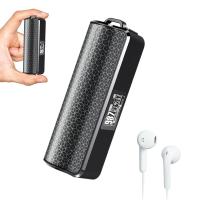
Mini Voice Recorder Magnetic & Voice-activated, 1600H Recording with Noise Cancelling, Kentfaith Voice Recorder for Meetings, Lectures, Studying, Interviews 128G
635
$82.49 $69.99
Mini Voice Recorder Voice-activated & Magnetic 64G 800 Hours Capacity Noise Cancelling
635
$69.99 $59.99
Mini Voice Recorder Voice-activated & Magnetic 128G 1600 Hours Capacity Noise Cancelling
635
$82.49 $69.99
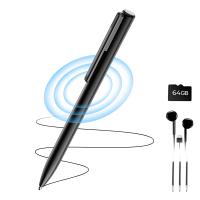
64GB Digital Voice Recorder 800 Hours Voice Activated Recorder with 1536Kbps High Sensitivity, AGC Noise Reduction Pen Recorder with Type-C Port for Lecture Meeting Interview, Kentfaith
10
$129.99 $103.99
Digital Voice Recorder with Ultra-long 1000H Continuous Recording, Voice-Activated & Magnetic 128G
11
$134.99 $89.99
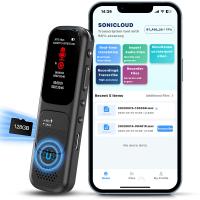
128GB Digital Voice Recorder Voice Activated, AI Transcribe Summarize Translation Noise Reduction,  Kentfaith
128GB Digital Voice Recorder Voice Activated, AI Transcribe Summarize Translation Noise Reduction, Kentfaith
32
$99.99 $79.99
128G Small Digital Voice Recorder with Ultra-long 1000H Continuous Recording, Voice-Activated & Magnetic, Kentfaith
17
$118.74 $94.99
Mini Voice Recorder, Voice-activated & Magnetic, 64GB 800 Hours Capacity, Noise Cancelling, 2 Packs, Kentfaith
$112.49 $109.99
Products You May Like
Kids Smartphone Toys Dual Cams, 2.8" Touchscreen, No Internet, for Boys Girls Age 3-8 Kentfaith
23
$62.49 $49.99
67mm Clip-on CPL Phone Camera Lens Filter Kit Applicable to All Mobile Phone Models
40
$18.99
49mm MCUV Protection Filter with 28 Multi-Layer Coatings HD/Hydrophobic/Scratch Resistant/Ultra-Slim UV Filter for 49mm Camera Lens Nano-X Series
$34.99 $24.95
33.5" / 85cm Softbox Lantern Soft Light Modifier Quick Release Light Diffuser Softbox Compatible with Bowens Mount with Carrying Bag for Photography Studio Speedlite Flash and Monolight
12
$112.99
DJI Mini 4 Pro ND Filter 6pcs Set (ND4 + ND8 + ND16 + ND32 + ND64 + ND1000) Multi-Coated Neutral Density Optical Glass Filters
77
$32.99
Pentax K PK Lens to Micro 4/3 M4/3 Mount Adapter G10 G3 GF3 GF1 E-P3 P2 PL3 PL1 Lens Mount Adapter
115
$49.99 $29.99
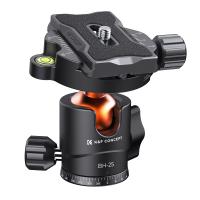
K&F Concept Camera Tripod Ball Head with 1/4 Inch Quick Release Plate and Spirit Level, 8 kg Load Capacity, for Tripod, Monopod, Camera Slider, SLR Camera
7
$39.99 $25.99
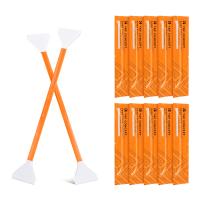
10Pcs Double-Headed Cleaning Stick Set, CMOS Full Frame Cleaning Stick 24mm Cleaning Cloth Sticks Set
5
$30.99 $15.99
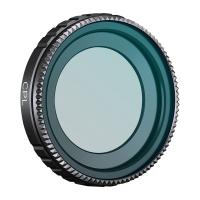
K&F Concept Go 3S Circular Polarizers CPL Filter, CPL Filter Compatible with Insta360 GO 3S Action Camera, Optical Glass with 28 Multi-Coated Filter, (NOT for Insta360 GO 3)
15
$19.99
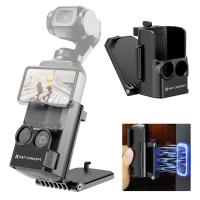
Magnetic Mount For DJI Osmo Pocket 3, Desktop Support Base Bracket Stand Expansion Adapter, Pocket 3 Multi-Function Magnet Suction Expand Frame Accessories
63
$17.99
Related articles
How To Install Secret Camera In House?
How To Install Car Video Recorder?
How To Share Voice Recorder Files?
How To Detect A Digital Voice Recorder?
How To Record Phone Calls With Voice Recorder?
House Party Where To Find Voice Recorder?
How To Make Sound Recorder Record Computer?
How To Set Sound Recorder On Computer?
How To Change Sound Recorder Save Settings?
How To Insert Memory Card In Macbook Pro?
Blog You May Like
Kentfaith x Citadel Season 2
How To Restart Canon Camera Lens Error ?
How Many Photos In A 16gb Memory Card?
unsure your lens mount?
How To Turn On Bluetooth Wireless Earphones?
What Filter Effect Can You Use Camera?
What To Do With Baby Monitor Cord?
How To Use A 3 Stop Nd Filter?
How To Screen Record Audio On Youtube?
How To Share Voice Recorder Files?
Related categories
On-Dash Camera C mount lens adapter m4/3 adapter digital camera strap GPS monitor detector Sony A Mount Lens Adapters Consumer Electronics
Popular products
phone voice call recording mini sound recorder device mini magnetic voice recorder mini magnetic voice recorder digital voice recording small voice recorder device smart digital voice recorder small voice activated audio recorder hidden voice recorder for car hidden voice recorder in car
Related searches
Voice Recorder Voice Data Recorder Bluetooth Voice Recorder Wifi Voice Recorder Voice Note Recorder Mini Voice Recorder Voice Activated Recorder Ai Voice Recorder Voice Activated Sound Recorder Voice Recorder In Car
Related Scenes
Best Camera To Video Sports Best Camera To Capture Wildlife Best Video Camera To Record Sports Best Outdoor Camera For Home Best Outdoor Wifi Surveillance Camera Best Battery Powered Wifi Security Camera Best Simple Digital Camera Best Light For Photography Best Tripod Ball Head The Best Wifi Outdoor Security Camera
Blog Category
  • Activities
  • Guide
    • Filter Guide
    • Lens Adapter
    • Product Review
  • News & Reviews
    • Camera Reviews
    • Sample Gallery
    • News
  • Tutorials
    • Solar eclipse photography
    • Photography Basics
    • Landscape Photography
  • Inspiration
    • Travel
    • Travel Stories
Search Article
Latest from the Blog
What Is The Best Camera For Action Sports?
How To Save A Video From Security Camera?
What Hi Fi In Ear Headphones?
What Is The Best Smartwatch For A Woman?
How To Adjust Binoculars With Glasses?
How To Clean Cleaning Cloth For Glasses?
Where To Get Wireless Earbuds?
How To See Cells In A Microscope?
How To Receive Notifications On Smartwatch?
What Size Screen For Projector?
  • Easy Payment Multilple Payment Options

  • Free Shipping Global WareHouse Shipment

  • No Risk 30-Day No Reason Return

  • Limited Deals Buy More, Save More

  • Tax Free No any surcharges or tax fee

Information
  • About us
  • Contact Us
  • Site Map
  • Blog
  • Video
  • Gallery
  • VIP Membership Rewards
Service
  • Privacy Policy
  • Terms & Conditions
  • Shipping & Delivery
  • Payment Info
  • Warranty, Return & Refund
  • Intellectual Property Rights
  • Ambassador
  • Affiliates
  • Wholesale
Support
  • My account
  • Order History
  • FAQs
  • Extend Warranty
  • Logistics Tracking
Follow us
NewsLetter

Get the latest product, K&F Concept respects your privacy.

Powered By KENTFAITH © 2026