How To Have More Bass In Headphones?
Getting powerful bass from your headphones doesn't always mean buying new ones. In many cases, it's more about tweaking some settings on the pair you already have. But better bass doesn't just mean more of it. The goal isn't to make your music sound like a car trunk rattling at a stoplight. It's about a deeper, punchier bass that doesn't overpower everything else.
Technical Reasons for Weak Bass
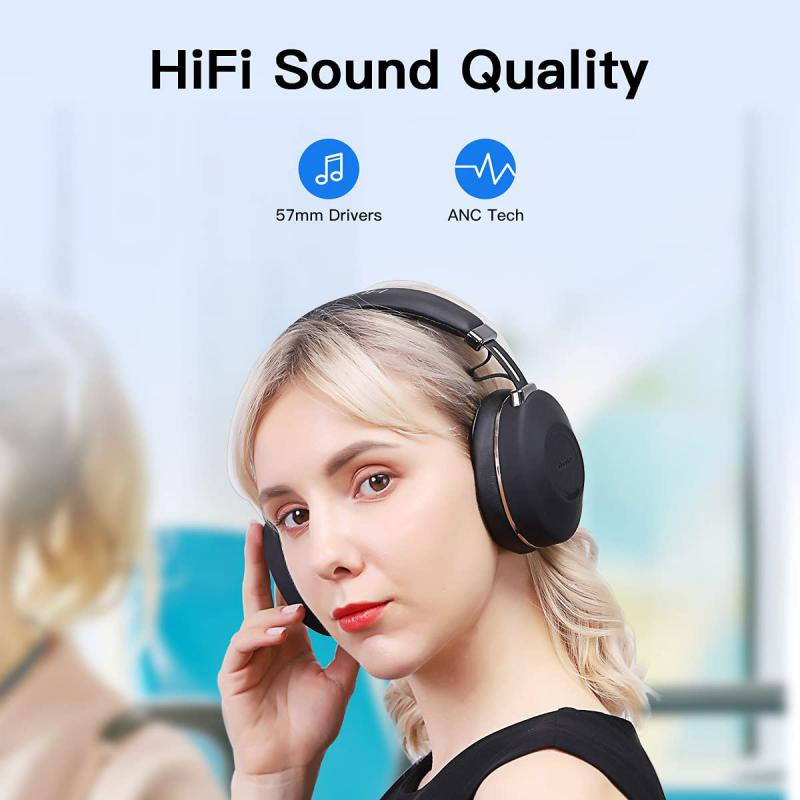
The quality of the headphones themselves plays a key role in the reproduction of low frequencies. Cheap models with small drivers (less than 30 mm) are physically incapable of producing deep bass. Open-back headphones are always inferior to closed-back headphones in terms of low-frequency reproduction due to their lack of isolation.
Defects also affect the sound: a damaged driver membrane, worn ear pads, or a loose fit cause sound leakage and bass loss. If the headphones are new and expensive, but the bass is still weak, check them on another device — they may be defective.
If the headphones are of good quality, the problem may lie with the sound source. Low output voltage from a smartphone is the most common cause of low frequency deficiency. Built-in amplifiers in phones do not always cope with high-quality bass reproduction, especially in high-impedance headphones. The sound is not only lacking in depth, but also 'sluggish' and lacking in dynamics — the music sounds flat and expressionless even at maximum volume.
Bitrate and codec also greatly affect bass transmission. FLAC or a stream with a bitrate of 320 kbps contains more low-frequency information than a compressed MP3 128. With poor file quality, no equaliser settings will restore the lost bass.

Check Your Seal First
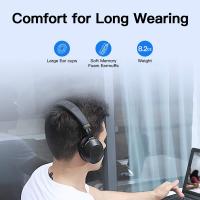
Before diving into settings, make sure your headphones have a good seal. Without that, bass is often the first casualty. If you use over-ear headphones, make sure the cups are comfortably covering your ears. Be mindful of things like glasses, hair, or worn-down pads that could compromise your seal. Even if it's something you can't change, at least you'll be aware of one factor limiting the sound.
- Use thick leather or protein ear pads — avoid velour, cloth, pleather, or cooling gel
- For earbuds, use gum or caulk to get a better seal
- Check that ear cups fully cover your ears on over-ear models
- Inspect for worn-down pads that may be breaking the acoustic seal
Equaliser Settings for More Bass
Software settings are the most affordable way to improve bass without buying new equipment. The 60–250 Hz range is responsible for the main bass in music. Raise these frequencies smoothly, avoiding sharp jumps — they create humming and 'rumbling'. Start with a 3–5 dB increase and evaluate the result.
- 60–80 Hz
- Provides deep bass
- 80–120 Hz
- Provides the main power and density
- 120–250 Hz
- Responsible for the attack and clarity of the low frequencies
- 500–2000 Hz
- Mid frequencies — do not overload, otherwise you will lose vocals and details
Popular apps such as Poweramp, Wavelet, and Spotify EQ offer ready-made presets for different music genres. In Windows, use the built-in Realtek equaliser, and in Android, use the system sound settings. Adjusting the balance between low and high frequencies is critical for high-quality sound.
One common mistake is stacking equalizer (EQ) settings. For example, boosting the bass in both Spotify and a headphone companion app can lead to garbled, distorted audio. A good rule of thumb is to turn off all EQ settings, then start making gradual adjustments in the headphone app.
Where to Find the EQ on Each Platform
- Spotify: Go to Settings and Privacy > Playback > Equalizer. On Android, Spotify's EQ option may open the system audio settings instead.
- Apple Music: Go to Settings > Apps > Music > EQ. Apple's options are labeled by genre rather than a visible EQ curve.
- YouTube Music: Relies on the phone's EQ settings on Android; does not offer an in-app EQ on iOS.
- Tidal: Does not have an EQ option on either platform.
- Windows: Use the built-in Realtek HD Audio Control Panel.
- Android: Find the equaliser in the 'Sound' section of system settings.
Bass Enhancement Technologies
Modern sound technologies can significantly enhance the perception of low frequencies without overloading the headphone drivers. The main task is to find the optimal balance.
- Dolby Atmos — spatial sound with an emphasis on bass
- Bass Boost — direct amplification of low frequencies
- DTS Headphone X — virtual surround sound
Avoid using "bass boost" settings found in some headphone companion apps, which can bloat the bass in ways that might sound good for a few minutes but will quickly lead to fatigue. Instead, start with the EQ curve. The far left of the curve (roughly 20 to 60 Hz) controls the deepest rumble, and the area just to the right of that (60 to 150 Hz) affects punch and weight. An ideal bass EQ isn't always one sharp bump across the entire left side of the graph — a small lift down low might sound better than jacking up everything at once.
How Much Can You Boost Bass Without Causing Damage
Around 3–6 dB is how much you should boost bass to avoid getting distortion. You can boost the bass even higher but risk getting a distorted and muddy sound. It is true that the sensitivity of our ears varies based on frequency, and high pressure sound can be more damaging without being noticed. If you are not listening too loud it shouldn't be a problem, but you need to be really careful that it isn't actually too loud. It is possible to damage your hearing without feeling any pain when you are using selective frequencies of sound at high intensity.
Lower frequency requires more speaker motion. Just imagine it like always driving your car at higher RPMs. Running more bass will make some difference. Make sure not to go very loud, since you can cause hearing damage by listening to loud sounds. If you hear some weird sounds, try to back off — if it fixes the problem, this means there is a limit for your headphones.
Low-end is the quickest way to damage speakers/headphones, especially when you extend into the lower harmonics below 20 Hz. The bass driver and low frequency content require both more air to push and more space for the waveform to propagate and develop audibly. The more air the driver is being pushed, the greater the cone of the driver flexes. Too much flex due to loud volumes can break it. Whether or not boosting bass negatively affects your headphones depends on whether it would pass the specification of the speaker or subwoofer in the headphones. The point where you need to back off is mild distortion or blurred sound.
Frequencies below 100 Hz are the best for bass headphones since that region is the most important for bass punch and rumble. The bass region stretches from 20–250 Hz. Note that gain and bass boost are two different things — bass boost only amplifies lower frequencies, whereas gain increases the loudness of all frequencies.