What Is The Best 1080p Projector?
Finding the best 1080p projector depends on your specific setup, budget, and use case. For retro gaming on a 70×39-inch screen at roughly 8 feet, the key factors are throw distance, offset, input lag, contrast, and connectivity. Here is what the community and expert reviewers recommend.
Understanding Throw Distance and Offset
If you already have a cheap projector, learn about offset. People fail to realize quality but entry-level projectors have an offset unlike cheap projectors that point straight due to cheap optics. This matters significantly when you are placing a projector at 8 feet from the screen, as you will need to confirm that the throw ratio and lens offset of any new model works with your mounting situation before purchasing.
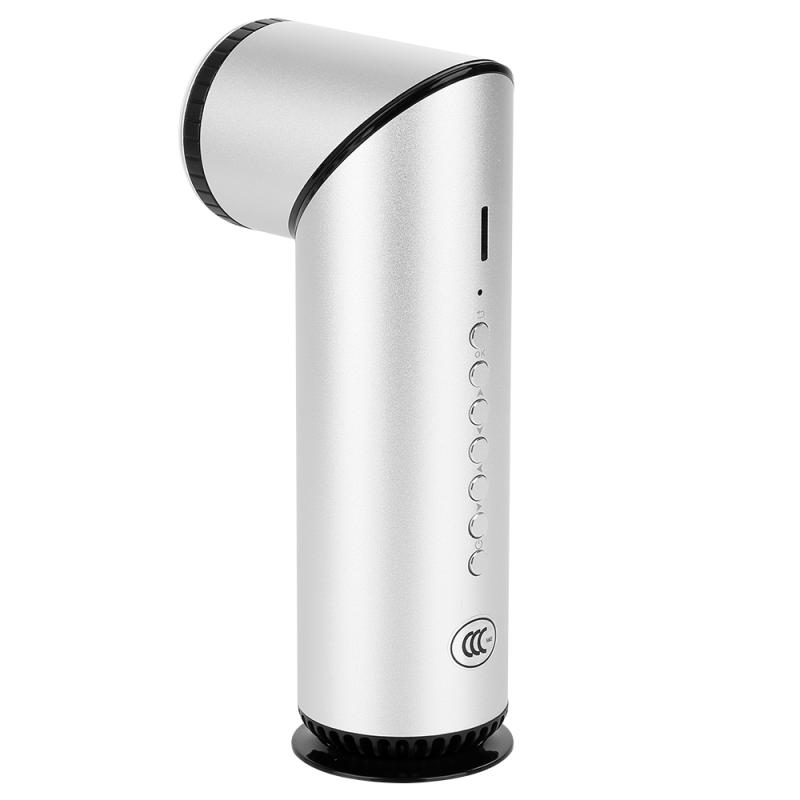
Top 1080p Projector Recommendations
- BenQ HT2060 – Widely considered the best bang for buck 1080p projector. It creates a fantastic image with excellent contrast and color accuracy. It even has some lens shift to make installation easier in a wider range of rooms. While it's "only" 1080p resolution, that should be plenty for all but the most resolution-obsessed viewers. Its LEDs will last the life of the projector, so there are no lamps to replace. One reviewer noted: "I have it and I use it for movies mostly on a 120-inch screen at like 12 ft away. It's 1080 but it looks dang good still due to the nice contrast and decent black levels. The biggest drawback is brightness. It's acceptable, but I use mine in a light-controlled basement. I wouldn't use it as a main TV in a living room." Priced at around $1,000, its brightness is rated at 985 lumens with a contrast ratio of 1,380:1.
- BenQ HT2050A (used) – The HT2060's predecessor, the HT2050A, was one of the most recommended projectors for many years. Available used on eBay, it remains a strong option for retro gaming setups.
- BenQ TH685P – A solid step above entry level for gaming and home entertainment, and one of the few 1080p projectors that handles HDR well. Native resolution is 1920×1080 with a rated brightness of 3,500 lumens.
- XGIMI Halo+ – For retro gaming, a solid 1080p option. It's bright enough, super easy to set up, and has pretty good built-in speakers.
- JMGO N1 Pro – The N1 models from JMGO are really well reviewed and fit within an $800 budget. Currently available for around $700 with free 3D glasses included.
Retro Gaming–Specific Considerations
With retro gaming, you may want to look at the BenQ HT2150ST, as it will have composite and component video connections which may be helpful for retro gaming. For gaming projectors in general, input lag is the most important factor to consider. Input lag is the time between when the gaming system sends out its signal, to the time it is received by the projector, and is measured in milliseconds.
- Acceptable input lag
- The category of the casual gamer — those who play for fun and do not compete, including Nintendo Switch gamers, RPG players, and first-person shooter types who don't spend much time playing against other gamers online.
- Good input lag (33ms to 40ms)
- Any projector within these speeds will be suitable for all but the most competitive gamers. At 33ms to 40ms, you will be just over 1 frame behind on a 30fps game, and 2 frames behind on a 60fps game. This isn't enough to make a difference for most people.
- Excellent input lag (16ms to 20ms)
- Truly excellent input lag, with 16ms being the aim for manufacturers positioning their model as a gaming projector.
DLP vs. LCD for Gaming
It is recommended not to get any single panel LCD projector (mostly no-name brands) for gaming, as gaming on LCD isn't nearly as solid as it is with DLP projectors. DLP is typically sharper, while LCD is often brighter. However, both technologies still offer images which are plenty bright and sharp — it's more down to implementation on a specific model of projector than either technology.
Should You Upgrade to 4K Instead?
With a budget of $800, some reviewers suggest considering a 4K projector instead. The Nebula 4K SE has appeared on sale refurbished from eBay with warranty for around that price range. The Nebula Atom gets super bright, is portable, and meets the $800 price requirement. The XGIMI Horizon Pro would also fit some people's setups in that budget, though it is less bright. That said, for retro gaming specifically, 1080p resolution is more than sufficient, and the extra money may be better spent on a projector with better contrast or lower input lag.
Projector Screen Considerations
You can use any flat surface to project your image. However, don't expect any surface to be the best for a projector. Any and all tiny bumps in a wall will be visible as extra "noise" in the image. If you want the best image quality from your projector, even an inexpensive screen is a far better option. Projector screens tend to brighten the image noticeably and create a smooth surface that best shows off your game. Your existing 70×39-inch screen (approximately 80-inch diagonal) is a reasonable size for an 8-foot throw distance, and the right projector's throw ratio must be confirmed to work with that combination.
Brands to Avoid
- No-name single-panel LCD projectors — gaming performance is significantly weaker than DLP alternatives.
- Cheap $100 Amazon special projectors — these use cheap optics that typically point straight without offset, making proper alignment on a quality mount difficult.
- Entry-level Epson models for gaming — gaming on LCD isn't nearly as solid as it is with DLP projectors according to community reviewers.