kfconcept

KENTFAITH
K&F Concept    Blog >

Enjoy Your Selected Digital Life

Recently Viewed
  • Recently Viewed
  • Recently Viewed list is empty.

Compare (0) 0
  • Compare
  • You have not chosen any products to compare.

  • Compare
Currency: USD
  • Currency
Shop by Scene Shop by Rank

Log Into Your Account

Account

Order History

Wish List

Login

Forgotten Password?

Or connect with

Register Account

Already have an Account?Log In

  • Shopping Cart
  • Your shopping cart is empty!

  • Register/Login to purchase, earn points
  • Favorite
  • Your wish list is empty.

  • Register/Login to like, earn points
  • Activities
  • Guide
    • Filter Guide
    • Lens Adapter
    • Product Review
  • News & Reviews
    • Camera Reviews
    • Sample Gallery
    • News
  • Tutorials
    • Solar eclipse photography
    • Photography Basics
    • Landscape Photography
  • Inspiration
    • Travel
    • Travel Stories
  • Home
  • Blog
  • How To Remove Ir Filter On A Lens?

How To Remove Ir Filter On A Lens?

Kentfaith 2024-09-06 00:59:24 0 Comments

Removing an IR (infrared) filter from a lens can be a delicate process, but it is often necessary for those who wish to engage in infrared photography or other specialized imaging techniques. This article will guide you through the steps required to remove an IR filter from a lens, discuss the tools you will need, and provide some tips to ensure the process goes smoothly. Additionally, we will cover the potential risks and benefits of removing the IR filter, so you can make an informed decision before proceeding.

Understanding the IR Filter
how to remove ir filter on a lens 1

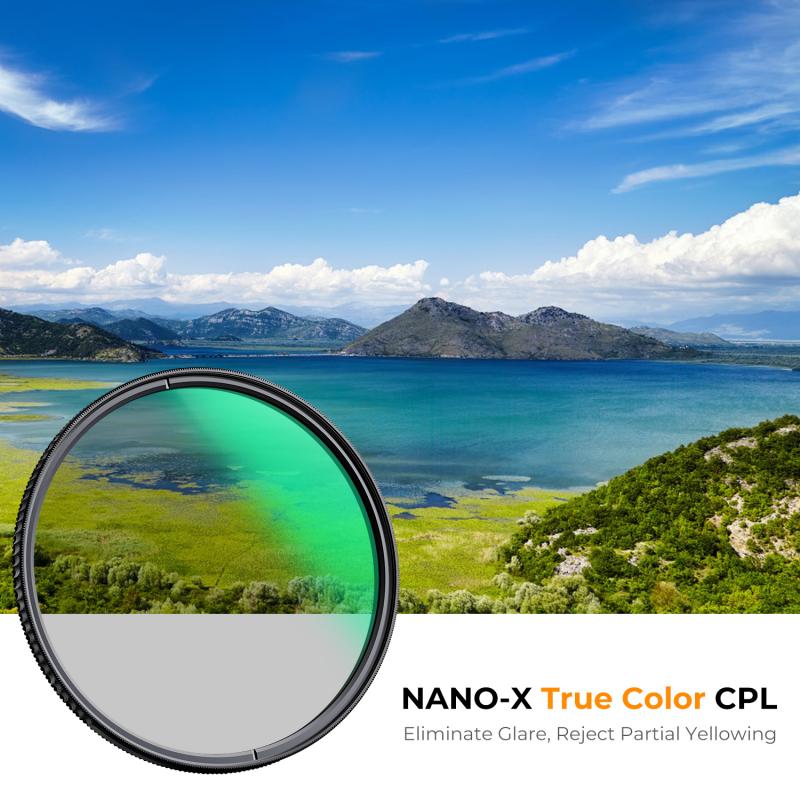
An IR filter, also known as a hot mirror filter, is typically placed in front of a camera sensor to block infrared light. This is because most camera sensors are sensitive to a broad spectrum of light, including infrared, which can interfere with the quality of visible light images. By blocking infrared light, the IR filter helps to produce clearer and more accurate photographs. However, for those interested in infrared photography, removing this filter is essential to capture the desired wavelengths of light.

Tools and Materials Needed
how to remove ir filter on a lens 2

Before you begin the process of removing the IR filter, gather the following tools and materials:

1. Precision Screwdrivers: These are essential for removing the small screws that hold the lens and filter in place.

2. Tweezers: Useful for handling small components without damaging them.

3. Lens Cleaning Kit: To ensure that no dust or debris gets onto the sensor or lens during the process.

4. Anti-Static Gloves: To prevent static discharge, which can damage electronic components.

5. Magnifying Glass or Microscope: To get a clear view of the small parts you will be working with.

6. Soft Cloth or Mat: To work on, preventing scratches or damage to the lens and other components.

Step-by-Step Guide to Removing the IR Filter

how to remove ir filter on a lens 3

Step 1: Prepare Your Workspace

how to remove ir filter on a lens 4

Ensure that you are working in a clean, dust-free environment. Lay out all your tools and materials on a soft cloth or mat to prevent any damage to the lens or other components.

Step 2: Disassemble the Lens

Using the precision screwdrivers, carefully remove the screws that hold the lens assembly together. Keep track of all screws and small parts, as you will need to reassemble the lens later. It may be helpful to take photos at each stage of disassembly to use as a reference during reassembly.

Step 3: Locate the IR Filter

Once the lens is disassembled, locate the IR filter. It is usually a small, square piece of glass or plastic situated in front of the camera sensor. In some cases, the filter may be integrated into the lens assembly itself.

Step 4: Remove the IR Filter

Using tweezers, carefully lift the IR filter out of its housing. Be gentle to avoid scratching the filter or damaging the surrounding components. If the filter is glued in place, you may need to use a small amount of isopropyl alcohol to dissolve the adhesive. Apply the alcohol sparingly and allow it to sit for a few minutes before attempting to remove the filter again.

Step 5: Clean the Sensor and Lens

Once the IR filter is removed, use the lens cleaning kit to gently clean the sensor and lens. This will help to remove any dust or debris that may have accumulated during the disassembly process.

Step 6: Reassemble the Lens

Carefully reassemble the lens, following the reverse order of the disassembly process. Refer to the photos you took earlier to ensure that all components are correctly aligned and secured. Double-check that all screws are tightened, but be careful not to overtighten them, as this can strip the threads or damage the lens.

Potential Risks and Benefits

Benefits

1. Enhanced Infrared Photography: Removing the IR filter allows you to capture images in the infrared spectrum, revealing details and textures that are not visible in standard photography.

2. Creative Possibilities: Infrared photography can produce unique and artistic images, offering new creative opportunities for photographers.

3. Scientific Applications: Infrared imaging is used in various scientific fields, including astronomy, biology, and environmental science, to study phenomena that are not visible to the naked eye.

Risks

1. Void Warranty: Removing the IR filter will likely void any warranty on your camera or lens, as it involves disassembling and modifying the original equipment.

2. Potential Damage: The process of removing the IR filter is delicate and can result in damage to the sensor, lens, or other components if not done correctly.

3. Reduced Image Quality: Without the IR filter, your camera may be more susceptible to infrared light interference, which can affect the quality of your visible light images.

Tips for Success

1. Practice on an Old Lens: If you are new to this process, consider practicing on an old or inexpensive lens before attempting to remove the IR filter from your primary equipment.

2. Take Your Time: Rushing through the process increases the risk of making mistakes. Take your time and work carefully to avoid damaging any components.

3. Consult a Professional: If you are unsure about any step of the process, consider consulting a professional camera technician. They have the experience and tools necessary to safely remove the IR filter.

Removing an IR filter from a lens can open up new possibilities for infrared photography and other specialized imaging techniques. However, it is a delicate process that requires careful attention to detail and the right tools. By following the steps outlined in this guide and taking the necessary precautions, you can successfully remove the IR filter and explore the fascinating world of infrared photography. Remember to weigh the potential risks and benefits before proceeding, and don't hesitate to seek professional assistance if needed.
Leave your comment
Cancel reply
Note: HTML is not translated!
Related products
Variable ND2-32 Filter Compatible with DJI Osmo Action 5 Pro/Osmo Action 4/Osmo Action 3, Snap-on Installation, no need to remove the original filter
NEW Arrival
Variable ND2-32 Filter Compatible with DJI Osmo Action 5 Pro/Osmo Action 4/Osmo Action 3, Snap-on Installation, no need to remove the original filter
40
$24.99
Variable ND32-512 Filter Compatible with DJI Osmo Action 5 Pro//Osmo Action 4/Osmo Action 3, Snap-on Installation, no need to remove the original filter
NEW Arrival
Variable ND32-512 Filter Compatible with DJI Osmo Action 5 Pro//Osmo Action 4/Osmo Action 3, Snap-on Installation, no need to remove the original filter
40
$24.99
Variable ND2-32 & ND32-512 Filter Kit Compatible with DJI Osmo Action 5 Pro/Osmo Action 4/Osmo Action 3, Snap-on Installation, no need to remove the original filter
NEW Arrival
Variable ND2-32 & ND32-512 Filter Kit Compatible with DJI Osmo Action 5 Pro/Osmo Action 4/Osmo Action 3, Snap-on Installation, no need to remove the original filter
40
$44.99
ND2-32 & PL & Black Mist 1/4 Filter Kit Compatible with DJI Osmo Action 5 Pro/Osmo Action 4/Osmo Action 3, Snap-on Installation, no need to remove the original filter
NEW Arrival
ND2-32 & PL & Black Mist 1/4 Filter Kit Compatible with DJI Osmo Action 5 Pro/Osmo Action 4/Osmo Action 3, Snap-on Installation, no need to remove the original filter
40
$49.99
67mm Clip-on CPL Phone Camera Lens Filter Kit Applicable to All Mobile Phone Models
40
$18.99
67mm Clip-on ND2-32 Phone Camera Lens Filter Kit Applicable to All Mobile Phone Models
NEW Arrival
67mm Clip-on ND2-32 Phone Camera Lens Filter Kit Applicable to All Mobile Phone Models
13
$37.99
52mm Clip-on CPL Phone Camera Lens Filter Kit, Circular Polarizer Polarizing Filter Applicable to All Mobile Phone Models
24
$19.99
67mm Clip-on Black Mist 1/4 Phone Camera Lens Filter Kit Applicable to All Mobile Phone Models
7
$29.99
Minolta A / Sony A Lenses to Pentax Q Lens Mount Adapter K&F Concept M22161 Lens Adapter
$45.99 $23.99
Minolta A / Sony A Lenses to Pentax Q Lens Mount Adapter with Tripod Mount K&F Concept M22162 Lens Adapter
$55.99 $28.99
Products You May Like
50mm Solar Eclipse & Astronomical Telescope for Children, Beginners 360mm Focal Length, 90X Magnification with 2 Eyepieces & Aluminum Alloy Tripod
20
$86.39 $40.99
67mm Magnetic Black Mist Filter 1/4 Special Effects Filter HD Multi-layer Coated, Waterproof/Scratch-Resistant/ Anti-Reflection Nano-Xcel Series
31
$91.99 $72.99
K&F Concept Lens Camera Protective Wrap, Anti-scratch Lens protector, Magic Self-Adhesive Cloth Camera Wrap for Camera Lens/DSLR/Accessories 45x45cm+45x45cm
1
$33.99 $22.99
70” Lightweight Travel Tripod 33lbs Load For Dslr Cameras With Twist Lock And Monopod
65
$304.99 $179.99
82mm Combination Soft & Mist Lens Filter 28 Multi-Layer Coating Waterproof Scratch Resistant Cinematic Effect Filter for Vlog, Portrait Photography - Nano-Xcel Series
NEW Arrival
82mm Combination Soft & Mist Lens Filter 28 Multi-Layer Coating Waterproof Scratch Resistant Cinematic Effect Filter for Vlog, Portrait Photography - Nano-Xcel Series
29
$117.99 $87.99
58mm True Color Variable ND2-32 (1-5 Stops) and CPL Circular Polarizing Lens Filter 2 in 1 for Camera Lens Neutral Density Polarizer Filter Nano-X Series
53
$109.99 $87.99
72mm ND64 Magnetic Neutral Density Lens Filter HD Waterproof Scratch-resistant Anti-reflection Nano-Xcel Series
15
$87.99 $69.99
67mm Variable ND Filter ND2-ND32 (1-5 Stops) Lens Filter Waterproof Scratch Resistant with 24 Layers of Nano-coating Nano-Dazzle Series
31
$56.99 $44.99
Cleaning Cloth Set Needle-free Cleaning Cloth Dry Cloth 15*15cm Color Box 5PCS
$20.99 $12.99
AT-Q40C 4K60FPS  Sport Action Camera Ultra HD Camcorder 13MP WiFi Waterproof Camera (Black)
AT-Q40C 4K60FPS Sport Action Camera Ultra HD Camcorder 13MP WiFi Waterproof Camera (Black)
3
$51.99
Related articles
How To Remove Cpl Filter For Lens?
How To Remove Uv Filter From Nikon Lens?
How To Remove Camera Lens Protector?
What Ir Filter Works Without A Converted Camera?
How To Tell If Camera Has Ir Filter?
What Is Ir Filter For Camera?
How To Clean A Lens Filter?
What Nd Filter Fits On A 28mm Lens?
Does My Camera Have An Ir Filter?
How To Make An Underwater Wireless Camera?
Blog You May Like
Can I Take Pictures Without A Memory Card?
Which Camera Filter Holder?
Why Is My Camera Battery Charger Blinking?
Can Camera Batteries Be Taken On A Plane?
How To Find Lost Wired Earphones?
How To Record Discord Voice Calls?
Can You Have A Camera Outside Your House?
How Smart Watches Measure Blood Pressure?
Is Metal Detector Can Detect Gold?
How Do You Read A Fish Finder?
Related categories
A Mount Lens Adapter Sony A Mount Lens Adapters On-Dash Camera C mount lens adapter m4/3 adapter minolta a mount lenses Magnetic Lens Filter iphone lens filter Lens Filter Holder
Popular products
nd filter for dji osmo action Polarize Filter For Mobile Phone leica m sony e mount adapter sony minolta adapter sony a mount to minolta adapter clip on phone camera lens mft adapter sony Fuji Mount Adapter sony a57 lens adapter minolta md to sony lens adapter
Related searches
Remove A Stuck Lens Filter Lens Filter To Remove Reflections Ho Remove A Lens Adapter Pentax Filter To Remove Lens Artifacts Halo Eyepiece Lens On A Microscope Square Ir Filter Camera On A Rope M12 Lens Ir Cut Filter 5.0 Ir Filter Lens Benefit Ir Lens Filter Xray Dslr
Popular searches
Encinema 35mm Lens Adapter 55mm Cpl Filter Ommlite Vs Canon Adapter Lp E6nh Battery Screen Protector For Dji Osmo Pocket 3 Sony Fs5 Lens Mount Black Earphones Bluetooth Dual Bluetooth Headphones For Tv Sony Np F960 Battery Gopro Lens Adapter Ring
Blog Category
  • Activities
  • Guide
    • Filter Guide
    • Lens Adapter
    • Product Review
  • News & Reviews
    • Camera Reviews
    • Sample Gallery
    • News
  • Tutorials
    • Solar eclipse photography
    • Photography Basics
    • Landscape Photography
  • Inspiration
    • Travel
    • Travel Stories
Search Article
Latest from the Blog
Which Night Vision Monocular Is Best?
How To Keep Earbuds In Your Ear?
Which Ring Camera Is Wireless?
How Do Cellular Trail Cameras Work? – The Complete Guide for Hunters and Wildlife Enthusiasts
What Does Tripod?
Where To Get Wireless Earbuds?
Kentfaith x Citadel Season 2
Kentfaith x ANACONDA: Capturing the Wild, Frame by Frame
What To Look For In A Dash Cam?
How Do Trail Cameras Work? The Ultimate Guide to Trail Cameras
  • Easy Payment Multilple Payment Options

  • Free Shipping Global WareHouse Shipment

  • No Risk 30-Day No Reason Return

  • Limited Deals Buy More, Save More

  • Tax Free No any surcharges or tax fee

Information
  • About us
  • Contact Us
  • Site Map
  • Blog
  • Video
  • Gallery
  • VIP Membership Rewards
Service
  • Privacy Policy
  • Terms & Conditions
  • Shipping & Delivery
  • Payment Info
  • Warranty, Return & Refund
  • Intellectual Property Rights
  • Ambassador
  • Affiliates
  • Wholesale
Support
  • My account
  • Order History
  • FAQs
  • Extend Warranty
  • Logistics Tracking
Follow us
NewsLetter

Get the latest product, K&F Concept respects your privacy.
Powered By KENTFAITH © 2026