kfconcept

KENTFAITH
K&F Concept    Blog >

Enjoy Your Selected Digital Life

Recently Viewed
  • Recently Viewed
  • Recently Viewed list is empty.

Compare (0) 0
  • Compare
  • You have not chosen any products to compare.

  • Compare
Currency: USD
  • Currency
Shop by Scene Shop by Rank

Log Into Your Account

Account

Order History

Wish List

Login

Forgotten Password?

Or connect with

Register Account

Already have an Account?Log In

  • Shopping Cart
  • Your shopping cart is empty!

  • Register/Login to purchase, earn points
  • Favorite
  • Your wish list is empty.

  • Register/Login to like, earn points
  • Activities
  • Guide
    • Filter Guide
    • Lens Adapter
    • Product Review
  • News & Reviews
    • Camera Reviews
    • Sample Gallery
    • News
  • Tutorials
    • Solar eclipse photography
    • Photography Basics
    • Landscape Photography
  • Inspiration
    • Travel
    • Travel Stories
  • Home
  • Blog
  • How Can I Record Audio From The Internet?

How Can I Record Audio From The Internet?

Kentfaith 2025-01-14 02:20:04 0 Comments

Mastering the Art of Recording Audio from the Internet: A Practical Guide

The internet has become a treasure trove of audio content, including music, podcasts, webinars, audiobooks, and more. At times, you might want to record audio from the internet for offline listening, archiving, or creating personalized playlists. This article provides a comprehensive guide to recording internet audio, covering tools, methods, and legal considerations to ensure a seamless experience.

---

Understanding the Need for Recording Audio from the Internet
how can i record audio from the internet 1

There are several reasons why users may seek to record audio from online sources:

1. Offline Access: Inconsistent internet connectivity or frequent travel may necessitate offline access to audio content.

2. Archiving Live Streams: Some live streams or online events are not available for replay. Recording allows users to save these for later use.

3. Personalized Content Collection: Recording allows users to curate a library of their favorite podcasts, songs, or audio snippets.

4. Educational Purposes: Students and professionals may record audio from webinars, tutorials, or lectures for detailed review.

---

Essential Tools for Recording Internet Audio

Recording internet audio requires the right tools. These range from specialized software to in-built operating system functionalities. Below are some of the most popular options:

1. Audio Recording Software

- Audacity: A free, open-source audio editor that supports recording system audio with exceptional quality.

- Adobe Audition: A premium software known for its advanced editing and recording features, ideal for professionals.

- Ocenaudio: Another free option, which is beginner-friendly and efficient for simple recording tasks.

2. Browser Extensions

- Tools like Audio Recorder for Chrome can capture audio playing in your browser directly without additional software installation.

3. Operating System Utilities

- Windows: The in-built Voice Recorder or Stereo Mix feature (if enabled) can capture audio.

- Mac: QuickTime Player offers basic audio recording features.

4. Online Services

- Websites like Apowersoft Online Audio Recorder provide browser-based recording capabilities without the need for installation.

5. Hardware Options

- Devices such as standalone digital voice recorders or capture cards can be used to record high-quality audio directly from external sources.

---

Step-by-Step Guide to Recording Internet Audio

1. Prepare Your Setup

Before starting, ensure you have:

- A computer or device capable of handling audio processing.

- A stable internet connection for uninterrupted playback.

- The required software or tools installed and configured.

2. Select the Right Recording Software

- Download and install your preferred recording software.

- Ensure the software is set up to capture system audio (also called internal audio).

3. Configure Audio Settings

- Adjust audio input/output settings in your operating system or recording tool.

- Use Stereo Mix (on Windows) or Aggregate Device (on Mac) to enable internal audio recording if needed.

4. Start Recording

- Open the recording software and play the desired audio in your browser or media player.

- Begin recording, ensuring the playback volume is optimal—neither too low nor excessively loud.

5. Save and Edit

- Stop the recording once the audio ends.

- Save the file in your preferred format (e.g., MP3, WAV).

- Edit the recording to remove unwanted parts or enhance quality using audio editing tools.

---

Key Considerations for Quality Recording

1. Audio Format and Quality:

- Choose formats like MP3 for compatibility or WAV for higher fidelity.

- Ensure the bitrate is appropriate for your needs—higher bitrates result in better quality but larger file sizes.

2. Volume Levels:

- Maintain a balance to avoid clipping or distortion.

3. Background Noise:

- Use noise suppression features in your recording software for cleaner audio output.

4. Test Runs:

- Perform test recordings to fine-tune settings before capturing important audio.

---

Legal and Ethical Aspects of Recording Internet Audio

Recording audio from the internet can have legal implications depending on copyright laws and terms of service. Here are some best practices to stay compliant:

1. Personal Use Only:

- Use recorded audio solely for personal, non-commercial purposes unless explicitly permitted.

2. Obtain Permissions:

- Seek permission from the copyright holder if you plan to distribute or repurpose the content.

3. Fair Use Doctrine:

- Educational or critical purposes may fall under fair use, but this varies by jurisdiction.

4. Terms of Service:

- Review the terms of the platform hosting the audio. Some platforms explicitly prohibit downloading or recording content.

---

Advanced Techniques for Recording

For users seeking enhanced functionality, consider the following advanced methods:

1. Multi-Source Recording:

- Use tools like Voicemeeter to record multiple audio streams (e.g., browser audio and microphone input) simultaneously.

2. Scheduled Recording:

- Programs like Audacity or Total Recorder allow you to schedule recordings for specific times, ideal for capturing live events.

3. Audio Streaming Rippers:

- Some software tools specialize in extracting audio streams directly from online sources, often with superior quality retention.

4. Integration with Other Media Tools:

- Combine recording tools with transcription services or video editors to create comprehensive multimedia projects.

---

Troubleshooting Common Issues

1. No Audio Recorded

- Check that the correct input source is selected.

- Ensure system audio is enabled and audible.

2. Low-Quality Output

- Adjust the bitrate and sample rate in the recording software.

- Avoid recording in noisy environments.

3. Compatibility Issues

- Ensure the recording software supports your operating system version.

- Update drivers and codecs if necessary.

4. Audio Delays or Lags

- Close unnecessary applications to free up system resources.

- Use a dedicated sound card for improved performance.

---

Practical Applications and Use Cases

Recording internet audio extends beyond casual use cases, offering solutions for various professional and creative needs:

1. Content Creation:

- Podcasters and content creators can use recorded audio clips as part of their work.

2. Education and Research:

- Educators and researchers can save valuable audio lectures, interviews, and discussions.

3. Accessibility:

- Create accessible audio formats for visually impaired individuals by capturing online content.

4. Music Enthusiasts:

- Record rare or unreleased tracks from streaming platforms for personal enjoyment.

---

Recording audio from the internet is a practical skill that can greatly enhance your multimedia experience. With the right tools, knowledge, and respect for legal boundaries, you can seamlessly capture high-quality audio for personal or professional use. As you explore this capability, remember to balance convenience with ethical considerations to ensure a responsible and rewarding experience.

Leave your comment
Cancel reply
Note: HTML is not translated!
Related products
128G Mini Digital Voice Recorder with Color Screen Bluetooth Call Record 3072kbps Kentfaith
HOT Seller
128G Mini Digital Voice Recorder with Color Screen Bluetooth Call Record 3072kbps Kentfaith
15
$119.99 $83.99
Kids Smartphone Toys Dual Cams, 2.8" Touchscreen, No Internet, for Boys Girls Age 3-8 Kentfaith
15
$62.49 $49.99
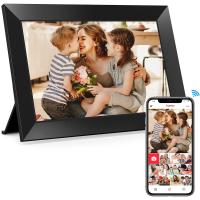
Digital Photo Frame, 10.1 inch Touchscreen, WiFi Transfer from Any Corner, 32GB Storage, Multi-user Connect & Share, Auto Rotation, Kentfaith
17
$187.49 $149.99
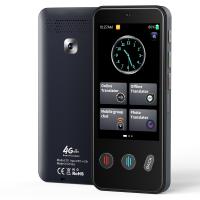
Voice Translator Device 142 Languages Offline & Online, Support WiFi & Global 4G Internet Connection for Business, Travel, Study Kentfaith
HOT Seller
Voice Translator Device 142 Languages Offline & Online, Support WiFi & Global 4G Internet Connection for Business, Travel, Study Kentfaith
17
$162.49 $149.99
Gift Certificate: $200 Value - Can Use with Any Discounts
$200.00 $190.00
Gift Certificate: $300 Value  - Can Use with Any Discounts
Gift Certificate: $300 Value - Can Use with Any Discounts
$300.00 $285.00
Gift Certificate: $1000 Value  - Can Use with Any Discounts
Gift Certificate: $1000 Value - Can Use with Any Discounts
$1,000.00 $950.00
Gift Certificate: $500 Value  -Can Use with Any Discounts
Gift Certificate: $500 Value -Can Use with Any Discounts
$500.00 $475.00
Gift Certificate: $800 Value - Can Use with Any Discounts
$800.00 $760.00
Instant Cross-APP Translator Device for Business & Trade, Video Call Translation, Record, & Transcription, Kentfaith AI Translator Devices
12
$124.99 $99.99
Products You May Like
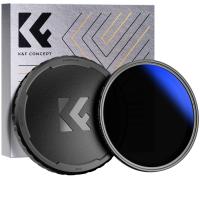
72mm Variable ND2-400 Filter With Cap, K Pro Fader ND2 to ND400 (9 Stop)
$59.99 $38.99
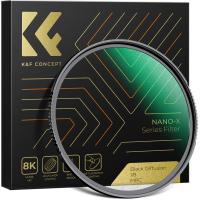
46mm Black Mist Filter 1/8 Special Effects Filter Ultra-Clear Multi-layer Coated With Waterproof Scratch-Resistant and Anti-Reflection Nano-Xcel Series
134
$49.99 $39.99
52mm Empty Magnetic Base Ring (Works ONLY with K&F Concept Magnetic Filters / Quick Swap System)
21
$17.99
52mm Variable ND Filter Kit 2pcs ND2-32 & ND32-512 with Waterproof Anti-scratch Anti-reflection Green Film NANO-X Series
62
$149.99 $88.99
hohem iSteady M6 Kit Gimbal Stabilizer for Smartphone 3-Axis Phone Gimbal with AI Tracking Sensor Magnetic Fill Light
11
$329.99 $230.99
58mm Variable ND Filter ND3-1000(1.5-10 Stops) Ultra-thin HD with Double-sided 28-layer Nano-coating Nano-Xcel Series
60
$87.99 $69.99
Upgrade Rotatable Multi-Angle Center Column for Camera Tripod Magnesium Alloy & Locking System (Old model KF31.010 )
23
$69.99 $41.99
105mm ND Filter ND1000 (10 Stop) Lens Filter 28 Multi-Layer Coatings Waterproof Scratch Resistant Super Slim for Camera Lens (Nano-Xcel Series)
88
$137.99 $109.99
4G Cellular Trail Camera, 2.7K Videos 32MP Photos with Real-time Notifications, 0.3S Trigger Time, 65ft Night Vision, IP66 Waterproof, Kentfaith
15
$137.49 $109.99
K&F CONCEPT Neck Mount with Air Cushion, Camera POV Mount for Hands-Free POV Vlogging for GoPro Hero 13/12/11/10/9/8/7/6/5/4/MAX, Insta 360 Ace Pro 2, DJI Osmo 360 Nano Action 3/4/5 Pro, AKASO
21
$24.99
Related articles
How To Record Audio From A Video?
Can I Record My Phone Screen With Audio?
Can Discord Record Audio?
Can Security Cameras Record Audio?
Can Wireless Cameras Work Without Internet?
How Long Can My Phone Record Audio?
Can Alexa Record Audio For You?
How To Record The Sound From My Keyboard?
How Record Audio On Pc?
How To Turn On Screen Record Audio?
Blog You May Like
Uv Filter 100 Bulb What Is?
Hood For Camera Lens How To Use?
How To Charge Sony Battery With Camera?
How To Record Audio Without Background Noise?
How To Laser Rangefinders Work?
How To Make Big Room Sound Recording?
Recording How To Get That Open Sound?
Can You Use An Nd Filter Inside?
What Is Monocular Telescope?
Can We Call From Smart Watch?
Related categories
flash the camera 4G Cameras photographing led lights CPL camera filter camera tripod parts Aluminum Tripods
Popular products
internet trail camera internet trail cameras Mini Digital Voice Recorder​ uhf wireless microphone system high speed microsd card video recording camera for youtube smartphone for video recording smartphone with 3 cameras class 10 micro sd card micro sd card speed
Related searches
Camera Bags That Open From The Back Wireless Headphones From Tv Cheap Camera To Record Videos Wireless Security Camera No Internet Wireless Internet Camera Night Vision Night Vision Binoculars That Record I Touch Smart Watch Wifi Wireless Internet Home Security Camera Best Camera To Record Time Lapse Cameras That Can Adapt Canon Fd Lens
Popular searches
Tripod Level Head Mc11 Adapter Lense Compatibility List Canon Ef Ai Voice Recorder Wireless Switch Headphones With Mic Tamron 24-70 F 2.8 For Pentax Mount Canon Camera Adapter For Iphone Cpl 52mm Filter Sigma 56mm F/1.4 For Canon's Ef-m Mount Hardshell Camera Backpack Best Underwater Video Camera
Blog Category
  • Activities
  • Guide
    • Filter Guide
    • Lens Adapter
    • Product Review
  • News & Reviews
    • Camera Reviews
    • Sample Gallery
    • News
  • Tutorials
    • Solar eclipse photography
    • Photography Basics
    • Landscape Photography
  • Inspiration
    • Travel
    • Travel Stories
Search Article
Latest from the Blog
How Do Cellular Trail Cameras Work? – The Complete Guide for Hunters and Wildlife Enthusiasts
What Is The Best Camera To Record Videos?
Which Ring Camera Is Wireless?
How To Keep Earbuds In Your Ear?
UV Filter: Everything You Need to Know About UV Protection Lens Filters
How To Find A Good Digital Camera?
How To Adjust Binoculars With Glasses?
Which Memory Card For Dash Cam?
Which Binoculars To Buy?
How To Take Great Photos With Digital Camera?
  • Easy Payment Multilple Payment Options

  • Free Shipping Global WareHouse Shipment

  • No Risk 30-Day No Reason Return

  • Limited Deals Buy More, Save More

  • Tax Free No any surcharges or tax fee

Information
  • About us
  • Contact Us
  • Site Map
  • Blog
  • Video
  • Gallery
  • VIP Membership Rewards
Service
  • Privacy Policy
  • Terms & Conditions
  • Shipping & Delivery
  • Payment Info
  • Warranty, Return & Refund
  • Intellectual Property Rights
  • Ambassador
  • Affiliates
  • Wholesale
Support
  • My account
  • Order History
  • FAQs
  • Extend Warranty
  • Logistics Tracking
Follow us
NewsLetter

Get the latest product, K&F Concept respects your privacy.
Powered By KENTFAITH © 2026